



What is a Doctor Dashboard? The doctor dashboard is a centralized digital workspace which helps…
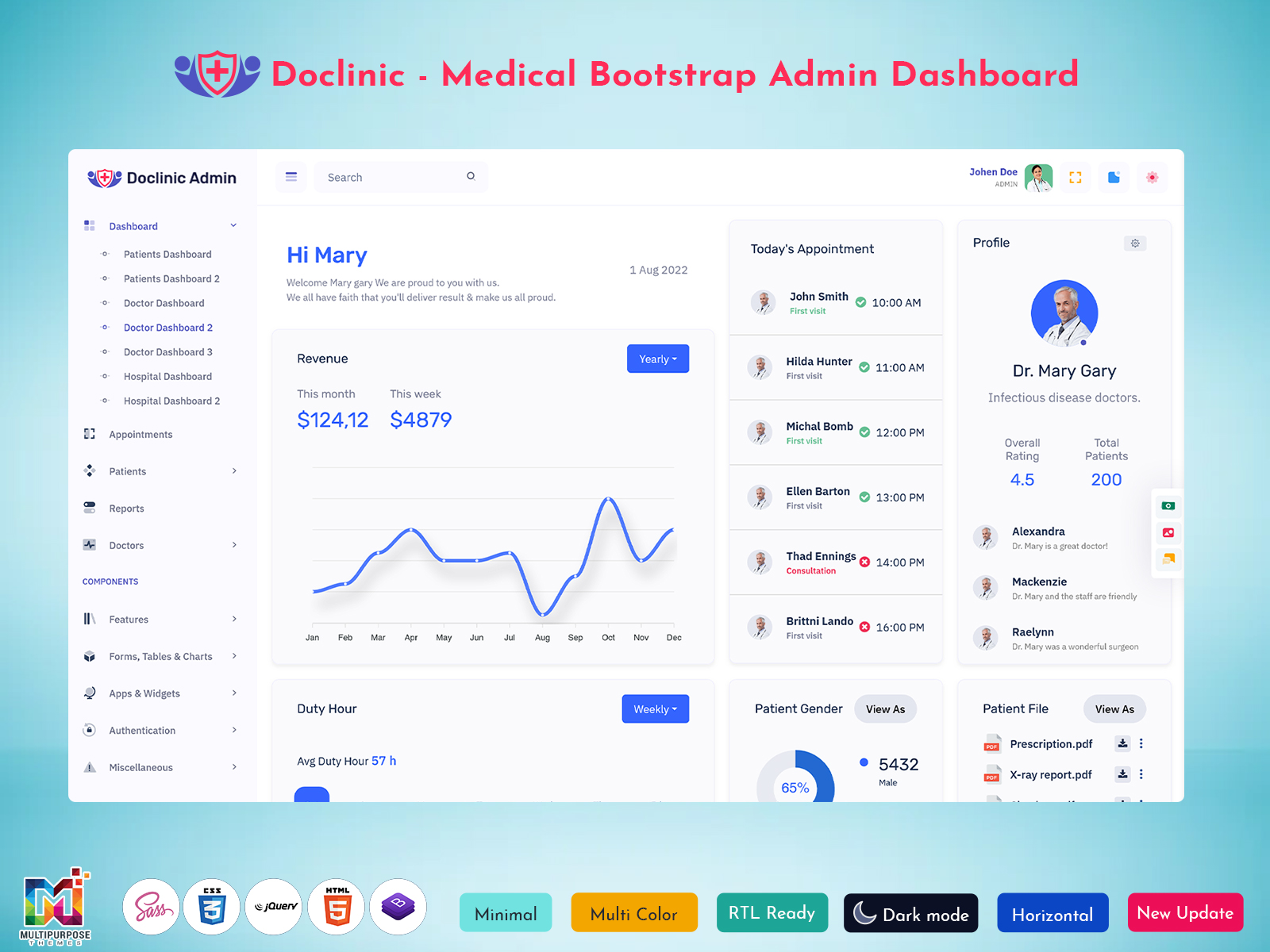
Medical Doctor Admin Template for Efficient Clinical Workflows
Reading Time: 8 minutes
Healthcare applications need to handle a wide range of information without making everyday work difficult for medical professionals. Doctors may need to move between patient information, appointments, clinical notes, reports, and administrative details during a busy day. A Doctor Dashboard can bring relevant information into one organized workspace and create a more focused digital experience.
A dashboard for doctors should do more than display information. It should help users understand what requires attention, move between important areas comfortably, and maintain a clear view of their daily responsibilities. The design needs to support the way medical professionals work rather than simply adding a large number of interface elements.
Modern healthcare projects can use a Doctor Dashboard for clinics, hospitals, telemedicine platforms, medical software, and private practices. Developers can also use a ready-made Doctor Dashboard HTML Template or Doctor Dashboard Bootstrap Template as a foundation and customize it according to the application’s specific requirements.
Watch Full Video
What is Doctor Dashboard?
A Doctor Dashboard is a digital interface designed to organize information and activities related to a doctor’s daily work. It provides a central space where healthcare professionals can access relevant information without having to navigate through unrelated sections of a medical application.
The exact content of a dashboard depends on the application. A private clinic may require a straightforward view for daily work, while a larger healthcare platform may need a more extensive interface for handling different types of medical and administrative information.
The main purpose is to create a clear starting point for doctors. When information is properly arranged, users can understand their current workload, locate relevant records, and move to the next task with less unnecessary navigation.
A well-planned Doctor Dashboard UI also needs to balance information density with readability. Medical applications can contain complex data, so presenting everything at the same visual level can make the interface difficult to use. Good design gives priority to the information that matters most at each stage of the workflow.
VIEW DEMO BUY NOW
How Doctors Use a Digital Dashboard
A Doctor Dashboard can be viewed as a digital workbench rather than simply an admin page. A physical doctor’s workspace may contain a calendar, patient notes, reports, and other materials needed throughout the day. A digital dashboard can bring the equivalent information into a structured environment.
This perspective changes how the interface should be planned. Instead of asking, “What information can we put on the dashboard?”, developers can ask, “What does the doctor need to understand or complete first?” That approach helps create a more useful experience.
For example, a doctor beginning a workday may want to understand the day’s workload before opening individual records. During a consultation, the priority may shift toward information connected with the current patient. Later, the doctor may need to review pending work or update records.
A flexible dashboard can support these different moments without overwhelming the user. This makes the Doctor Dashboard Design an important part of the overall healthcare application rather than just a visual layer added after development.
Features of Doctor Dashboard
1. Centralized Medical Workspace
A Doctor Dashboard creates one organized environment for accessing information used during daily medical work. Instead of making users search through unrelated areas, the interface can provide a clear route to important sections. This arrangement can make navigation more predictable and comfortable during busy schedules.
2. Appointment Visibility
A dashboard can provide doctors with a convenient view of their scheduled work. By presenting appointment-related information clearly, it becomes easier to understand the day’s expected activity and prepare for upcoming consultations. The design can prioritize timing and relevance without overcrowding the screen.
3. Patient Information Access
Medical professionals need dependable access to patient-related information during their workflow. A dashboard can provide a structured path toward relevant records while keeping the main interface focused. This can reduce unnecessary movement between pages and help doctors reach the information required for their current task.
4. Medical Data Presentation
Healthcare information can contain many different types of records, so presentation matters. A Doctor Dashboard UI can organize complex information into readable sections, helping users distinguish important details without making every piece of data compete for attention on the same screen.
5. Activity Awareness
A Doctor Dashboard can help users understand what has happened and what may require attention next. Bringing recent or pending activity into the working environment gives doctors greater awareness of their workload and can make it easier to continue tasks without repeatedly checking separate areas.
6. Responsive Interface
Doctors may access healthcare applications from different devices depending on their working environment. A responsive Doctor Dashboard Design can adjust to available screen sizes while maintaining a logical information hierarchy. This allows the interface to remain practical across desktops, tablets, and other supported devices.
7. Customizable Foundation
A Doctor Dashboard Bootstrap Template can provide developers with an initial interface structure that can be adapted for different healthcare applications. Customization allows teams to adjust layouts, branding, information priorities, and workflows instead of creating every interface element completely from the beginning.
VIEW DEMO BUY NOW
Context-Driven Design for an Effective Doctor Dashboard
One of the most important qualities of a Doctor Dashboard is context. Medical information rarely exists in isolation. A doctor’s daily work involves understanding which information belongs to which task and which details are relevant at a particular moment.
A useful dashboard can create that context by arranging information according to the user’s workflow. For instance, the information needed when preparing for a consultation may be different from what is useful while reviewing the day’s overall workload.
This means that adding more information does not automatically make a dashboard better. In fact, excessive information can make an interface harder to understand. A thoughtful dashboard focuses on hierarchy, spacing, readability, and logical movement between related areas.
The same principle applies to visual design. Medical software is used for important work, so the interface should feel dependable and predictable. A clean Doctor Dashboard UI can help users understand where they are and what they can do next without unnecessary visual distractions.
Benefits of Doctor Dashboard
1. Creates a More Organized Workflow
A Doctor Dashboard gives medical professionals a structured place to begin and continue their daily activities. By bringing relevant information closer together, it can reduce unnecessary navigation and create a smoother working routine for doctors using digital healthcare applications.
2. Improves Information Accessibility
Important medical information should not be difficult to locate. A well-planned dashboard provides a clear route toward relevant areas and reduces the need to search through unrelated pages. This can make digital healthcare systems more convenient during regular clinical and administrative work.
3. Reduces Interface Complexity
Healthcare applications can contain large amounts of information, which may make poorly planned interfaces difficult to use. A focused Doctor Dashboard presents information according to importance and context, helping users work with complex systems without making every available detail visible at once.
4. Supports Consistent Daily Use
Doctors often repeat similar activities throughout their working days. A familiar dashboard structure can make these routines easier to follow because commonly used information remains in predictable locations. Consistency can help users become comfortable with the application and reduce unnecessary learning time.
5. Helps Developers Build Faster
A Doctor Dashboard HTML Template gives developers an existing interface foundation that can be adapted for a healthcare project. Instead of starting the front-end structure from an empty screen, development teams can focus more attention on customization, application logic, integration, and project-specific requirements.
6. Provides Design Flexibility
A suitable Doctor Dashboard Bootstrap Template can offer a flexible starting point for developers who need to create different healthcare interfaces. The layout can be adapted to match the project’s branding, user roles, information hierarchy, and functional requirements without depending on a completely fixed design.
7. Creates a Better Digital Experience
A healthcare application’s usefulness depends partly on how comfortable people feel while using it. A clear Doctor Dashboard Design can make information easier to understand and navigation more natural. This contributes to a smoother digital experience for medical professionals working with the application regularly.
How a Doctor Dashboard Supports Daily Clinical Work
A doctor’s workday involves more than reviewing patient records. Between scheduled consultations, follow-ups, clinical documentation, test results, and routine decisions, professionals often need to switch between different types of information. A well-structured Doctor Dashboard can bring these frequently used elements together, reducing unnecessary movement across separate screens.
The value of such a dashboard comes from how effectively it supports the doctor’s working rhythm. Upcoming appointments, patient-related updates, pending tasks, and important notifications can be presented in a way that helps doctors understand their priorities at a glance. Instead of searching through multiple sections, users can begin with the information that requires attention first.
A carefully designed Doctor Dashboard UI can also make complex healthcare applications feel more manageable. Clear navigation, meaningful data grouping, readable layouts, and consistent interactions allow doctors to spend less time understanding the interface and more time focusing on their actual responsibilities.
Conclusion
A Doctor Dashboard can provide a focused and organized digital workspace for modern healthcare applications. By giving doctors a clear way to access relevant information and navigate their daily activities, it can make complex medical software easier to work with.
For development teams, a Doctor Dashboard HTML Template can provide a useful starting point for building a healthcare interface. A Doctor Dashboard Bootstrap Template can offer a flexible foundation for projects already using Bootstrap, while thoughtful Doctor Dashboard Design can help turn that foundation into a practical user experience.
VIEW DEMO BUY NOW
Frequently Asked Questions
1. What is the main purpose of a Doctor Dashboard?
A Multi Purpose Themes Doctor Dashboard provides a centralized interface where medical professionals can access information relevant to their daily work. The exact content varies between applications, but the main goal is to create a clear and organized workspace. It can help doctors navigate healthcare software more comfortably without forcing every task through separate and unrelated screens.
2. What should a good Doctor Dashboard UI look like?
A good Doctor Dashboard UI should be clear, structured, and easy to navigate. Important information should have a visible place without making the interface overcrowded. Consistent navigation, readable typography, appropriate spacing, and a logical information hierarchy can make the dashboard more comfortable for doctors who use it regularly.
3. Is a Doctor Dashboard HTML Template useful for developers?
Yes. A Multi Purpose Themes Doctor Dashboard HTML Template can provide developers with an existing front-end foundation for a medical project. It can reduce the amount of basic interface work required at the beginning of development. Developers can then modify the structure and connect the interface with the application’s own back-end, database, and functionality.
4. Why choose a Doctor Dashboard Bootstrap Template?
A Multi Purpose Themes Doctor Dashboard Bootstrap Template can be useful for teams already working with Bootstrap-based projects. It provides a familiar framework foundation while allowing developers to customize the interface for their application. Before selecting one, developers should still evaluate its code structure, responsiveness, customization options, and compatibility with the project’s technical environment.
5. Can a Doctor Dashboard be customized for different specialties?
Yes. A Multi Purpose Themes dashboard can be adapted according to the workflow and information requirements of different medical specialties. A cardiology application, dental platform, general clinic system, or telemedicine product may each require different priorities. Customization allows developers to create an interface that reflects the actual responsibilities of its intended users.
6. Is Doctor Dashboard Design important for healthcare software?
Yes. Multi Purpose Themes Doctor Dashboard Design directly influences how easily users can understand and navigate the application. Healthcare software may contain complex information, so a poorly organized interface can become difficult to work with. A thoughtful design can establish clear priorities, reduce unnecessary visual complexity, and create a more predictable user experience.
7. Can Multi Purpose Themes be used for building a Doctor Dashboard?
Multi Purpose Themes can be considered as a starting point for a Doctor Dashboard project when the available template structure matches the application’s requirements. Developers should review the design, responsiveness, customization possibilities, framework compatibility, and code structure before selecting a template for their healthcare project.

Related Posts


This Post Has 0 Comments