Therefore the CRM Dashboard is a working space where one can store, view and move…
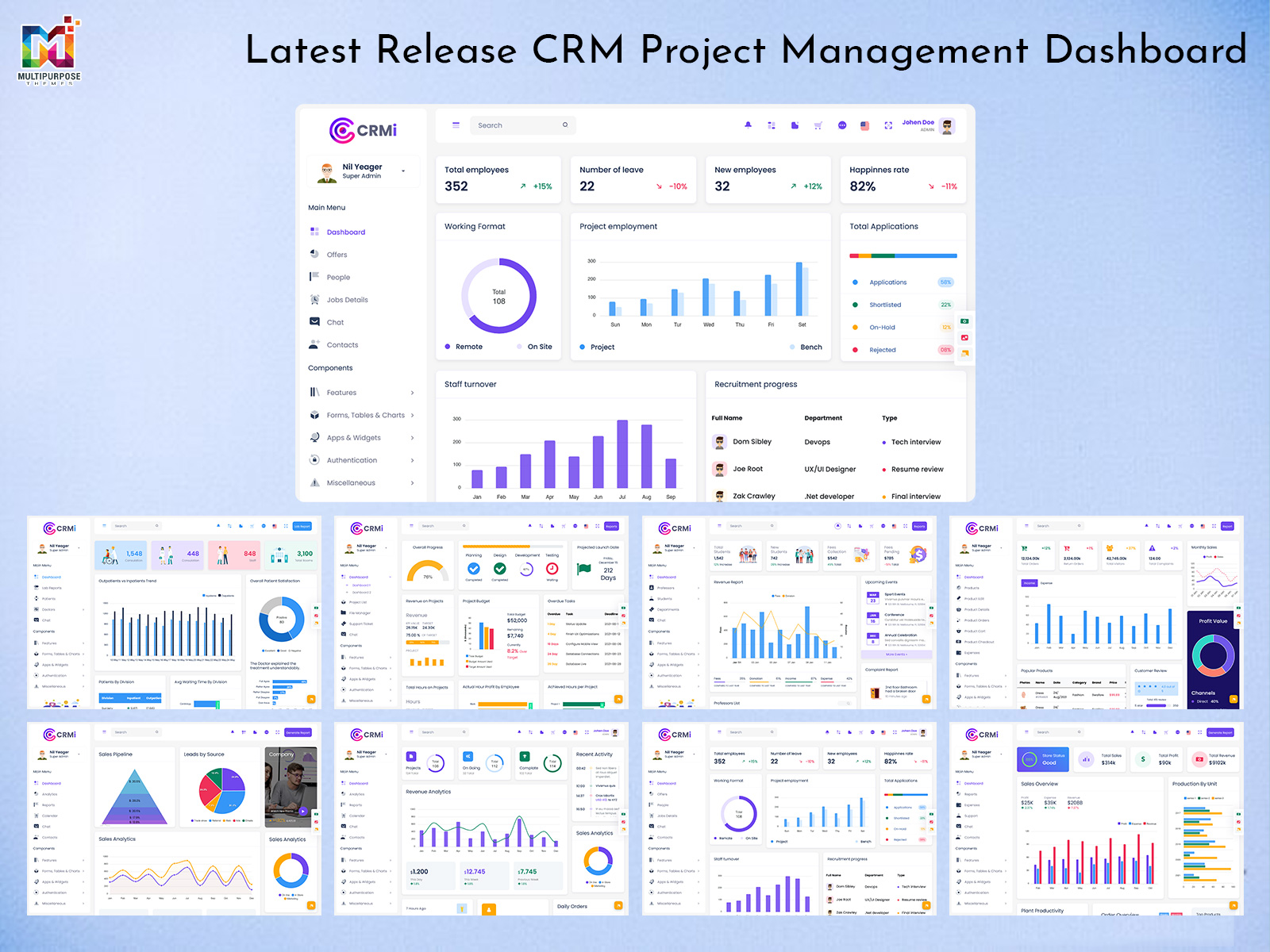
Project Management CRM Dashboard – Latest Bootstrap 5 Design Released
Reading Time: 5 minutes
In today’s competitive business landscape, staying on top of leads, clients, and projects is more than a necessity—it’s a strategic advantage. Companies often struggle to manage client relationships efficiently while tracking tasks, revenue, and performance. To address these challenges, we have introduced a newly updated CRM Dashboard, designed to simplify operations, enhance productivity, and provide comprehensive insights into your business activities. This dashboard brings all essential features together in one intuitive platform, making it an indispensable tool for managers, sales teams, and project coordinators alike.
Explore New Dashboard Design
BUY NOW DEMO
Next-Gen Features of New CRM Dashboard
Clean and Modern CRM-Style Interface
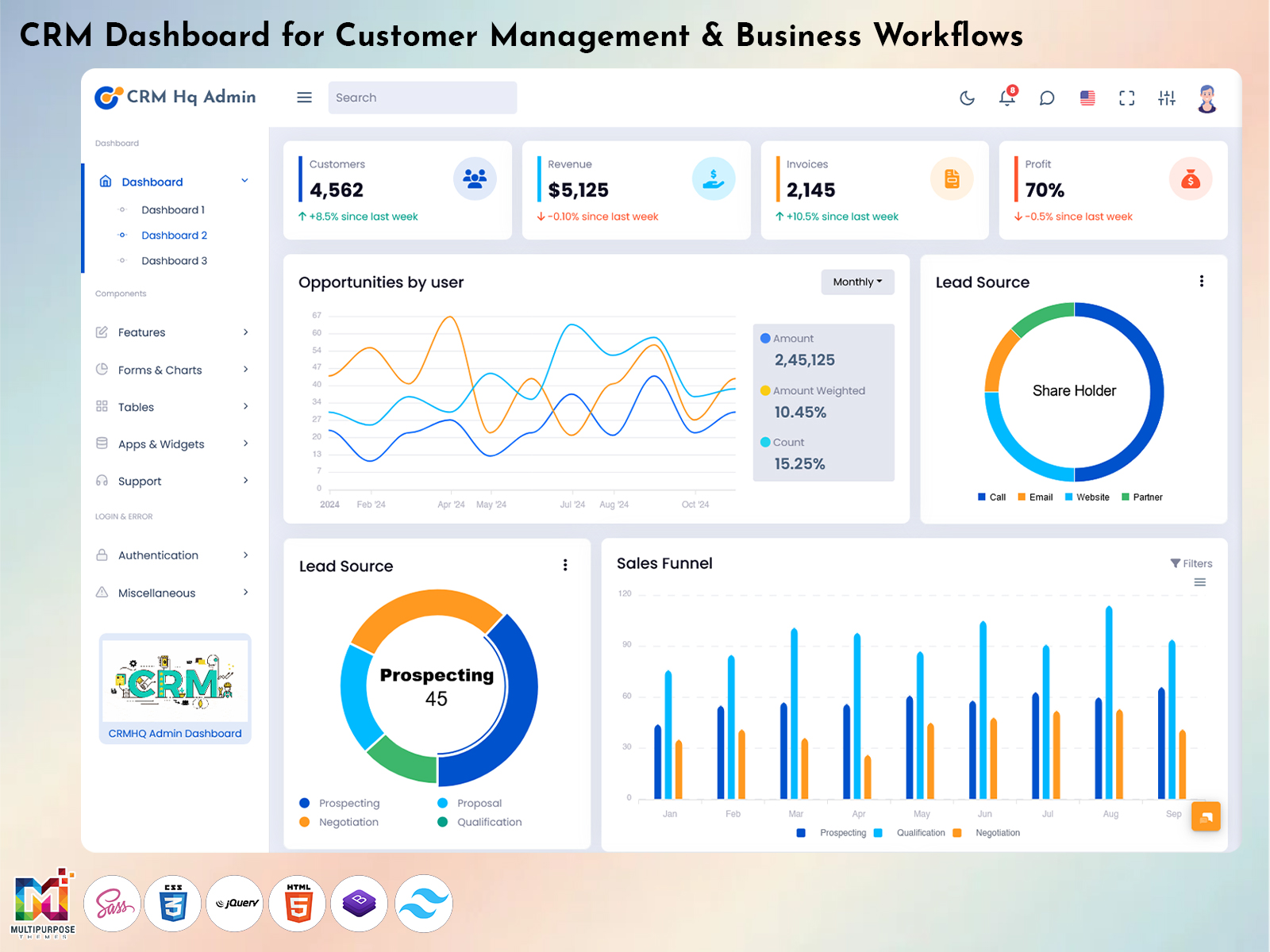
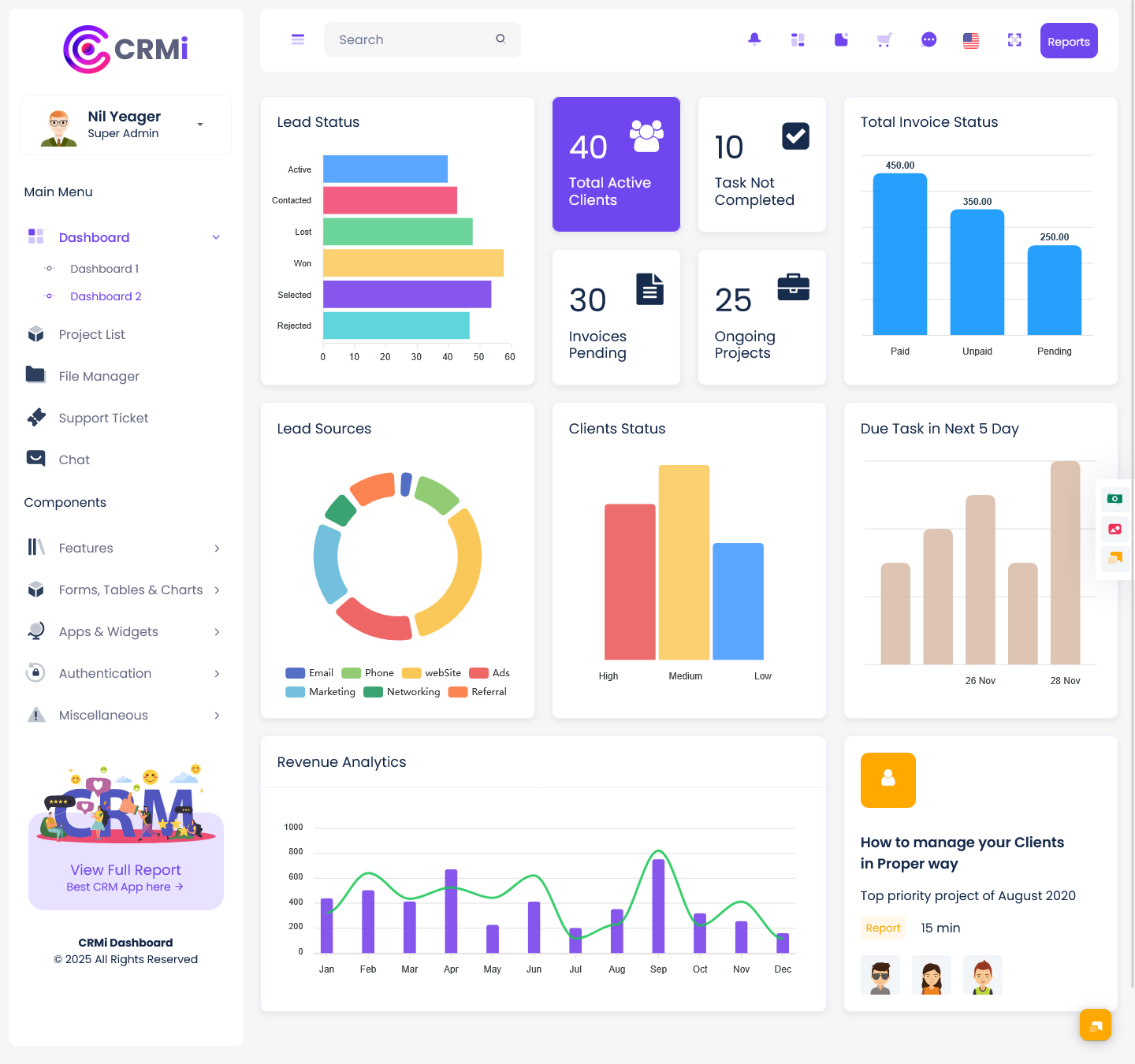
A dashboard is only as effective as its interface, and the new CRM dashboard excels in this area. It boasts a clean, modern design that balances aesthetics with functionality. Every element has been thoughtfully arranged to provide clarity and ease of navigation. Users can move seamlessly between sections, access critical information at a glance, and interact with analytics widgets without confusion. The visually appealing design ensures that even complex data is presented in a digestible format, helping teams make sense of their workflow efficiently. The simplicity of the interface minimizes distractions while the modern elements enhance user engagement, making daily operations smoother and more productive.
Advanced Analytics Widgets
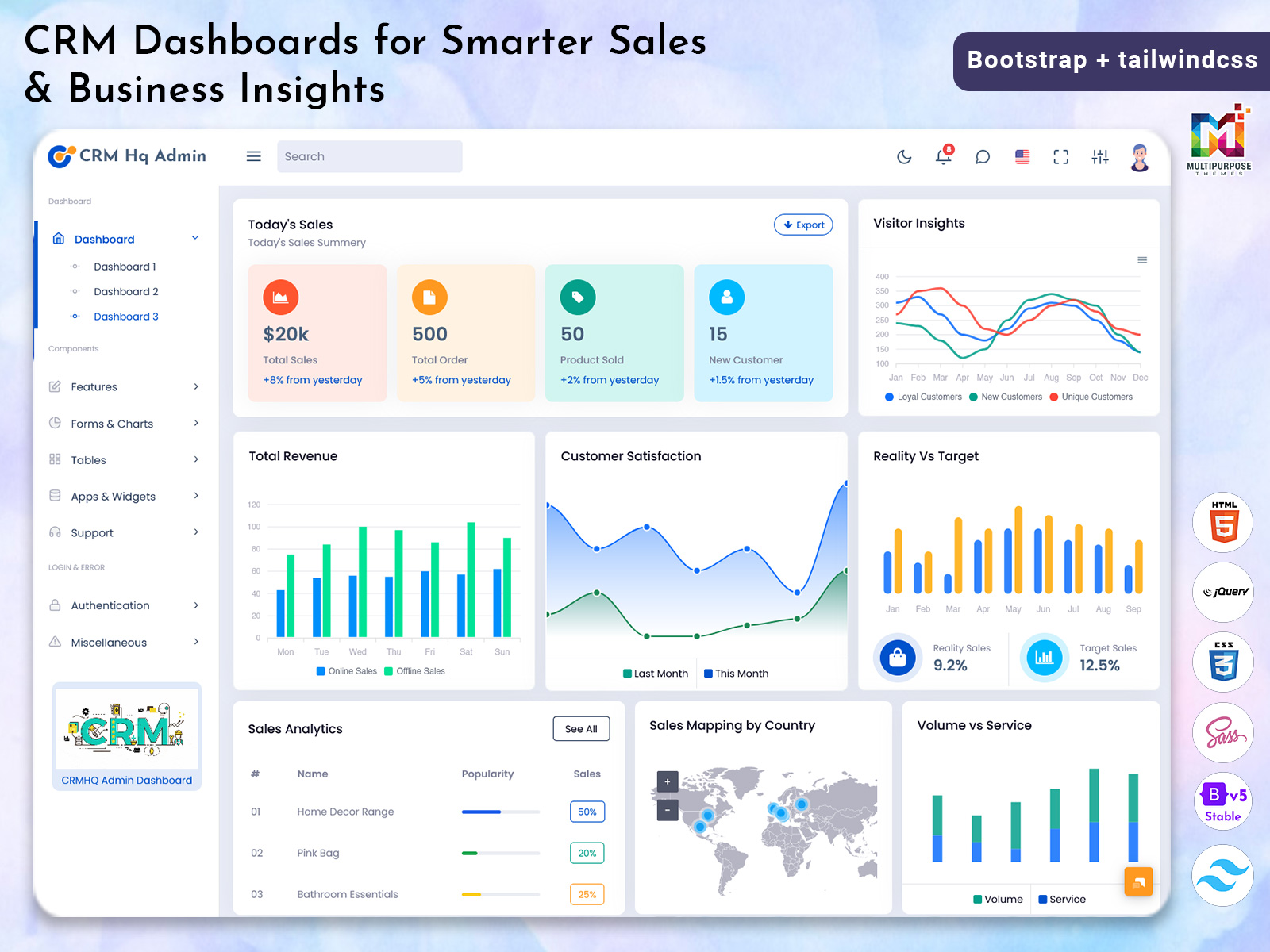
Integrated analytics widgets are at the core of the CRM dashboard, providing real-time insights into various aspects of business performance. These widgets allow users to track lead conversion rates, client engagement, revenue trends, and project progress in one unified view. Each widget is interactive, enabling users to dive deeper into the data for more detailed analysis. The visual representation of metrics through charts, graphs, and interactive displays makes it easier to identify patterns and detect anomalies quickly. By offering advanced analytics without the need for additional software, the dashboard empowers teams to make informed decisions that drive efficiency and growth.
Lead Status and Lead Source Tracking
Effective lead management is crucial for driving business growth. The CRM Software Dashboard features a comprehensive lead management system, displaying the status of each lead along with its source. Teams can see whether a lead is new, in progress, or converted, allowing them to prioritize actions effectively. Knowing the origin of each lead—whether from social media campaigns, email outreach, or direct inquiries—enables businesses to focus efforts on the channels that deliver the best results. This feature ensures that no lead is overlooked, while helping sales teams work strategically to improve conversion rates and revenue outcomes.
Real-Time Client Activity Monitoring
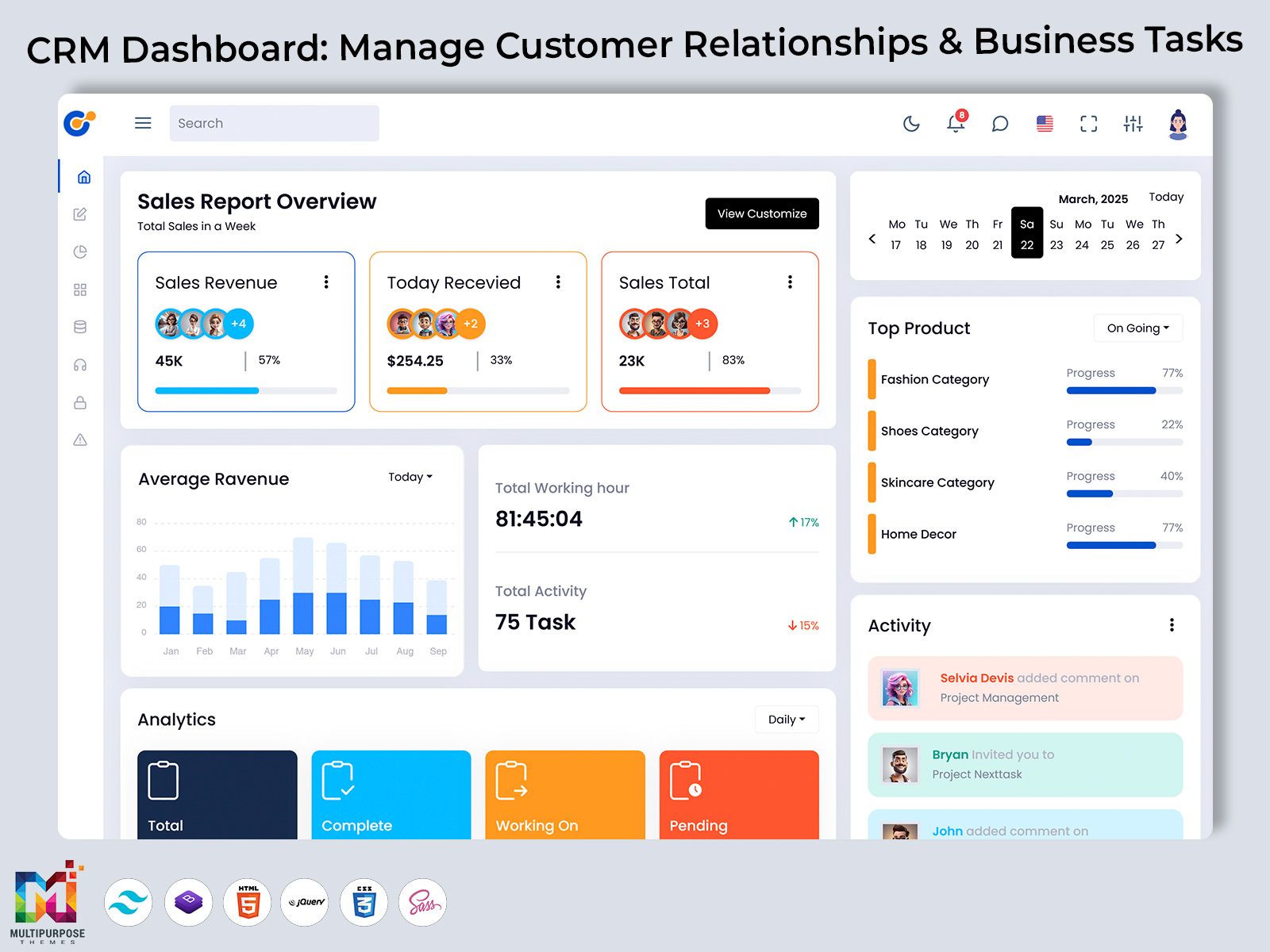
Maintaining strong client relationships requires continuous monitoring of interactions and activities. The dashboard allows users to track client engagement in real time, providing updates on communications, ongoing tasks, and project progress. By having instant access to client activity, teams can respond quickly to client requests, follow up on pending issues, and maintain a proactive approach to relationship management. This visibility fosters stronger client trust, ensures timely responses, and helps businesses anticipate needs before challenges arise, ultimately improving client satisfaction and loyalty.
Invoice Status Overview
Managing invoices can often be cumbersome, but the dashboard simplifies this process by providing a clear overview of all financial transactions. Users can monitor pending, paid, and overdue invoices in real time, allowing for better financial planning and management. Quick identification of delayed payments ensures that teams can take immediate action, maintain cash flow, and reduce financial discrepancies. By consolidating invoice details in one accessible platform, businesses can streamline accounting processes, improve transparency, and save time that would otherwise be spent tracking multiple spreadsheets or systems.
Upcoming Tasks and Reminders
Project management is streamlined with the CRM dashboard’s task tracking and reminder features. Users can schedule tasks, assign responsibilities, and set deadlines while receiving notifications about upcoming activities. This functionality ensures that projects progress smoothly and important deadlines are never missed. By centralizing task management and reminders, teams can work in a more organized manner, avoid miscommunication, and focus on delivering results efficiently. This proactive approach reduces stress, improves accountability, and ensures that both short-term and long-term objectives are consistently met.
Detailed Revenue Analytics
Understanding revenue performance is essential for strategic decision-making, and the dashboard provides detailed analytics to help businesses monitor their financial health. Users can track revenue trends over time, compare performance across different projects or clients, and assess the impact of various sales activities. The use of charts and graphical reports makes it easy to interpret data and identify opportunities for growth or areas that require attention. By offering a clear visual representation of revenue streams, the Project Management Dashboard Layout equips managers with the insights needed to optimize financial strategies and make data-driven decisions confidently.
Quick-Access Info Cards
For users who need immediate insights, the dashboard includes info cards that display critical statistics at a glance. These cards show the number of active clients, pending invoices, ongoing tasks, and live projects, giving a quick snapshot of overall business performance. Info cards enhance efficiency by reducing the time required to gather information from multiple sources. By providing essential data in an easily accessible format, teams can monitor progress, evaluate priorities, and make decisions faster, improving responsiveness across the organization.
Organized and User-Friendly Layout
The dashboard’s layout has been designed for optimal usability and quick access to important information. Related features and data are grouped logically, allowing users to navigate seamlessly between client management, lead tracking, project monitoring, and financial reporting. This structured approach minimizes cognitive load, reduces errors, and ensures that decision-makers can focus on analyzing data rather than searching for it. An organized layout not only improves workflow but also enhances overall user experience, making the dashboard an intuitive tool for all team members.
Enhancing Performance and Productivity
At its core, the Project Management Dashboard is designed to boost performance and productivity across the organization. By consolidating all critical functions in a single platform, it eliminates the need for multiple disconnected tools. Teams can manage leads, track client interactions, monitor revenue, and plan tasks from one central location. This integration allows managers to oversee operations effectively, identify bottlenecks, and implement improvements quickly. The combination of real-time insights, task reminders, and organized data empowers teams to work smarter, focus on high-impact activities, and achieve business goals efficiently.
Ideal for Every Business Team
Whether you are managing a small team or coordinating a large enterprise, the dashboard adapts to various business requirements. Its flexible design ensures that teams of all sizes can benefit from its features, while scalability allows it to grow with your business. Small businesses can rely on the dashboard for simplified lead and client management, while larger organizations can leverage advanced analytics, comprehensive reports, and collaborative features. By catering to diverse operational needs, the dashboard ensures long-term value and continued improvement in productivity and performance.
Driving Strategic Decisions
The true power of this CRM dashboard lies in its ability to drive strategic decisions. By providing a clear view of leads, clients, projects, and revenue, managers can make informed choices that impact overall business growth. The combination of detailed analytics, real-time monitoring, and task management ensures that every decision is backed by accurate, actionable data. Organizations can identify trends, optimize resources, and improve client engagement strategies, all while maintaining high efficiency and minimizing risk.
Explore Other Different Types of Dashboards
CRM Dashboard
BUY NOW DEMO
CRM2 Dashboard
BUY NOW DEMO
HRM Dashboard
BUY NOW DEMO
Sales Dashboard
BUY NOW DEMO
Hospital Dashboard
BUY NOW DEMO
Project Management Dashboard
BUY NOW DEMO
University/School Dashboard
BUY NOW DEMO
eCommerce Dashboard
BUY NOW DEMO
Restaurants Dashboard
BUY NOW DEMO
Conclusion
The updated CRM Dashboard is a comprehensive solution for businesses looking to enhance efficiency, track performance, and improve client relationships. Each feature—from the clean interface and advanced analytics to lead tracking, client activity monitoring, invoice overview, task reminders, revenue analytics, info cards, and organized layout—has been designed to empower teams to work smarter and achieve better results. By consolidating essential tools in one platform, the dashboard not only simplifies complex operations but also provides actionable insights that drive growth and productivity. With its intuitive design, scalability, and focus on performance, this dashboard is the ultimate tool for businesses aiming to succeed in today’s competitive environment.

Related Posts