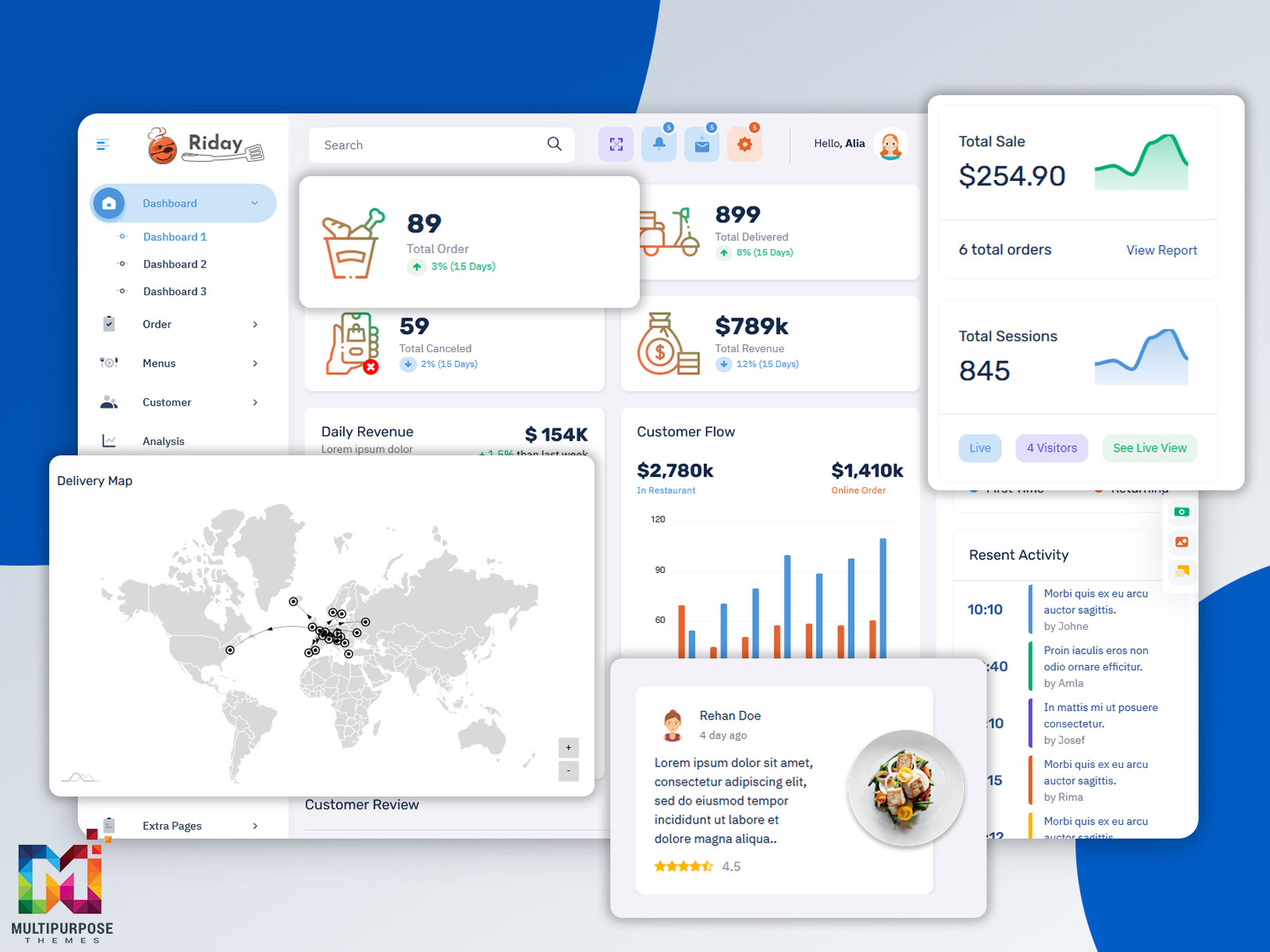
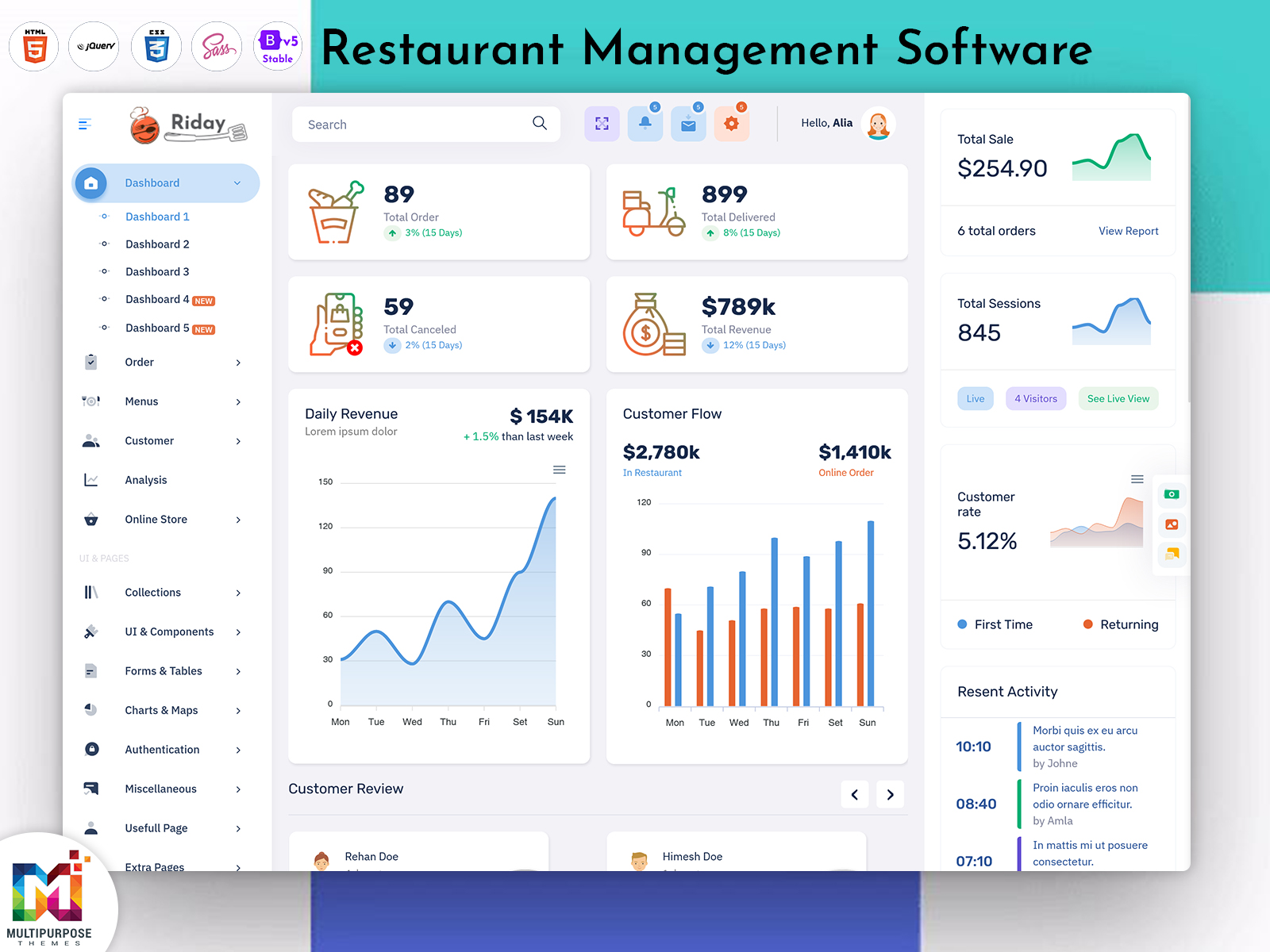
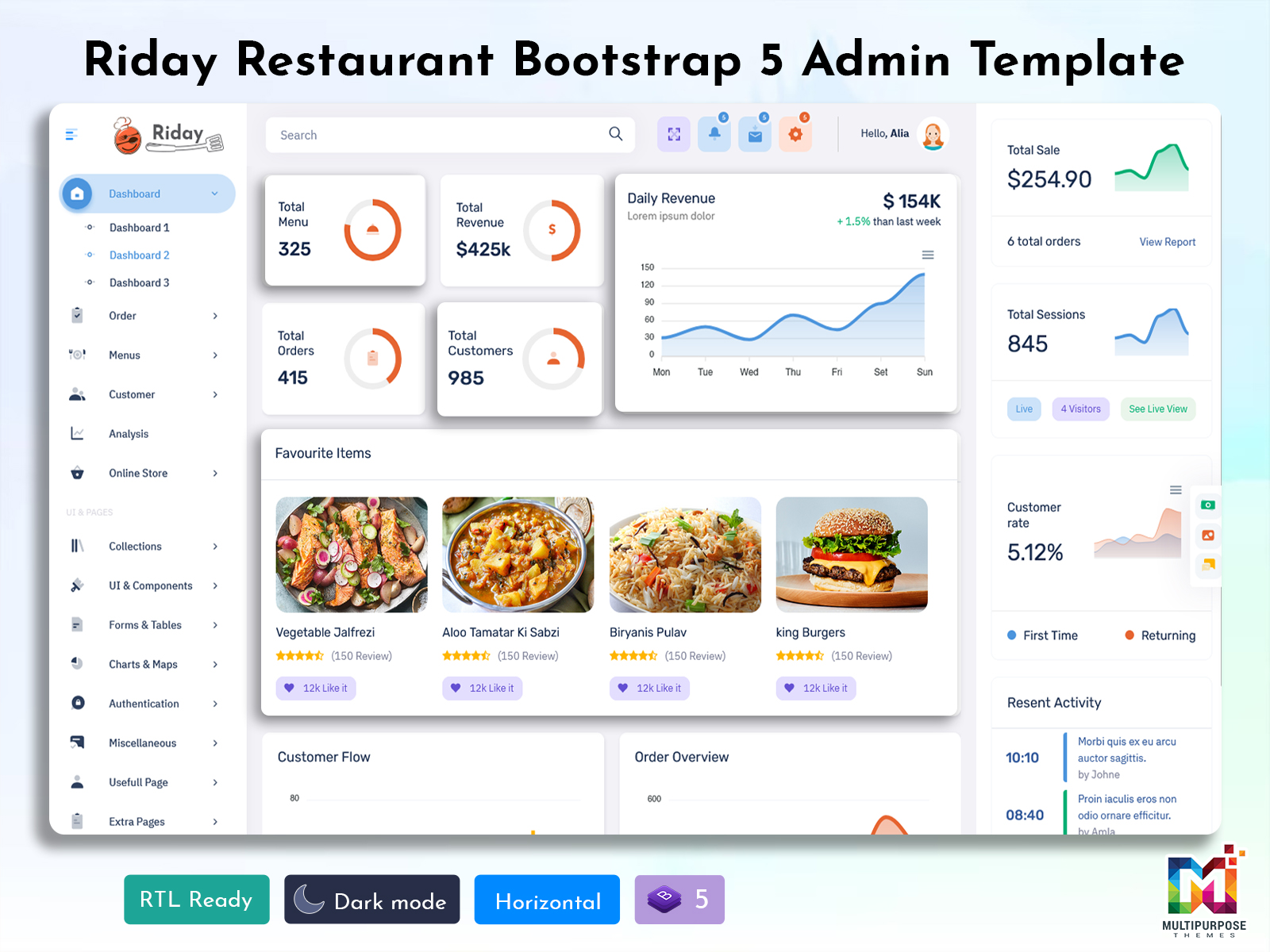
What is a Restaurant Dashboard? The Restaurant Dashboard is the center. The Restaurant Dashboard holds…
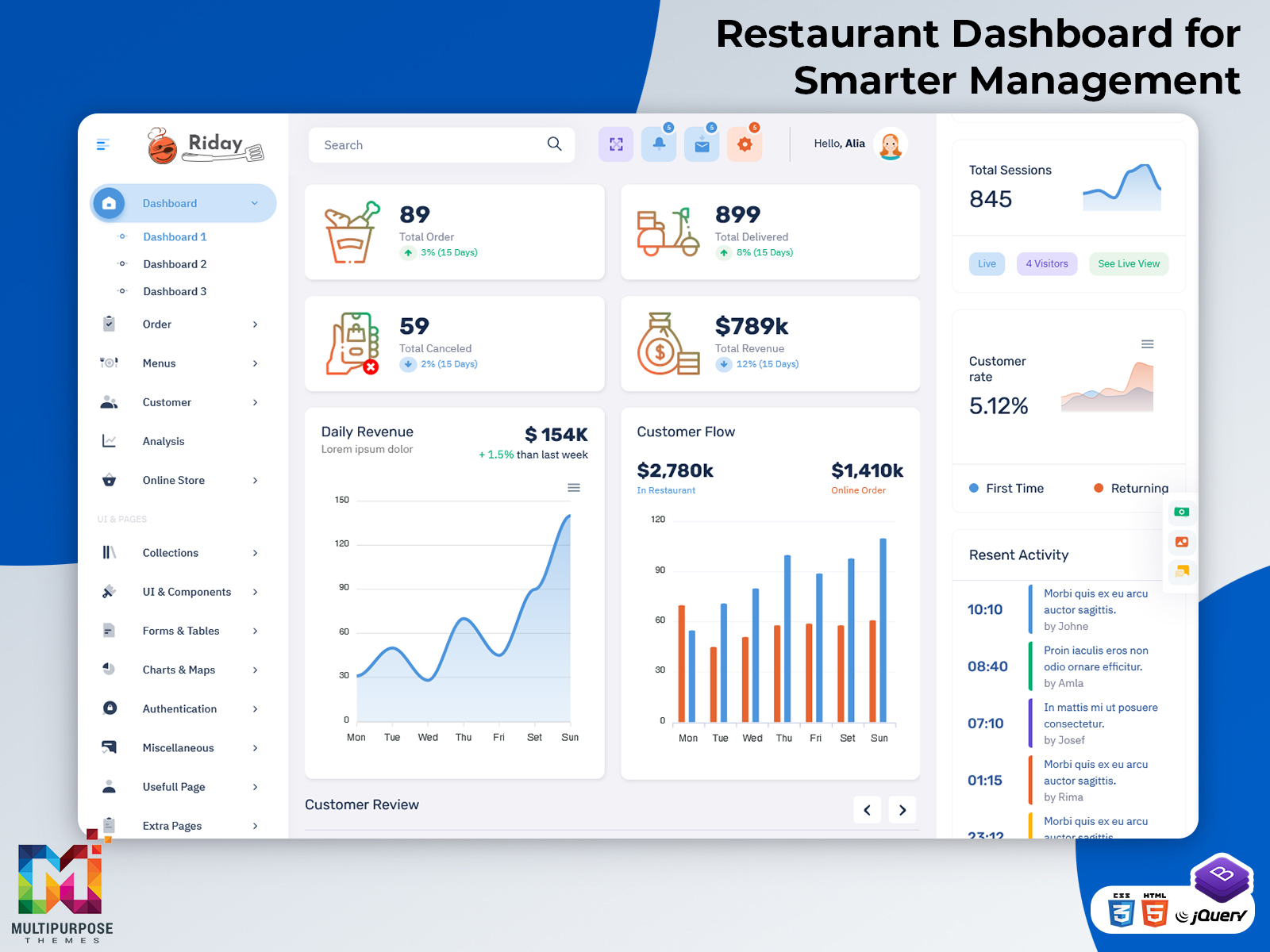
Restaurant Dashboard for Smarter Management
Reading Time: 10 minutes
What is a Restaurant Dashboard?
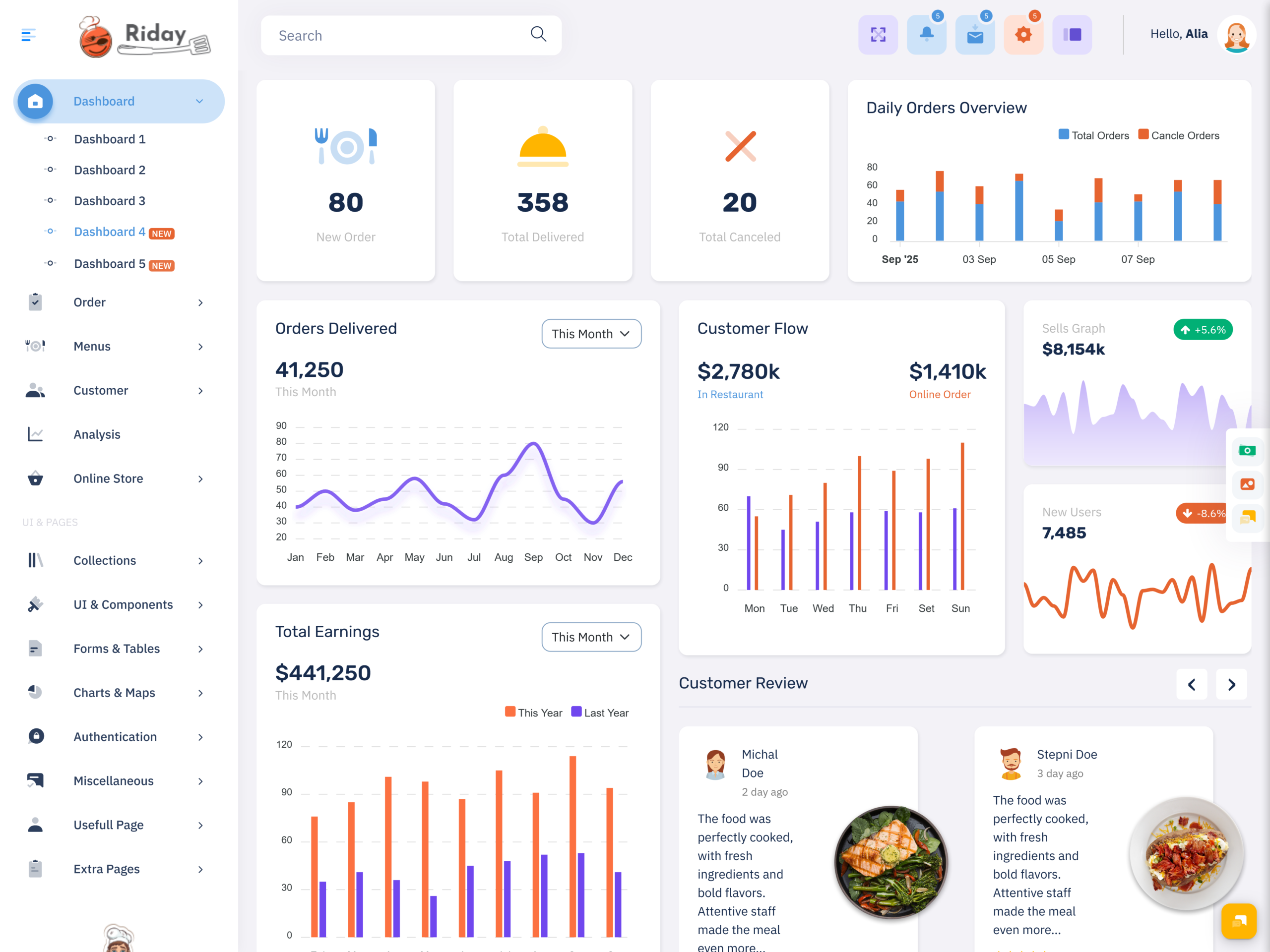
A Restaurant Dashboard is a digital interface that brings important restaurant information into one organized management environment. It can be used to handle orders, billing, menu records, tables, customers, inventory, staff activities, and sales information through dedicated sections. Instead of managing every restaurant function separately, staff can access related information from a structured dashboard.
Watch Full Video
Modern restaurants handle a lot of transactions every day. Customers order food in ways—some eat at the restaurant, some take food to go and others order online. Staff members have to keep up with all of these orders. They update order status, prepare meals, accept payments and manage which tables are available. At the time the restaurant must keep an eye on ingredients, menu items, purchases and daily sales. A dashboard helps restaurant teams keep track of all of this information in one place. It makes it easier to manage everything.
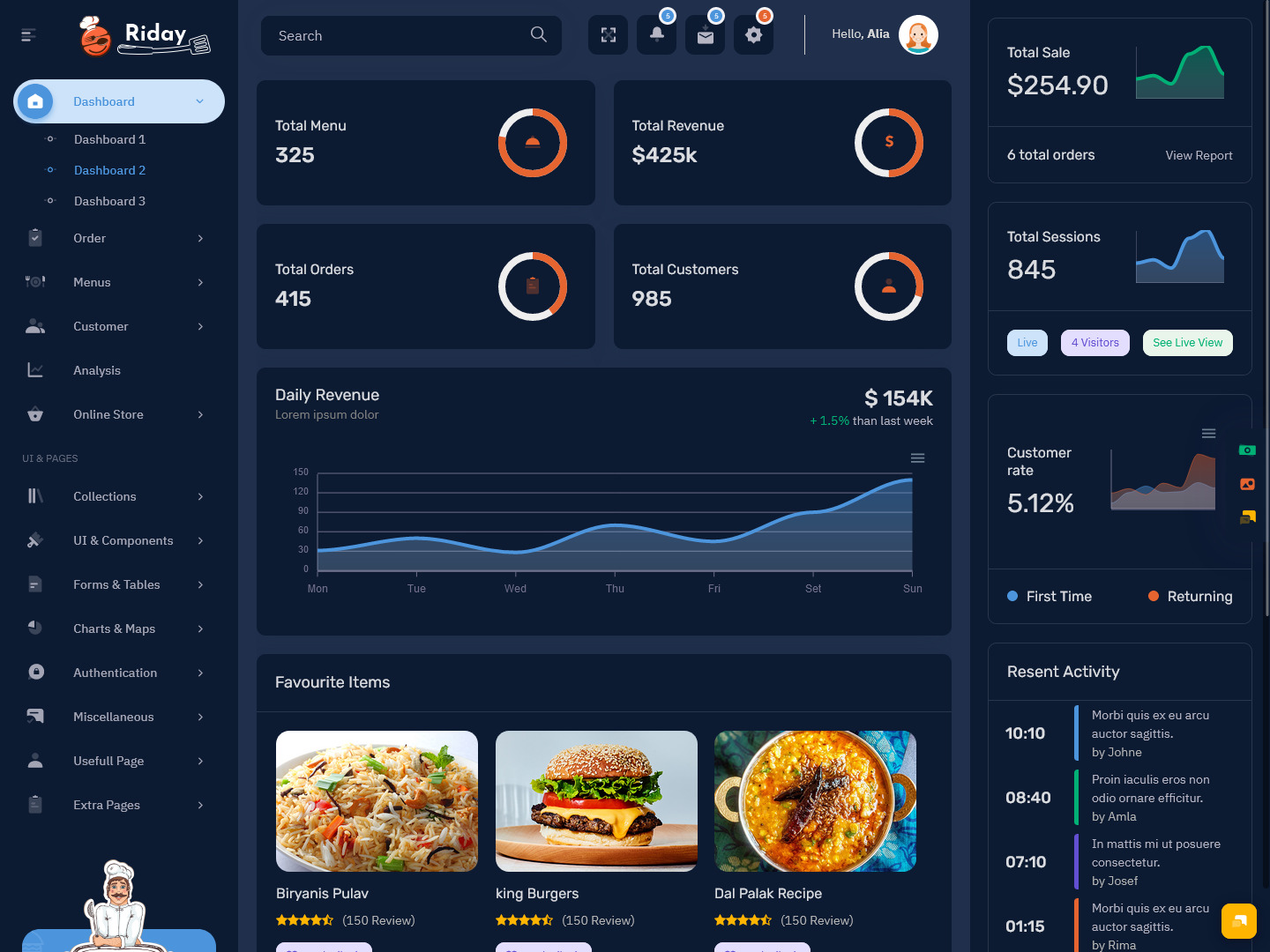
Restaurant Management Software can use a dashboard as its main administrative interface. Managers may be able to review current orders, sales records, menu information, staff activities, and inventory from separate sections. The interface can also provide different access levels depending on whether the user is an owner, manager, cashier, kitchen employee, or other staff member.
A Food Ordering System can also be connected with a restaurant dashboard. Orders received through the system can appear in the administrative interface with information such as selected dishes, quantities, customer details, order type, and payment status. Staff can then process the order according to the restaurant’s workflow.
Restaurant Billing Software provides another important part of the dashboard. It can organize bills, payment records, discounts, taxes, and transaction information. Cashiers can work with billing-related functions without needing access to every other administrative feature.
Restaurant Inventory Management can be handled through another section of the dashboard. It can help staff maintain ingredient records, stock quantities, purchase information, and item availability. This is particularly useful because restaurant inventory is closely connected with menu preparation and daily operations.
A Restaurant Dashboard is not only a bunch of numbers; it gives you a digital environment for managing operations within a restaurant, processing transactional data, storing records, and evaluating business processes by your job responsibilities.
How a Restaurant Dashboard Connects Orders, Billing and Inventory
A Restaurant may have activities, for taking orders preparing food collecting payments and managing ingredients but restaurant activities are connected in practice. Order changes the kitchen, the bill and possibly the available ingredients. A Restaurant Dashboard can bring these connected activities into a common management environment.
Consider a customer ordering several dishes. The order first needs to be recorded correctly. The kitchen may then need the order details, while the cashier needs the final bill. If the restaurant also tracks ingredients through Restaurant Inventory Management, the sale can be connected with the products or ingredients used to prepare the ordered items.
This relationship becomes particularly useful when restaurants handle many orders at the same time. Staff should not need to recreate the same information repeatedly across different systems. A connected dashboard can allow relevant information to move between order, billing, and inventory sections according to the software configuration.
A Food Ordering System can form the starting point for this process. Once an order enters the system, staff can view the selected items, quantities, customer requirements, and order type. The order can then move through the appropriate preparation and completion stages.
Restaurant Billing Software handles another part of the transaction. It can calculate the bill according to menu prices and applicable charges, while payment records can be maintained for later reference. Depending on the system, billing information can also be associated with the corresponding order.
The inventory also gives an extra layer of information. In the case where the menu items are linked to inventory items, the restaurant management will have a clear view of the ingredients available. In the event that there are not enough of certain ingredients, they will be able to find the related inventory item.
The dashboard does not need to display every detail on a single screen. Instead, it can provide separate sections that are connected through the underlying restaurant system. This gives users a clear route from an order to its billing information and, where applicable, to related inventory records.
VIEW DEMO BUY NOW
Features of Restaurant Dashboard
1. Order Management
An order management section can organize dine-in, takeaway, delivery, and online orders. Staff can view ordered dishes, quantities, order status, customer details, and other relevant information. Filters can also help users locate active, completed, cancelled, or pending orders.
2. Food Ordering System Integration
A Food Ordering System can connect incoming orders with the restaurant’s management interface. Orders can be displayed in a structured format so staff can review details and move them through the appropriate stages. This is particularly useful for restaurants handling orders from multiple channels.
3. Restaurant Billing Software
The Restaurant Billing Software offers solutions that can help with billing creation, computation of costs, tracking payments, making discounts, and managing various modes of payment. A special area for billing helps cashiers and authorized personnel focus on transaction-related work.
4. Menu Management
Menu management allows administrators to maintain dish data including price, category, description, image, variants, and availability. When menu data changes, those with access can update the corresponding records without affecting any other restaurant information.
5. Restaurant Inventory Management
Restaurant Inventory Management can organize ingredient records, stock quantities, purchasing information, units, and item availability. It can provide a dedicated view for monitoring the materials used by the restaurant and maintaining records associated with stock movement.
6. Table Management
A dashboard for a restaurant can be used to give visual or list form to tables in the restaurant along with their status. Employees can determine which table is occupied, available, reserved, or any other state of the table.
7. Kitchen Order View
A kitchen-focused screen can present orders in a format suitable for food preparation. It can display ordered dishes, quantities, special instructions, and preparation status. This keeps kitchen users focused on the information required for preparing current orders.
8. Customer Records
Customer management features can maintain relevant customer information, order history, contact details, and other authorized records. This can help restaurant teams locate previous transactions or understand customer information without searching through individual bills.
9. Sales and Revenue Reports
Reporting sections can organize sales information according to dates, menu categories, payment methods, order types, or other available filters. Managers can use these reports to review restaurant activity without manually calculating totals from individual transactions.
10. Staff Access and Permissions
Restaurant workers will need various levels of access as well. Access control based on the user’s role can enable managers to have access to more information whereas cashiers or cooks can have access to only the relevant parts.
VIEW DEMO BUY NOW
Benefits of Restaurant Dashboard
1. Connected Restaurant Information
Restaurant Dashboard gives a framework for dealing with order processing, billing, menu database, customers, and stock. Related data may be linked together from different sections, which helps employees to navigate from one record to another without having to keep separate notes manually.
2. More Organized Order Handling
A Food Ordering System connected with the dashboard can organize incoming orders according to their status and type. Staff can see relevant order details and follow the required process instead of depending on scattered messages, handwritten notes, or separate order records.
3. Easier Billing Management
Restaurant Billing Software provides a dedicated space for preparing bills and recording payments. Cashiers can access transaction-related information in an organized format, while managers can review completed billing records when they need to examine individual transactions or broader sales information.
4. Better Ingredient Visibility
Restaurant Inventory Management gives staff a clearer view of ingredient records and available quantities. When inventory information is maintained alongside menu and purchasing records, restaurant managers can examine stock information in relation to the food products being prepared.
5. Clearer Table Status
A table management section provides a quick way to identify the current state of tables. Staff can distinguish available, occupied, or reserved tables and update their status as seating changes throughout the service period.
6. Focused User Access
A dashboard can separate access according to employee responsibilities. Kitchen staff can receive preparation-related information, cashiers can work with billing, and managers can access broader reports and settings. This keeps each user’s workspace more relevant to their assigned tasks.
7. More Structured Restaurant Records
A digital dashboard can maintain restaurant records in defined sections instead of leaving information across unrelated files. Orders, bills, menu details, customers, and inventory can each have their own records, making historical information easier to locate when required.
Managing Restaurant Activity Across Different Service Channels
There are several ways through which restaurants manage orders. The customer could be having his or her food from the tables, taking his or her food as takeaway food or even doing his or her ordering from an online ordering portal.
The Restaurant Dashboard will allow different order types to coexist, but still remain within one managerial system. Employees will be able to recognize whether an order is dine-in, take-away, delivery, or any other type of order and deal with it accordingly.
This can also help managers review restaurant activity by order channel. For example, they may want to examine how many orders were placed through a Food Ordering System compared with orders recorded directly at the restaurant. A dashboard with suitable filters can make such comparisons easier without mixing unrelated records.
Different channels may also require different information. A dine-, in order often needs table details; a delivery order often needs customer contact and delivery information. The dashboard can display the relevant fields according to the order type.
This makes a restaurant dashboard useful for more than one service model. It can provide a common administrative structure while allowing individual order types to retain their own requirements.
Using Restaurant Data to Understand Menu and Inventory Requirements
Menu management and inventory management are closely connected in a restaurant. A dish listed on the menu may depend on several ingredients, and changes in customer demand can affect how frequently those ingredients are required.
Restaurant Inventory Management can therefore become more useful when it is considered alongside menu records. Managers can keep track of ingredients, units, quantities and purchasing records. Managers can also check which menu items rely on those materials.
For example a restaurant can have dishes that use the same ingredient. Looking at individual stock records might not reveal how widely that ingredient is used across the menu. A connected system can provide additional context by linking menu information with relevant inventory records.
The same principle can apply to menu availability. When an ingredient is unavailable, the restaurant may need to adjust the availability of related dishes. A dashboard can provide the records required to identify the connection and make the appropriate administrative update.
This creates a more useful relationship between the menu and the stock room. Instead of treating menu management and inventory as completely separate functions, the restaurant can maintain records that reflect how the two areas affect each other.
Choosing Restaurant Management Software for Different Restaurant Needs
Restaurant Management Software must be chosen based on how the restaurant really works. The small coffee shop may only need the basics of taking orders, creating invoices, managing tables, and maintaining inventory, but the larger restaurant may have many different requirements.
The dashboard interface should make common tasks easy to locate. Staff should be able to understand where orders, bills, tables, menu items, and inventory records are maintained without navigating through unnecessary screens.
Integration is another important consideration. If a restaurant already uses a Food Ordering System, billing application, payment service, or inventory system, the dashboard should be able to support the required connections. A system that keeps important information isolated can create additional work for staff.
Customization may also be important for restaurants with specific workflows. The interface may need different order statuses, menu categories, table layouts, billing fields, or user roles. A flexible dashboard can provide a better foundation for adapting the software to those requirements.
The right Restaurant Management Software should therefore reflect the restaurant’s service model, menu structure, staff responsibilities, order channels, and information requirements rather than simply offering the largest number of features.
Conclusion
A Restaurant Dashboard provides a structured digital environment for managing the many records created during restaurant operations. Orders, bills, tables, menu information, customers, staff access, and inventory can be maintained through dedicated sections that are connected within the broader management system.
A Food Ordering System can handle incoming orders, while Restaurant Billing Software can organize transactions and payments. Restaurant Inventory Management can maintain ingredient records and stock information. When these functions work together, the dashboard becomes a central workspace for managing different parts of the restaurant.
The right Restaurant Management Software should also reflect the restaurant’s actual workflow. A small café and a large multi-service restaurant may require different features, permissions, reports, and integrations. The dashboard should therefore be adaptable rather than forcing every restaurant to follow the same structure.
With thoughtful organization, a Restaurant Dashboard can make restaurant information easier to access, maintain, and review. Its value comes from connecting the records that staff and managers actually work with while keeping each section focused on its specific purpose.
VIEW DEMO BUY NOW
Frequently Asked Questions
1. What should a Restaurant Dashboard include?
A Multi purpose themes Restaurant Dashboard should include the functions that match the restaurant’s operational requirements. Common sections include order management, menu management, table management, billing, customer records, inventory, kitchen orders, reports, and user permissions. Restaurants using online ordering may also require Food Ordering System integration. The exact dashboard structure should depend on the service model, number of users, menu size, and type of transactions handled.
2. How does Restaurant Management Software help restaurant staff?
Restaurant Management Software provides a structured environment for managing different restaurant activities through connected digital records. Depending on the system, staff may use it for orders, tables, billing, menu updates, customer information, inventory, and reports. Different employees can receive access according to their responsibilities. This gives the restaurant a common system for maintaining information rather than relying on separate manual records for every activity.
3. What is the role of a Food Ordering System in a restaurant dashboard?
A Food Ordering System can bring customer orders into the restaurant’s management environment. It can provide details such as ordered dishes, quantities, customer information, order type, and status. When connected with the Multi purpose themes dashboard, staff can process these orders alongside other restaurant records. This can be particularly useful for businesses handling online, takeaway, delivery, and dine-in orders through different channels.
4. Why does a restaurant need Restaurant Billing Software?
Restaurant Billing Software provides tools for creating bills and maintaining payment-related records. It can support calculations involving menu prices, quantities, discounts, taxes, and applicable charges according to the system configuration. It can also maintain transaction histories for later review. When billing is connected with restaurant orders, staff can work with the relevant transaction information without recreating order details manually.
5. How does Restaurant Inventory Management work with a dashboard?
Restaurant Inventory Management can organize records for ingredients, quantities, units, suppliers, purchases, and stock changes. When connected with a Multi purpose themes restaurant dashboard, these records can be accessed alongside menu and purchasing information. This gives managers a clearer way to examine ingredient availability and understand which parts of the menu may depend on particular stock items.
6. Can a Restaurant Dashboard support both dine-in and online orders?
Yes. A dashboard can be designed to support different order channels, including dine-in, takeaway, delivery, and online ordering. Each order type can contain its own relevant information while remaining within the same management system. For example, a dine-in order may include a table number, while an online delivery order may include customer and delivery details.
7. Can Restaurant Management Software be customized for a specific restaurant?
Yes. Restaurant Management Software can be configured or customized according to the restaurant’s menu structure, service model, employee roles, order channels, billing requirements, table arrangement, and inventory process. Customization may include dashboard sections, fields, reports, permissions, order statuses, and integrations. This allows the software to reflect the restaurant’s actual working process rather than requiring staff to adapt to an unsuitable interface.

Related Posts