

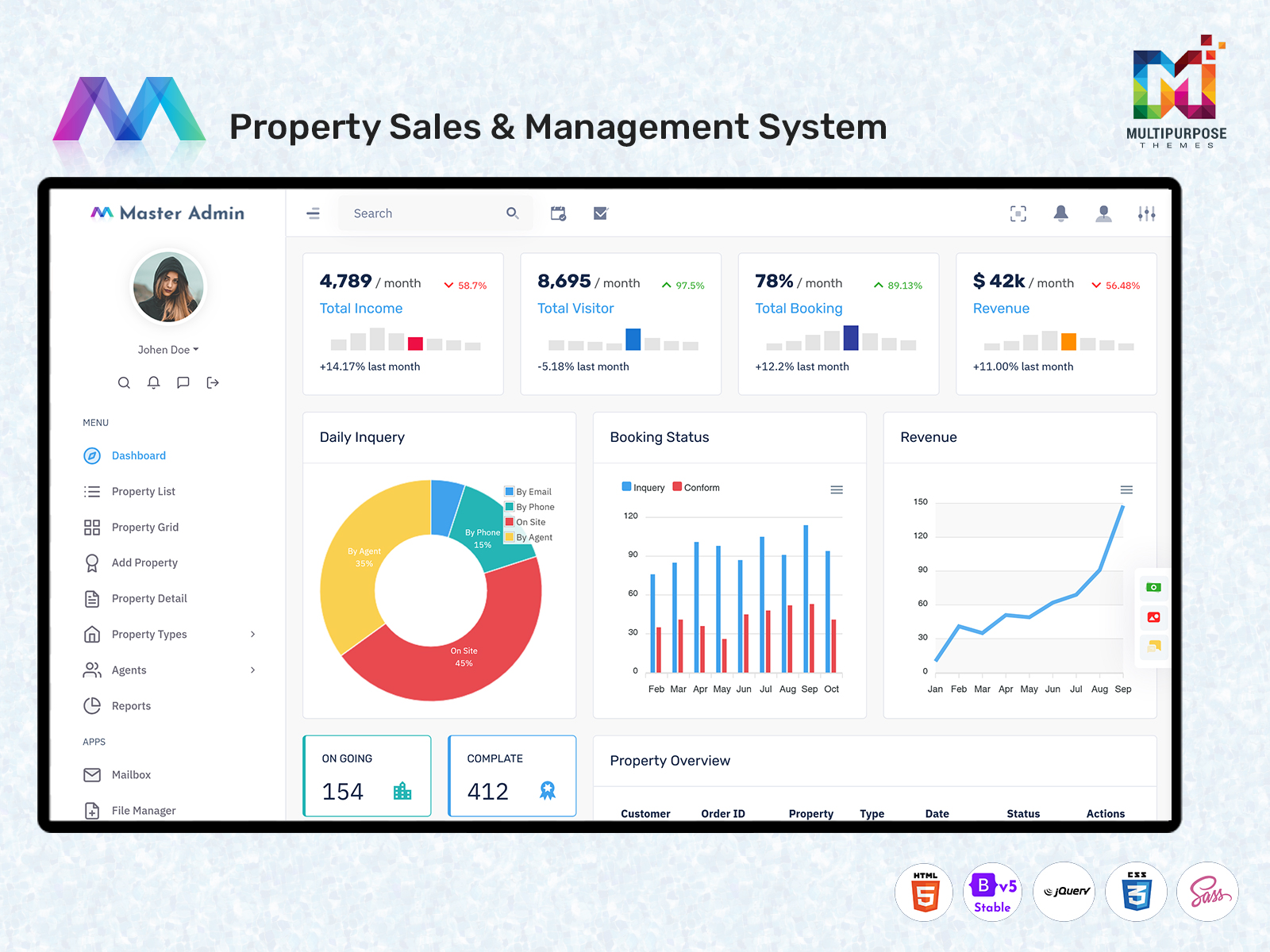
Property Management Dashboard: A Smarter Workspace for Real Estate Operations
What Is a Real Estate Dashboard?
The real estate dashboard is a property management tool. The real estate dashboard helps real estate professionals see the condition and changes in their work. The real estate dashboard combines information, about property, tenants, maintenance, calendars, status and profiles in one place. The real estate dashboard lets users avoid switching between documents or different app windows.
Watch Full Video
A real estate dashboard usually focuses on operations. The real estate dashboard covers homes, offices and tenant units. The real estate dashboard shows managers information about units, occupied properties, upcoming renewals, open maintenance requests and tenant messages.
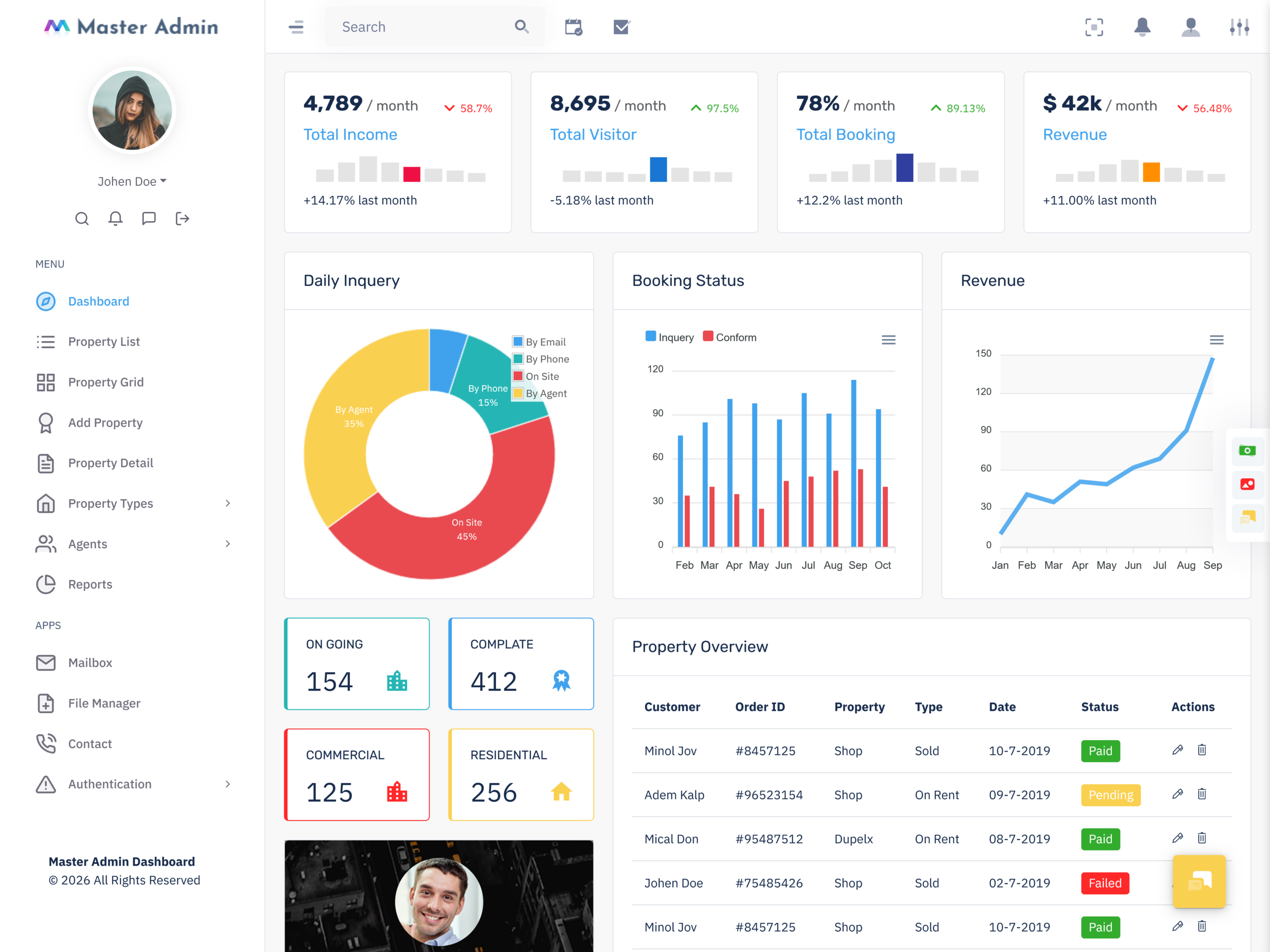
A sales-oriented real estate dashboard can handle property inquiries, visits, client details and the sales pipeline. The real estate dashboard acts as a portal to the real estate management system. The real estate dashboard uses cards, tables, graphs, calendars, status indicators, profiles and feeds to show data without going into every detail.
The real estate dashboard helps team members, managers and agents deal with the information. The real estate dashboard also gives them a view of the situation. For example investors may want to see vacancies and revenue streams. The maintenance team would care more about repair and service requests. The leasing department would focus on occupied units and lease renewals. Each group gets information in the real estate dashboard.
A real estate dashboard is important for developers building real estate apps. The real estate dashboard includes a property list, tenant profile section, reports, forms, calendar and admin panel. These are parts of any property or real estate management app. These parts can be adapted for a business or service. A property management admin template works well for commercial and real estate agencies. The real estate dashboard can also be customized for a property business.
The value of a real estate dashboard depends on how it’s designed. The real estate dashboard should reflect operations. Make work easier. The main things to consider are what records and documents users need to access. Also how these items relate to each other. The real estate dashboard must show which actions users need to take.
How a Real Estate Dashboard Connects Property Activities
Operations in a property management business involve tasks. These tasks must be prioritized properly. A tenant might report a plumbing issue. A lease could be up for renewal. An empty unit might need to be shown. An owner might ask for an update. When these items are spread across records or documents managing them becomes hard.
A real estate dashboard application lets property managers see all these tasks, requests and deadlines in one place. The real estate dashboard lets them get an idea of the situation without checking each document, record or data point. This is what makes the real estate dashboard special. The real estate dashboard does not show every detail. Instead the real estate dashboard serves as a way to view and manage them.
The real estate dashboard can be further sorted based on the business’s needs. A company that manages apartments might want to organize the property list and tenant records by building, unit, floor and name. A commercial property management company might filter based on office, shop, warehouse and location. An agent’s real estate portal might have categories for property for sale for rent and available dates for viewings.
Another key way to organize the real estate dashboard is by linking records. For instance a maintenance request form can be linked to a unit and/or tenant. The real estate dashboard might show the completion date and status. A lease contract can be connected to a property or a unit. The real estate dashboard could show the dates when the occupant moved in and moved out and also the renewal agreements. A payment record can be linked to a tenant or a landlord. When you look at a payment record you can see whether it belongs to a tenant or, to a landlord. The real estate dashboard could also show the property and the invoice or contract number. This way users don’t have to go through documents to find connections.
The real estate dashboard can also improve operations and teamwork. A maintenance request might be assigned to a technician. A property inspection might be scheduled with a technician or inspector. By using the real estate dashboard team members can see the task, deadline and attached documents.
In short the real estate dashboard template can help developers design record management systems for property management, estate or business operations. With the real estate dashboard staff can easily view, update and organize tasks, requests and records relevant to their department, team and responsibilities.
VIEW DEMO BUY NOW
Features of Real Estate Dashboard
1. Property Portfolio Overview
The real estate dashboard portfolio gives a look, at the business’s real estate holdings. The card view shows a list of properties. Each listing usually includes the address, category, number of units, occupancy rate and vacancy status. Expanding each property reveals tenant records, maintenance requests, related documents and financial records.
2. Property Listing and Unit Management
The real estate Property list keeps the company’s Property records. It has filters and sorting options. The table view displays Property details such as type, address, lot size, floor and rent. Sorting the list helps managers and staff manage the Property list according to their needs. The Property record management can also include a grid view of the Property and Unit.
3. Tenant Record Management
The tenant portal or tenant management feature stores and organizes tenant information. This data can be linked to the Property or Unit they occupy. It contains details, lease agreements, payment records and communication logs.
4. Lease and Renewal Tracking
This feature helps the Property management company track renewals. Manage lease agreements. The lease contract and agreement records can include renewal dates and status, occupant, Property unit and supporting documents.
5. Maintenance Request Management
A Property management dashboard tracks maintenance and repair requests from tenants. In this section technicians and staff can view the service requests. This includes Property and Unit location, request date, technician in charge and status.
6. Rent and Payment Records
A Property management portal usually includes a payment feature. Staff can track payments, invoices and reminders. This table shows the payment status and the amount due. It should be customizable and searchable.
7. Occupancy and Vacancy Status
The occupancy records and vacancy portal are connected to the Property list. They are often available in card view. The occupancy status helps managers track vacancies, occupied Unit and reservations.
8. Property Inspection Schedule
This feature manages the Property inspection schedule. With the Property inspection calendar managers and staff can update Property visits. They can schedule based on the Unit, technician or inspector and date.
9. Search and Filter Controls
The Property management dashboard has advanced search and filter options. These help staff quickly navigate the Property list, tenant records, Unit details and maintenance requests.
10. Staff and Role Management
A Property Management Admin Template organizes the staff and their roles and permissions. This feature controls who has access to dashboards, records and documents. For example a technician would have access to the maintenance request list. A financial officer would have access to invoices and payment reminders.
11. Activity and Notification Panel
This feature shows the activities of the Property management company. It includes tenant requests, payments, lease agreements and general announcements.
12. Data Visualization
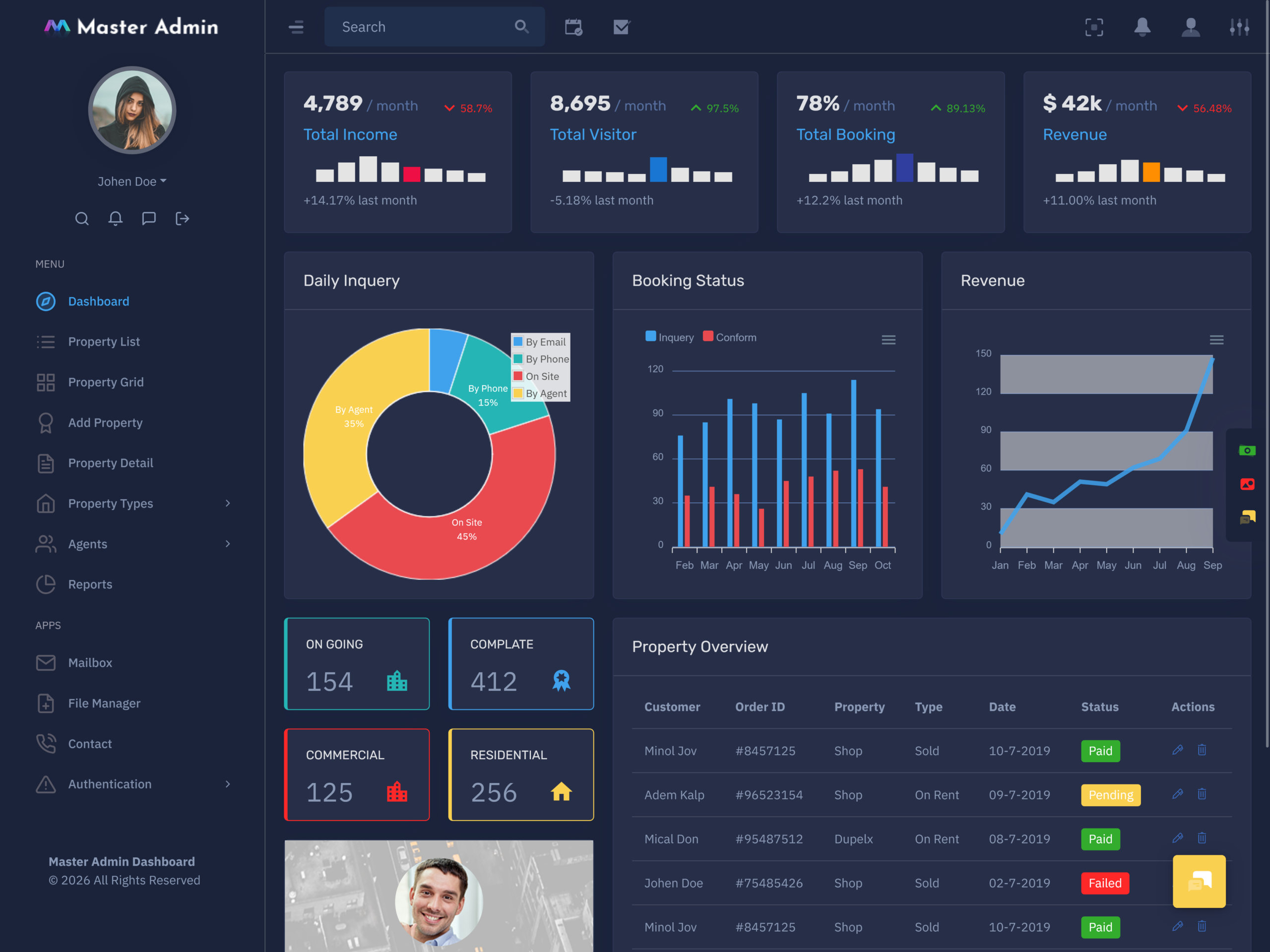
The data visualization feature. Analyzes information using charts and graphs. In Property management reports and data visualization tools are essential. They help track the occupancy rate, Property category and expense summaries. Reports should only show data. Visuals and charts should be used to compare and analyze the figures. A good data view and analysis can be seen in the Real Estate Management Dashboard for Business.
VIEW DEMO BUY NOW
Managing Properties Beyond Listings and Sales
Managing Property listings and tenants goes beyond the sales and rental process. After a Property is sold or leased it remains the responsibility of the company. The staff has to update the owner about the tenant and any problems with the Property. That is why Property management needs a dashboard. It shows the information without requiring users to look through every document and record.
A Property Management Dashboard allows the staff to be more productive and efficient. Of searching through multiple documents and records they can use the dashboard. Below is an example of how a Property management dashboard can help in operations and management:
- A Property Management Dashboard enables the manager to update the status of a Unit: vacant or occupied. The length of the lease and the Unit’s move-in and move-out dates decide if the Property is up for renewal. If it is the Property Management Dashboard reminds the manager and the tenant about the pending renewal and the date of the lease agreement.
- A tenant can send a request, for repair or service. The request is tied to the Property and the Unit they are renting. Upon receiving the tenant’s request the manager approves the service. Assigns it to a technician. The technician can then update the status of the request as it moves forward. Using the Property Management Dashboard the manager can review the request. The manager can decide if the repair is urgent. If the technician needs equipment to finish the job.
- A Property Management Dashboard can also show if a Unit needs inspection. If a technician needs to visit the Property for maintenance technicians can receive the work order and the needed documents. Then they arrive at the Unit to complete the task.
When the renewal date, service request and property inspection are all in one place the property management company can act proactively. Using the Property Management Dashboard keeps staff informed and ready for work. It prevents last-minute decisions.
What should I look for in a Property Management Admin Template?
A Property Management Admin Template must be made to fit the needs of your real estate business. It must give an interface so that users can move through property, tenant and unit records without trouble. The Property Management Admin Template must also be flexible enough to handle commercial and industrial properties while still giving the tools needed to manage each type well.
Look for a Property Management Admin Template that has fields and categories. This lets you add or remove data points according to the type of property you manage. For example a residential property might need fields for move-in dates and lease terms while a commercial property might need fields for business category hours of operation and facility contact details.
The Property Management Admin Template should also allow role-based access. This means that different team members—leasing agents, maintenance staff and finance personnel—can see the information that matters to them. This keeps data safe. Reduces confusion.
Another important feature is the ability to sort and filter property and tenant records. This helps you find units or tenants quickly especially when you manage a portfolio. The Property Management Dashboard should let you filter by property type, vacancy status, lease type and other key criteria.
Conclusion
A good Property Management Admin Template will include task and assignment tracking. This lets managers give maintenance requests or lease renewals set deadlines and watch progress. When a task is finished the status changes automatically so everyone stays informed without follow-ups.
The Property Management Admin Template should also support reporting and data visualization. Look for options that make summaries of occupancy rates, maintenance trends or financial data. Charts and graphs can help managers make decisions.
Finally the Property Management Admin Template must be responsive. It must work well on desktops, tablets and smartphones. This lets staff reach the Property Management Dashboard anytime anywhere whether they are in the office or on site.
In short a well-designed Property Management Admin Template should make property management easier improve team coordination and help decision-making. It should be flexible simple to use and able to grow with your business.
VIEW DEMO BUY NOW
Frequently Asked Questions
1. What is the main purpose of a Property Management Dashboard?
The main purpose of a Multi purpose themes Property Management Dashboard is to help users organize and review property-related activities from one workspace. It may include property records, tenant information, lease dates, maintenance requests, occupancy status, inspections, payment follow-ups and staff tasks. The Property Management Dashboard gives an overview while detailed records can be opened when users need to review or update specific information.
2. Can a Real Estate Management Dashboard manage commercial properties?
Yes a Real Estate Management Dashboard can be customized for commercial properties. Residential property management may focus on tenants rent schedules, unit availability and repairs. Commercial property management may need office or retail details business tenants, lease conditions, inspections and facility tasks. The Real Estate Management Dashboard should use categories, fields and status labels for the type of properties being managed.
3. What is the difference between a Real Estate Dashboard and a Property Management Dashboard?
A Multi purpose themes Real Estate Dashboard is a term that may cover property listings, sales enquiries, agents, transactions, rentals and portfolio information. A Property Management Dashboard is more focused, on the administration of properties after they are bought leased or occupied. It usually supports tenant records, maintenance, lease renewals, inspections, occupancy and property service activities.
4. Can a Real Estate Dashboard Template be customized for my business?
A Real Estate Dashboard Template can be changed to fit the workflow and branding of your real estate business. Developers can change colors, logos, navigation menus, property categories, form fields, table columns, status labels and dashboard widgets. The Real Estate Dashboard Template can also connect to a backend database, authentication system, payment service or maintenance module as required by your application.
5. What should I look for in a Property Management Admin Template?
When choosing a Property Management Admin Template look at the property list, tenant profile, lease tracking, maintenance workflow, calendar, payment records, search tools and responsive layout. Check if the design can handle properties and many user roles. Customisation matters because each property business may use words for units, lease stages, maintenance priorities and staff duties.
6. Can a Property Management Dashboard track maintenance requests?
Yes a Multi purpose themes Property Management Dashboard can track maintenance requests. The Property Management Dashboard can show details like the property or unit location the tenant’s description of the request the date the request was made the technician assigned and the current status. Property Management Dashboard lets users watch the progress of repairs follow up on pending issues and confirm when tasks are finished. Keeping all this information in one place improves communication. Property Management Dashboard ensures no request falls through the cracks.
7. Is a Real Estate Management Dashboard for a property business?
Yes a Multi purpose themes Real Estate Management Dashboard is suitable, for a property business. Even small property businesses must manage tenant interactions keep track of lease agreements handle maintenance issues and send payment reminders. A Real Estate Management Dashboard helps organize these tasks by keeping property records, tenant data and unit status in one place. Real Estate Management Dashboard makes it easier to manage units, track lease renewals and respond to tenant requests quickly. Real Estate Management Dashboard reduces work and keeps operations running smoothly.


