

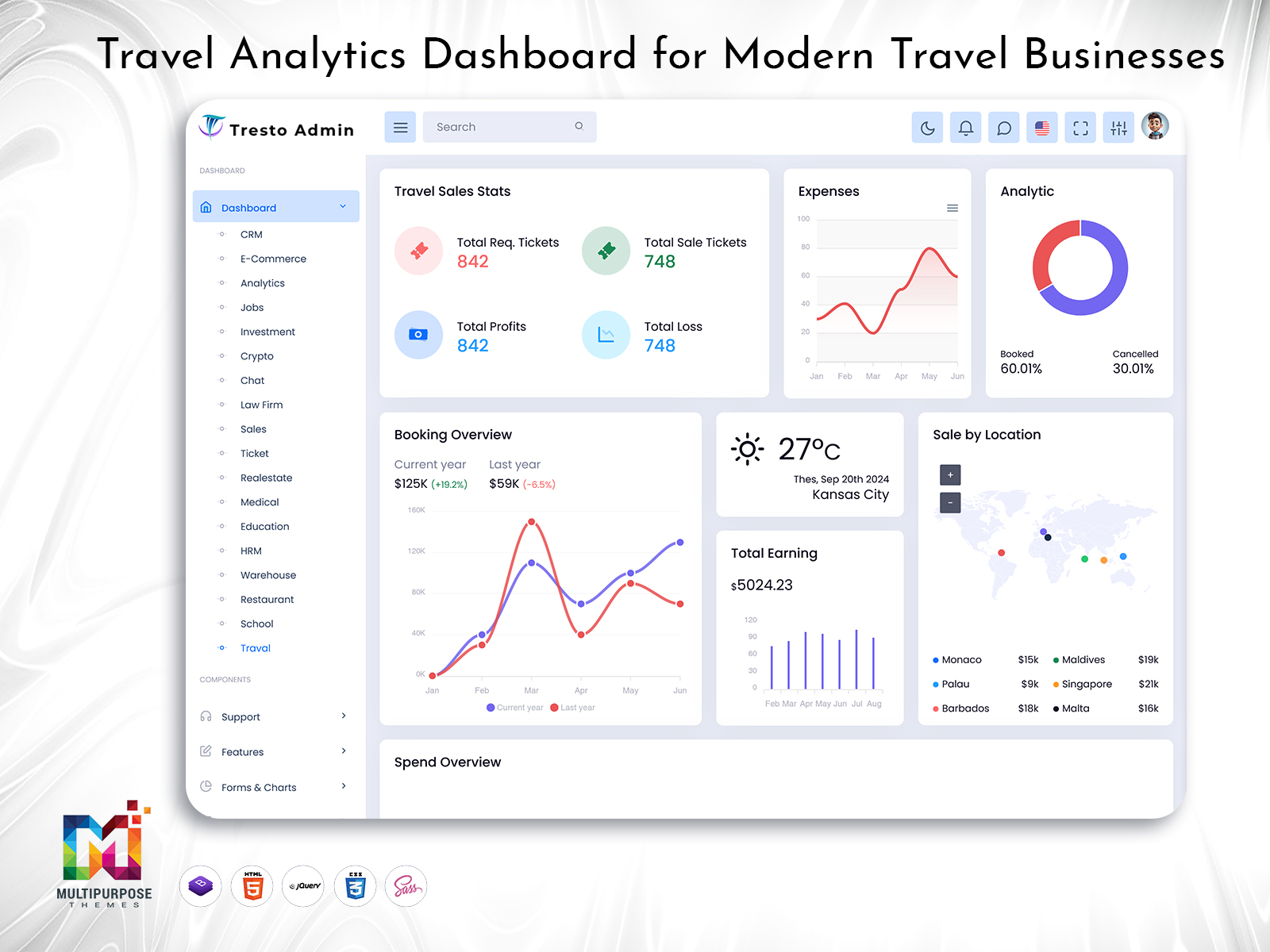
Travel Analytics Dashboard for Modern Travel Businesses
A Travel Dashboard can bring relevant travel information into a structured digital workspace. It can help agencies, tour operators, travel managers, and online travel businesses work with information according to their responsibilities instead of searching through multiple unrelated screens.
However, a useful dashboard is not simply a page filled with booking numbers and charts. Its real purpose is to make travel operations easier to understand and help teams decide what needs attention.
Watch Full Video
What is a Travel Dashboard?
A Travel Dashboard is a digital interface designed to organize information used by travel agencies, tour operators, travel companies, and other businesses involved in trip planning and management. It provides a central environment where authorized users can work with information relevant to their responsibilities.
Travel operations can change quickly. A customer may request a different date, a tour may need to be adjusted, or a service provider may change an arrangement. When information is spread across emails, spreadsheets, messages, and separate applications, keeping everything aligned can become difficult.
A dashboard can provide a more structured way to handle these changes.
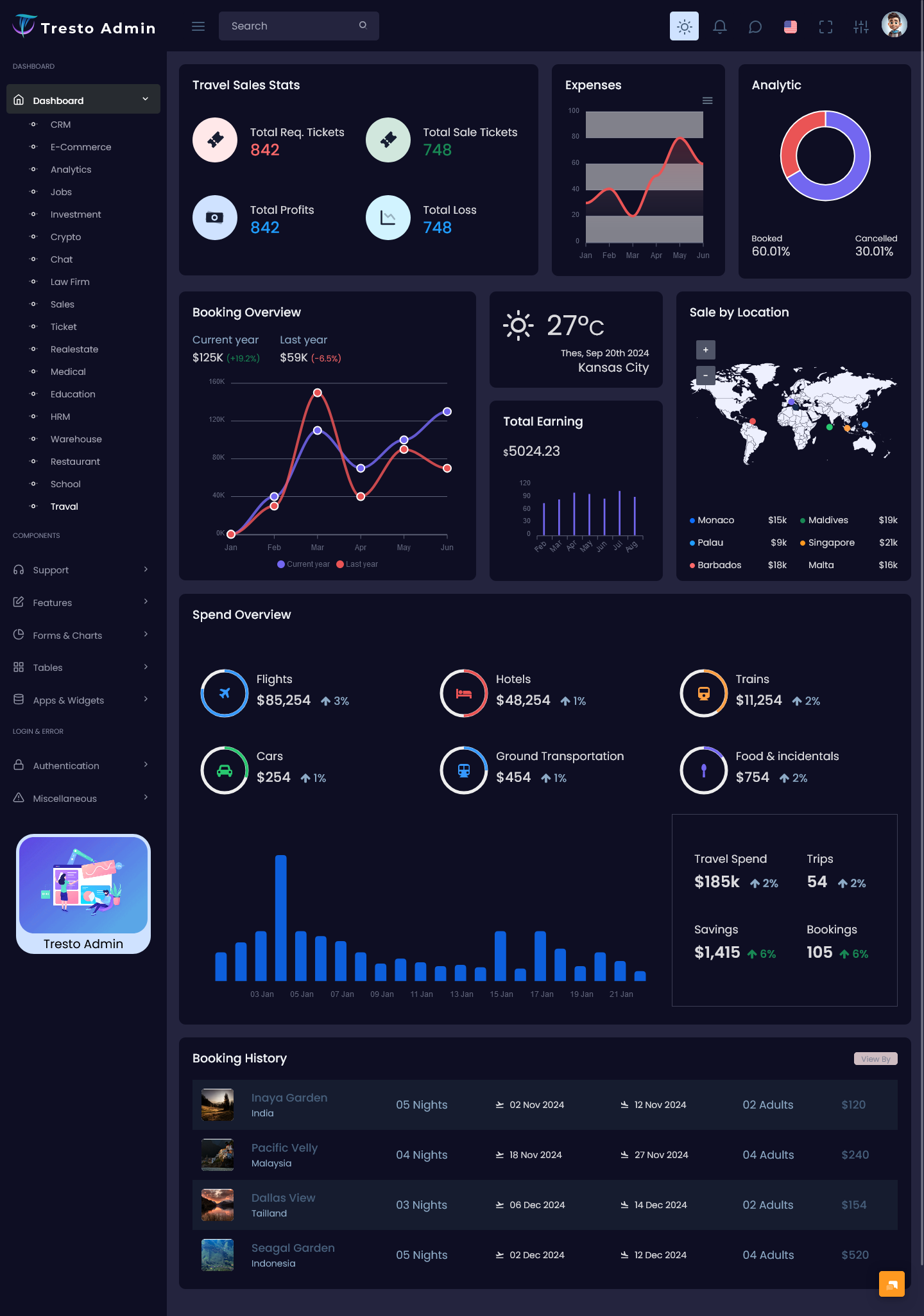
A Travel Admin Panel can serve as the administrative side of a travel platform, giving internal teams an organized workspace for managing their responsibilities. Instead of exposing every function to every employee, the interface can be arranged according to roles.
A Travel CRM Dashboard can focus more closely on customer relationships. It can help teams understand a customer’s interactions with the travel business and provide useful context when staff communicate with them.
For tour companies, a Tour Management Dashboard can be designed around trip-level coordination. Tour operators may need to think about multiple departures, groups, schedules, destinations, and changes at the same time.
An Online Travel Agency Dashboard can take a wider approach because online agencies may handle a larger volume of customer activity and travel-related transactions.
The important point is that a Travel Dashboard should reflect how a travel business actually works. A visually attractive interface is useful, but a well-organized workflow is what makes the dashboard valuable in daily operations.
From Booking Data to Actionable Travel Insights
Travel businesses do not operate in perfectly predictable conditions. A booking may be straightforward today and require several changes tomorrow. Customers may ask questions before confirming their trip, and even confirmed plans can sometimes need adjustment.
This means a Travel Dashboard should not only answer, “How many bookings do we have?”
It should also help users understand what is changing and where attention may be needed.
For example, imagine a tour operator managing several upcoming departures. A basic dashboard may show the number of bookings for each trip. A more thoughtful system can help the operator identify which departure needs review because of changes in customer requirements, scheduling, or internal coordination.
A Tour Management Dashboard can therefore be designed around the trip as a working unit rather than simply presenting isolated statistics.
The same principle applies to customer management. A travel agent may know that a customer has booked previously, but that information becomes more useful when the agent can understand the customer’s relationship with the business.
A Travel CRM Dashboard can provide this context and help employees approach conversations with greater awareness.
For online businesses, an Online Travel Agency Dashboard can create a different type of experience. Online agencies may need to manage a larger number of customer interactions and require interfaces that make information easy to scan without overwhelming users.
This approach moves away from the idea that a dashboard becomes better by adding more components. Instead, it asks a simpler question:
Does the dashboard help the user understand the next important action?
That is a more practical measure of dashboard quality.

VIEW DEMO BUY NOW
Features of Travel Dashboard
1. Travel Admin Panel
A Travel Admin Panel can provide internal teams with a centralized workspace for handling travel-related responsibilities. Its layout can be organized around user roles, allowing administrators and staff to work with relevant information without navigating through functions that have little connection to their daily tasks.
2. Travel CRM Dashboard
A Travel CRM Dashboard can help travel teams understand customer relationships in a more organized way. Instead of treating each interaction as a separate event, it can provide useful context that helps employees communicate with customers more consistently and understand their previous engagement.
3. Tour Management Dashboard
A Tour Management Dashboard can organize information around scheduled trips and tour operations. It can give operators a clearer view of their upcoming responsibilities and make it easier to review changes, coordinate activities, and keep different parts of a tour aligned.
4. Online Travel Agency Dashboard
An Online Travel Agency Dashboard can provide a centralized environment for online travel businesses managing high volumes of customer and travel information. Its structure can be designed for quick navigation, helping teams move between different areas without creating unnecessary complexity.
5. Trip-Level Organization
A Travel Dashboard can organize information around individual trips rather than showing disconnected records. This approach allows users to understand the context surrounding a journey and makes it easier to review related information when a booking, schedule, or customer requirement changes.
6. Role-Based Workspace
Different travel employees perform different tasks. A dashboard can provide role-specific views for administrators, agents, managers, and tour operators. This keeps each workspace focused on relevant responsibilities and reduces the distraction caused by displaying functions that users do not normally require.
7. Adaptable Interface
Travel businesses can differ significantly in their workflows. A flexible dashboard can be customized around different travel models, company structures, destinations, and operational processes. This allows developers to create an interface that supports the business instead of forcing the business to follow a fixed structure.
A Meaningful Use of Travel Dashboard: Managing Change
One of the biggest challenges in travel management is that plans can change.
A customer may want to modify a trip. A tour operator may need to adjust an itinerary. A group departure may require additional coordination. These situations are not unusual, and the ability to understand changes quickly can be important for service quality.
A Travel Dashboard can help by providing a clear place where relevant information is organized.
The goal is not necessarily to automate every change. Instead, the dashboard can help staff see the current situation and understand what may need to be updated.
For example, a Tour Management Dashboard can give an operator a clearer view of upcoming trips and the information associated with each one. If something changes, the operator has a structured environment for reviewing the situation rather than searching through unrelated records.
This approach also reduces dependence on individual memory. When travel information is kept in a consistent digital structure, another authorized employee can understand the situation more easily if the original staff member is unavailable.
That makes the dashboard useful not only for speed but also for continuity.
Travel Dashboard for Better Internal Coordination
Travel operations often involve more than one employee. One person may handle the customer, another may coordinate the tour, and another may manage administrative responsibilities.
When these teams use disconnected systems, information can become inconsistent.
A Travel Admin Panel can provide a shared administrative environment where authorized employees work with the same structured information.
This can improve internal coordination because teams have a common reference point.
For example, a customer-facing employee can understand the current status of a trip, while a tour operator can see information relevant to the operational side.
The dashboard does not remove the need for communication. Instead, it gives communication a stronger information foundation.
That distinction matters. Software cannot replace human coordination, especially in an industry where unexpected situations are common. But it can make coordination easier by keeping information organized.
VIEW DEMO BUY NOW
Benefits of Travel Dashboard
1. Improves Daily Coordination
A Travel Admin Panel gives internal teams a structured workspace for handling travel-related responsibilities. By organizing information according to roles and workflows, it can reduce unnecessary searching and help employees understand where their attention should be directed during daily operations.
2. Provides Better Customer Context
A Travel CRM Dashboard can help employees understand customer relationships more clearly. Having relevant interaction context available can make conversations more consistent and reduce the need to repeatedly ask customers for information they have already provided.
3. Supports Tour Planning
A Tour Management Dashboard can help operators organize information around upcoming trips and responsibilities. This makes it easier to review different tours, understand changing requirements, and maintain a clearer picture of operational activities without depending on scattered records.
4. Handles Complex Online Operations
An Online Travel Agency Dashboard can create a structured environment for businesses managing significant amounts of travel information. A carefully organized interface can help employees move between different areas efficiently while avoiding a screen overloaded with unrelated information.
5. Reduces Information Gaps
A centralized Travel Dashboard can provide teams with a common reference point. When authorized users work from organized information, it becomes easier to maintain consistency between customer-facing, administrative, and operational teams and reduce confusion caused by disconnected records.
6. Helps Manage Changing Plans
Travel plans can change frequently, and a dashboard can make those changes easier to understand. By keeping related information organized, teams can identify what has changed and determine which parts of the workflow may need further review.
7. Supports Business Growth
A flexible Travel Dashboard can evolve as a travel company adds destinations, employees, customers, tours, or services. Instead of rebuilding the entire digital workspace whenever the business changes, developers can adapt the dashboard to support new requirements.
Travel Dashboard and Future Business Growth
A Travel Dashboard should be designed with long-term use in mind.
Travel businesses rarely remain the same. An agency may begin with a few destinations and eventually expand into new markets. A tour company may start with small groups and later manage multiple departures. An online travel platform may experience significant increases in customer activity.
The dashboard should be capable of growing with these changes.
A Travel Admin Panel can evolve as internal responsibilities become more specialized. A Travel CRM Dashboard can be expanded as customer relationships become more complex. A Tour Management Dashboard can accommodate additional trips and operational structures.
The important thing is to avoid uncontrolled complexity.
Every new function does not need to appear on the main dashboard. Information should remain organized into logical areas so that users can find what they need without feeling overwhelmed.
Long-term dashboard design is therefore about balance.
It should provide enough information to support business growth while remaining simple enough for employees to understand and use every day.
Conclusion
A Travel Dashboard can become a valuable digital workspace for businesses that need to coordinate customers, trips, administrative responsibilities, and changing travel plans.
A Travel Admin Panel can support internal operations, while a Travel CRM Dashboard can help teams maintain better customer context. A Tour Management Dashboard can organize trip-level responsibilities, and an Online Travel Agency Dashboard can provide a structured environment for larger online travel operations.
The strongest dashboard is not necessarily the one with the most charts or functions. It is the one that helps users understand their current situation and move naturally toward the next action.
Travel is an industry where plans can change quickly. By keeping information organized, creating role-specific experiences, and providing useful context, a well-designed Travel Dashboard can help businesses handle that uncertainty with greater clarity.
Ultimately, the purpose of travel technology should be to make complex work feel more manageable. A dashboard designed around real people and real travel workflows can do exactly that.
VIEW DEMO BUY NOW
Frequently Asked Questions
1. What is a Travel Dashboard used for?
A Travel Dashboard is used to organize information related to travel business activities in a centralized interface. It can support travel agencies, tour operators, online travel platforms, and other travel companies. The exact structure depends on the organization’s workflow and the responsibilities of its users.
2. What is a Travel Admin Panel?
A Travel Admin Panel is an administrative interface used by internal travel teams. It can provide a structured environment for managing business information and coordinating different responsibilities. The panel can be customized according to the company’s user roles, operational process, and technical requirements.
3. How does a Travel CRM Dashboard help travel agencies?
A Travel CRM Dashboard can help agencies organize customer-related information and understand previous interactions. This can provide employees with useful context when communicating with travelers. It can also help different team members maintain continuity when more than one employee works with the same customer.
4. What is a Tour Management Dashboard?
A Tour Management Dashboard is designed around the operational needs of tour companies and operators. It can organize information related to trips, departures, groups, schedules, and other responsibilities. Its purpose is to give operators a clearer working environment for coordinating multiple tours.
5. Who can use an Online Travel Agency Dashboard?
An Online Travel Agency Dashboard can be used by online travel companies, booking platforms, and businesses that manage travel services digitally. It can provide a centralized environment for internal teams to work with large amounts of travel information while maintaining a clear and organized user experience.
6. Can a Travel Dashboard be customized for a specific travel business?
Yes. Travel businesses have different workflows, so customization is often important. A dashboard can be adapted according to the company’s branding, user roles, information structure, business model, and technical requirements. Developers can also adjust the interface as the organization introduces new services or processes.
7. What should I check before choosing a Travel Dashboard template?
Before choosing a template, check its responsive behavior, framework compatibility, customization options, code structure, browser support, and integration possibilities. Also consider whether the interface matches your actual travel workflow. Multi Purpose Themes has travel dashboard solutions, but the template should still be evaluated against the specific needs of your project.



This Post Has 0 Comments