

Hiring has changed significantly with the growth of online recruitment. Companies don't depend only on…
10+ Unified Job Portal Admin Dashboard System for End-to-End Hiring and Workforce Management 2026
Reading Time: 9 minutes
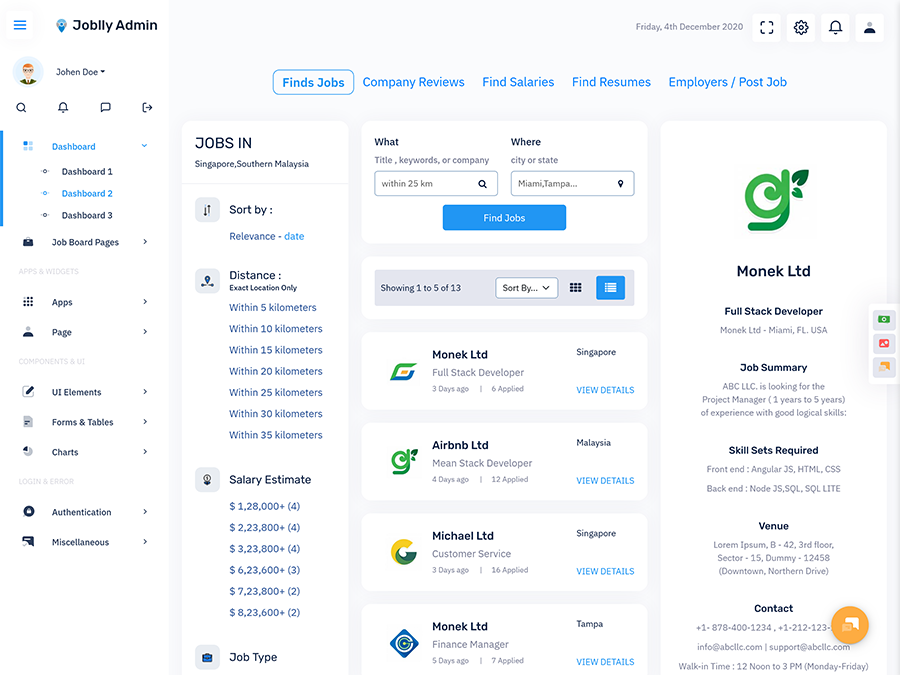
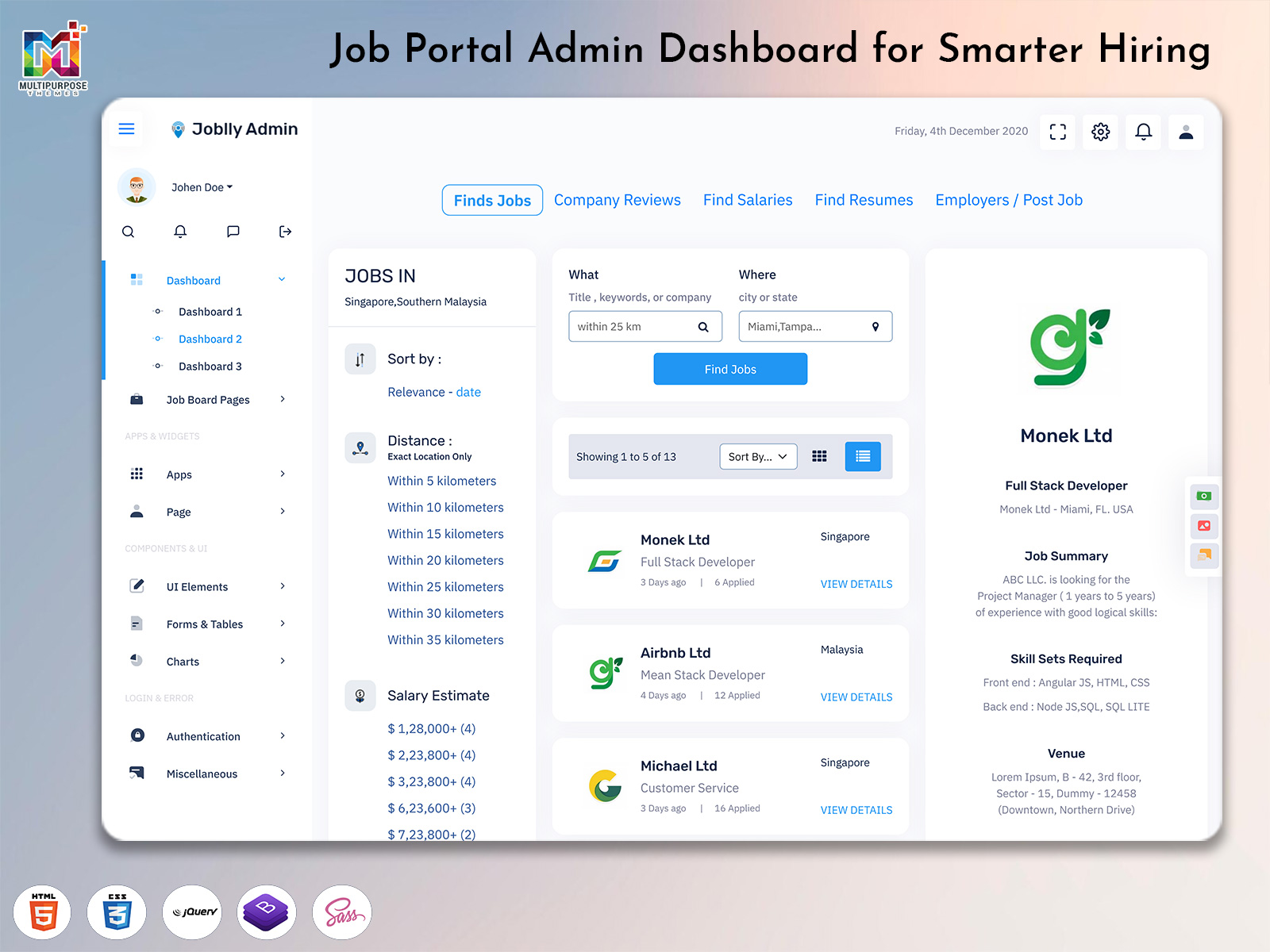
Modern recruitment has become faster, more competitive, and highly data-driven, where organizations need smart systems to manage hiring efficiently. A Job Portal Admin Dashboard plays an important role in centralizing recruitment activities such as job postings, candidate applications, and workforce tracking in one unified platform. With a Job Board Dashboard Template, HR teams can simplify complex hiring processes and improve visibility across every stage of recruitment. Instead of handling multiple tools, businesses can rely on a Job Portal Admin Dashboard to manage applications, monitor job listings, and evaluate candidate performance in real time.
Watch Full Video
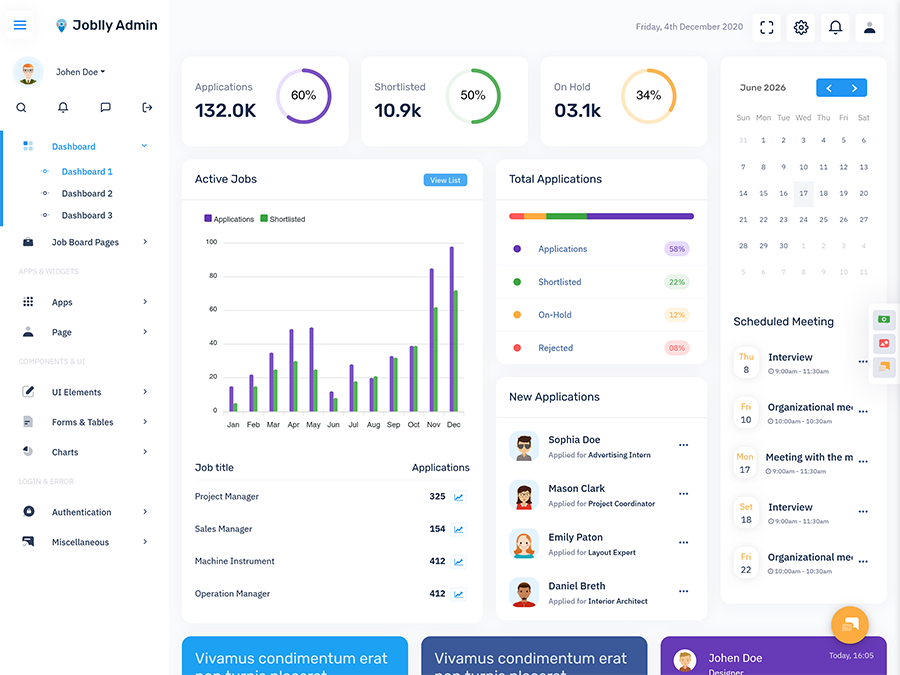
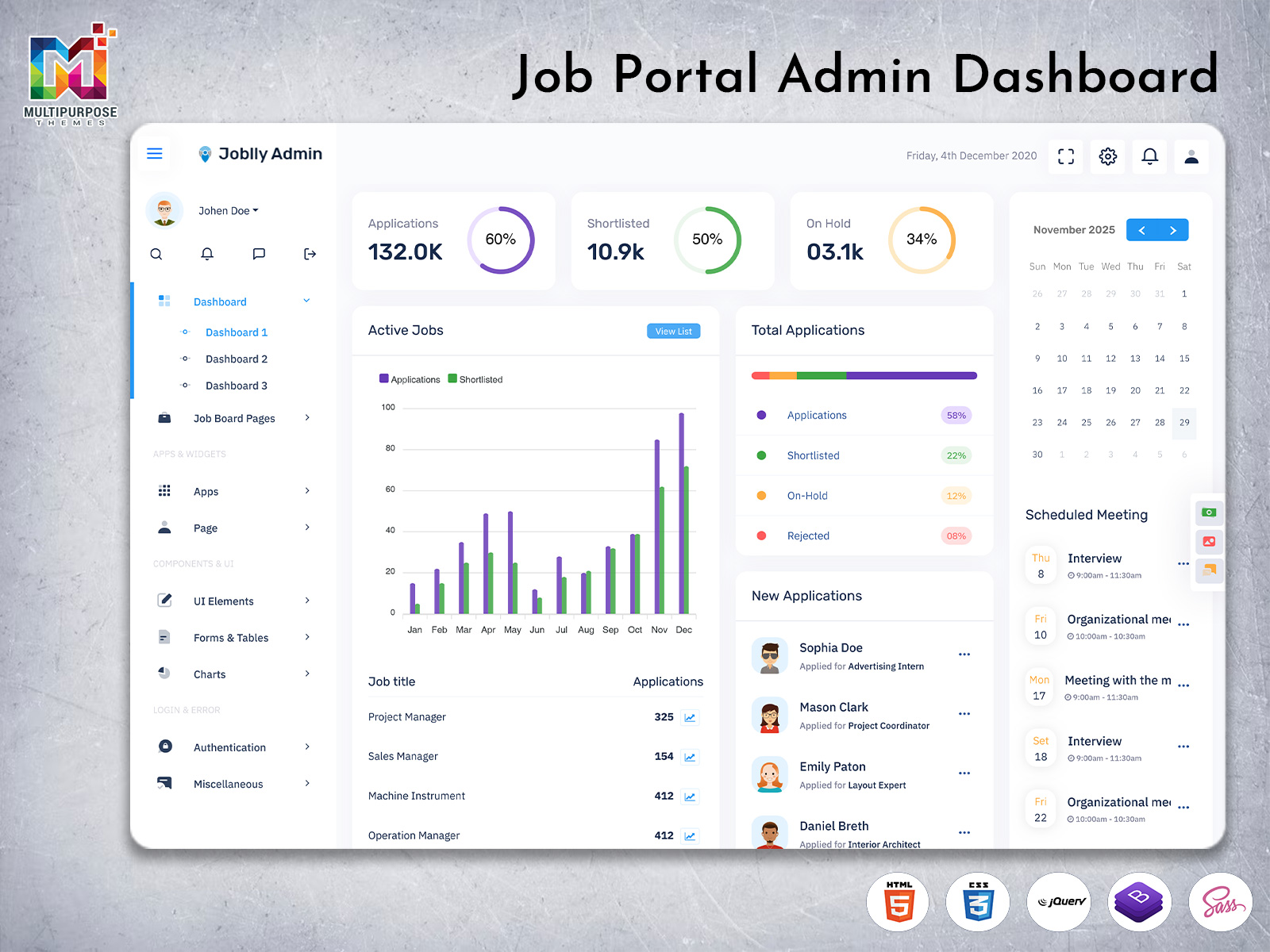
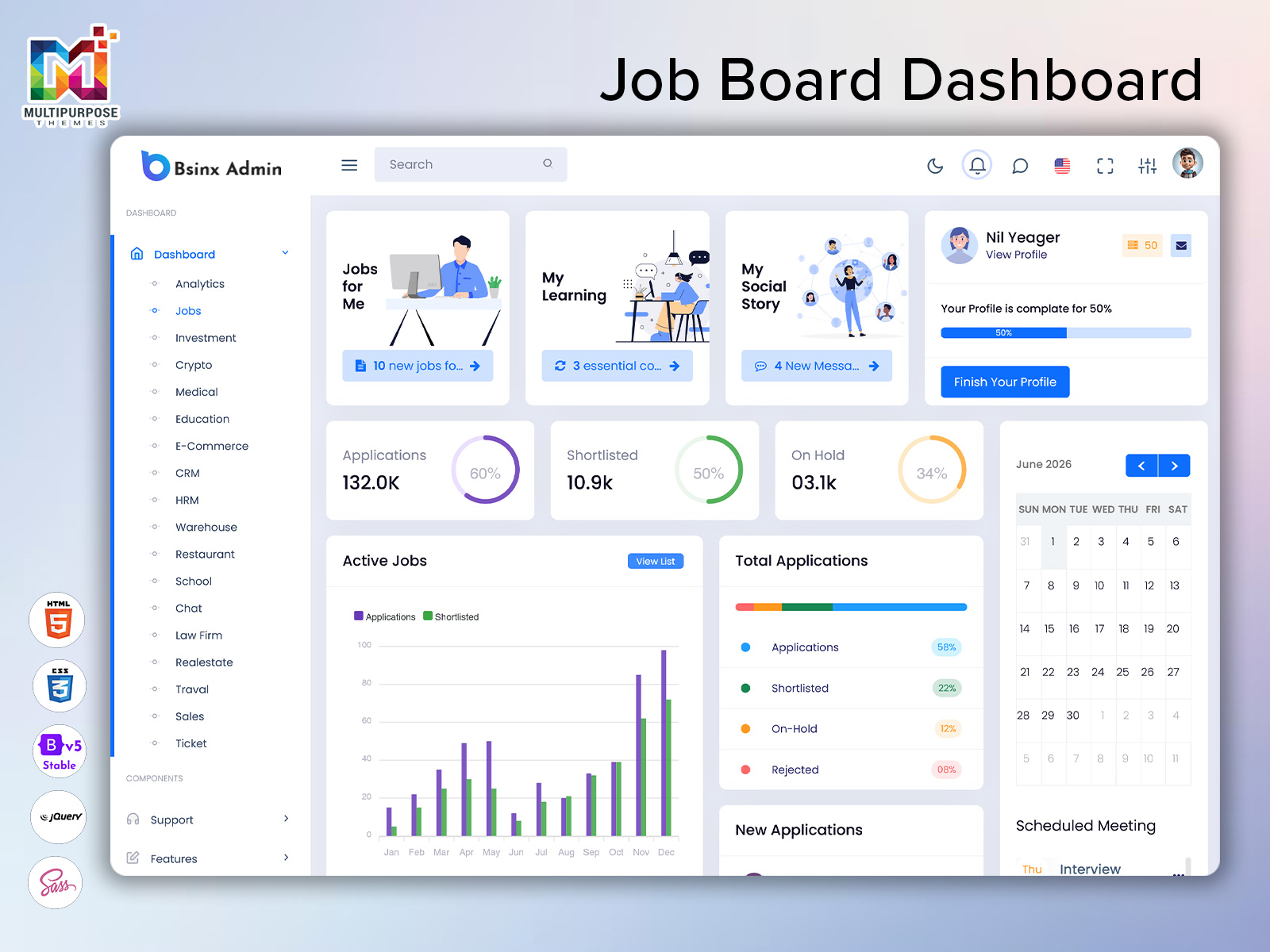
A modern Job Board Software Dashboard brings structure to recruitment workflows by combining automation, visualization, and reporting features. It allows organizations to track Applications, Active Jobs, Shortlisted profiles, and On Hold candidates through a single interface. With a Job Application Dashboard Template, recruiters can efficiently analyze hiring pipelines and make faster decisions. Whether implemented as a Job Employment Dashboard, Job Board HTML Template, or Job Application Admin Template, these systems help improve hiring accuracy, reduce manual effort, and enhance overall workforce management through a streamlined Job portal Dashboard experience.
Understanding of Job Board Dashboard for Modern Recruitment Systems
A Job Board Dashboard is a centralized digital platform designed to simplify recruitment activities, job postings, and candidate management within a single interface. Modern organizations use a Job Board Dashboard Template to bring structure to hiring workflows and improve visibility across all recruitment stages. Instead of handling scattered systems, HR teams can manage everything from applications to hiring decisions using a unified Job Portal Admin Dashboard. This approach helps reduce manual effort and improves the speed of recruitment operations across different business levels.
A Job Board Software Dashboard plays an important role in organizing job listings, tracking candidate activity, and monitoring hiring progress in real time. With the help of a Job Application Dashboard Template, recruiters can easily manage job postings, filter applications, and analyze candidate performance. A Job Employment Dashboard further supports workforce planning by providing clear insights into hiring demand and recruitment status. Whether it is a Job Board HTML Template or Job Application Admin Template, these systems ensure better control, improved efficiency, and a smoother hiring experience for modern HR teams using a Job portal Dashboard.
VIEW DEMO BUY NOW
Applications, Active Jobs, Shortlisted and On Hold Workflow Management
The Job Board Dashboard Template provides a structured way to manage complete recruitment workflows including Applications, Active Jobs, Shortlisted candidates, and On Hold profiles in a single system. A modern Job Board Dashboard helps HR teams organize hiring stages more efficiently by grouping candidates based on their progress in the recruitment pipeline. Instead of manually tracking each applicant, recruiters can use a Job Portal Admin Dashboard to monitor real-time status updates and ensure smooth workflow management across all job positions. This improves clarity and reduces delays in decision-making during the hiring process.
A Job Application Dashboard Template enhances recruitment efficiency by allowing users to filter and categorize candidates based on job status and activity. With a Job Employment Dashboard, organizations can easily track which applications are active, which candidates are shortlisted, and which profiles are temporarily on hold. A Job Board Software Dashboard ensures that all recruitment data remains synchronized, while a Job Application Admin Template improves evaluation speed and accuracy. Whether using a Job Board HTML Template or Job portal Dashboard, this structured workflow system helps businesses manage hiring pipelines more effectively and improves overall workforce planning and recruitment success.
Benefits of Using Job Board Dashboard Template in HR Industry
1. Faster Recruitment Process with Better Workflow Control
A Job Board Dashboard Template helps HR teams speed up hiring by organizing Applications, Active Jobs, Shortlisted, and On Hold candidates in one system. Using a Job Board Dashboard, recruiters can reduce manual effort and manage recruitment stages efficiently. A Job Portal Admin Dashboard improves visibility across all hiring activities, allowing faster decisions and smoother workflow execution.
2. Centralized Candidate Management System
A Job Application Dashboard Template allows companies to manage all candidate information in a structured way. With a Job Application Dashboards system, HR teams can track resumes, job titles, and application status easily. A Job Employment Dashboard ensures that every applicant is categorized properly, improving organization and reducing confusion during the hiring process.
3. Improved Hiring Accuracy and Decision Making
A Job Board Software Dashboard enhances hiring accuracy by providing real-time insights into candidate performance. HR teams can use Analytics-like tracking inside a Job Application Dashboard to evaluate applicants effectively. A Job Employment Dashboard Template supports better decision-making by presenting clear recruitment data in a structured format.
4. Better User Experience with Modern UI Structure
A Job Board HTML Template and Job Employment WebApp Template provide clean, responsive, and modern interfaces for recruiters. Features like Job portal Dashboard layouts, dark mode, and sidebar navigation improve usability. A Job Application Admin Template ensures smooth navigation and faster access to important recruitment modules.
5. Scalable System for Growing Recruitment Needs
A Job Employment Admin Dashboard supports scalability for companies handling large recruitment volumes. With a Job Board Dashboard Template, businesses can expand job listings and manage increasing applications without performance issues. A Job Employment WebApp ensures long-term flexibility and supports growing HR requirements efficiently.
Total Applications Tracking with Job Title and Candidate Insights
A Job Board Dashboard Template provides a clear and structured way to track total applications across different job roles in a single system. Using a Job Board Dashboard, HR teams can monitor how many candidates have applied for each position and evaluate job title performance in real time. A Job Portal Admin Dashboard helps organize application data by separating job roles, candidate profiles, and hiring stages, making it easier to understand recruitment demand across departments. This structured approach improves visibility and reduces complexity in managing large volumes of applications.
A Job Application Dashboard Template also supports deeper candidate insights by analyzing skills, experience levels, and application trends for each job title. With a Job Employment Dashboard, recruiters can quickly identify high-performing job posts and adjust hiring strategies accordingly. A Job Board Software Dashboard ensures that all application data is updated continuously, while a Job Application Admin Template improves filtering and evaluation processes. Whether using a Job Employment Dashboard Template or Job Board HTML Template, businesses can achieve better hiring efficiency, improve workforce planning, and make smarter recruitment decisions using accurate application tracking systems.
New Applications Monitoring for Real-Time Hiring Updates
A Job Board Dashboard Template enables HR teams to monitor new applications in real time, ensuring that no candidate is missed during the hiring process. With a Job Board Dashboard, recruiters can instantly view fresh applications as they arrive, helping them respond faster and improve hiring efficiency. A Job Portal Admin Dashboard organizes incoming candidate data by job title, experience level, and application time, making it easier to prioritize profiles that match recruitment needs. This real-time visibility improves workflow speed and reduces delays in candidate evaluation.
A Job Application Dashboard Template also provides continuous updates on new applicants through automated tracking and notifications. Using a Job Employment Dashboard, HR teams can quickly review recent submissions and move suitable candidates into the next hiring stage. A Job Board Software Dashboard ensures that all new application data is synced across the system, while a Job Application Admin Template enhances filtering and sorting for better decision-making. Whether using a Job Employment WebApp Template or Job portal Dashboard, organizations gain a responsive recruitment system that supports faster communication, improved candidate engagement, and more efficient hiring outcomes.
VIEW DEMO BUY NOW
Multi Layout UI System with Dark Mode, Light Mode and Sidebar Options
A Job Board Dashboard Template offers a flexible multi-layout UI system that improves usability and user experience for recruiters and HR teams. With a Job Board Dashboard, users can switch between dark mode and light mode depending on their preference, making long hours of recruitment work more comfortable. A Job Portal Admin Dashboard also supports different layout structures such as compact views, expanded views, and responsive grids, helping teams manage job postings and applications more efficiently. This adaptability ensures that the interface remains clean and accessible across different devices and screen sizes.
A Job Application Dashboard Template further enhances usability by offering multiple navigation styles such as sidebar, mini sidebar, and full-width layouts. A Job Employment Dashboard allows users to customize their workspace for better productivity and faster navigation between recruitment modules. A Job Board Software Dashboard ensures smooth transitions between layouts without affecting performance or data visibility. Whether using a Job Employment WebApp Template or Job Application Admin Template, this multi-layout system improves user control, enhances visual comfort, and provides a modern interface experience for managing job-related workflows effectively.
Advanced features
1. Dark Mode for Better Visual Comfort
A Job Board Dashboard Template includes a dark mode feature that improves visual comfort during long working hours. In a Job Board Dashboard, dark mode reduces eye strain and enhances focus while managing Applications, Active Jobs, and Shortlisted candidates. A Job Portal Admin Dashboard benefits from this feature by providing a modern and professional interface experience for HR teams working in low-light environments or extended recruitment sessions.
2. Light Mode for Clean and Clear Interface
A Job Application Dashboard Template also supports light mode, which offers a clean and bright interface for better readability. In a Job Employment Dashboard, light mode helps recruiters easily view Job Titles, Candidate Profiles, and Total Applications without visual distractions. A Job Board Software Dashboard uses this feature to ensure clarity and improve user experience across different working environments and user preferences.
3. Mini Sidebar for Compact Workflow Navigation
A Job Board HTML Template includes a mini sidebar layout that allows users to navigate quickly while saving screen space. In a Job portal Dashboard, this feature helps users access important modules like Applications and Job Listings in a compact view. A Job Application Admin Template improves workflow efficiency by reducing clutter and keeping essential tools easily accessible.
4. Semi Sidebar for Balanced Dashboard Layout
A Job Employment WebApp Template provides a semi sidebar option that balances space and navigation usability. In a Job Board Dashboard, this layout allows users to manage recruitment data while maintaining a wider content area for analytics and reports. A Job Application Dashboards system benefits from this structure by improving readability and simplifying multi-tasking.
5. Horizontal Navigation for Fast Access Control
A Job Employment Dashboard Template also includes horizontal navigation that provides quick access to major sections like Applications, Active Jobs, and Shortlisted candidates. A Job Board Software Dashboard uses this layout to reduce navigation time and improve workflow speed. This feature ensures better usability and enhances productivity in modern recruitment systems.
Performance Overview of Job Board Dashboard and Application Flow
A Job Board Dashboard Template provides a complete performance overview of the entire recruitment system by tracking Applications, Active Jobs, Shortlisted candidates, and On Hold profiles in one structured interface. A Job Board Dashboard helps HR teams understand how efficiently the hiring process is working by showing real-time data on job postings and candidate movement. With a Job Portal Admin Dashboard, organizations can easily analyze recruitment speed, application volume, and job engagement levels, which improves overall hiring performance and decision-making accuracy.
A Job Application Dashboard Template enhances workflow visibility by mapping the full application flow from submission to final selection. A Job Employment Dashboard allows recruiters to track how candidates move through each stage, ensuring no application is missed or delayed. A Job Board Software Dashboard supports performance tracking through visual reports and structured Analytics Data, helping teams identify bottlenecks in the hiring pipeline. Whether using a Job Application Admin Template or Job Employment WebApp Template, businesses can optimize recruitment efficiency, improve candidate experience, and maintain a smooth and transparent hiring process across all job roles.
Conclusion
A Job Board Dashboard Template brings a complete digital solution for modern recruitment systems by combining job management, application tracking, and workflow automation in a single platform. A Job Board Dashboard helps organizations simplify hiring operations by providing clear visibility into Applications, Active Jobs, Shortlisted candidates, and On Hold profiles. With a Job Portal Admin Dashboard, HR teams can manage recruitment processes more efficiently and reduce manual effort while improving accuracy in candidate evaluation and job tracking.
Modern recruitment systems like Job Application Dashboard Template and Job Employment Dashboard play an important role in improving hiring speed and workforce management. A Job Board Software Dashboard ensures that all recruitment data is organized and accessible, while a Job Application Admin Template enhances decision-making through structured insights. Whether implemented as a Job Board HTML Template or Job Employment WebApp Template, these systems support scalable growth, better user experience, and improved hiring performance. Overall, a well-designed Job portal Dashboard helps businesses build a faster, smarter, and more efficient recruitment ecosystem.
FAQs
1. What is a Job Board Dashboard Template used for?
A Job Board Dashboard Template is used for managing job listings, Applications, Active Jobs, and candidate workflows in one system. It helps HR teams simplify recruitment processes using a Job Board Dashboard and Job Portal Admin Dashboard. You can explore modern ready-made solutions at MultiPurpose Themes for faster project development.
2. How does a Job Application Dashboard improve hiring process?
A Job Application Dashboard helps recruiters track applications, monitor Job Titles, and manage Shortlisted and On Hold candidates efficiently. A Job Application Dashboard Template improves hiring speed and organization. You can find advanced dashboard UI solutions at MultiPurpose Themes for recruitment platforms.
3. What features are included in a Job Employment Dashboard?
A Job Employment Dashboard includes candidate tracking, job posting management, and workflow monitoring tools. It improves recruitment efficiency using Job Employment Dashboard Template systems. MultiPurpose Themes provides scalable dashboard designs for modern HR and hiring systems.
4. Why is a Job Board Software Dashboard important?
A Job Board Software Dashboard is important because it centralizes Applications, Active Jobs, and recruitment analytics in one place. It helps businesses manage hiring at scale using a Job portal Dashboard. You can explore such templates at MultiPurpose Themes for professional use.
5. What is the difference between Job Board HTML Template and WebApp Template?
A Job Board HTML Template is mainly used for static UI design, while a Job Employment WebApp Template offers dynamic real-time recruitment features. MultiPurpose Themes provides both HTML and WebApp-based dashboard solutions for developers and businesses.
6. How does a Job Application Admin Template help HR teams?
A Job Application Admin Template helps HR teams organize candidate data, filter applications, and improve decision-making. It enhances Job Application Dashboards and workflow management. MultiPurpose Themes offers admin dashboard templates designed for efficient recruitment systems.
7. Where can I download Job Board Dashboard Template for projects?
You can download professional Job Board Dashboard Template, Job Portal Admin Dashboard, and Job Employment Dashboard solutions from MultiPurpose Themes. It provides modern UI kits and scalable recruitment dashboard designs for businesses and developers.

Related Posts



This Post Has 0 Comments