

In today’s fast-moving digital world, communication is everything. Businesses, startups, and even individual creators are…
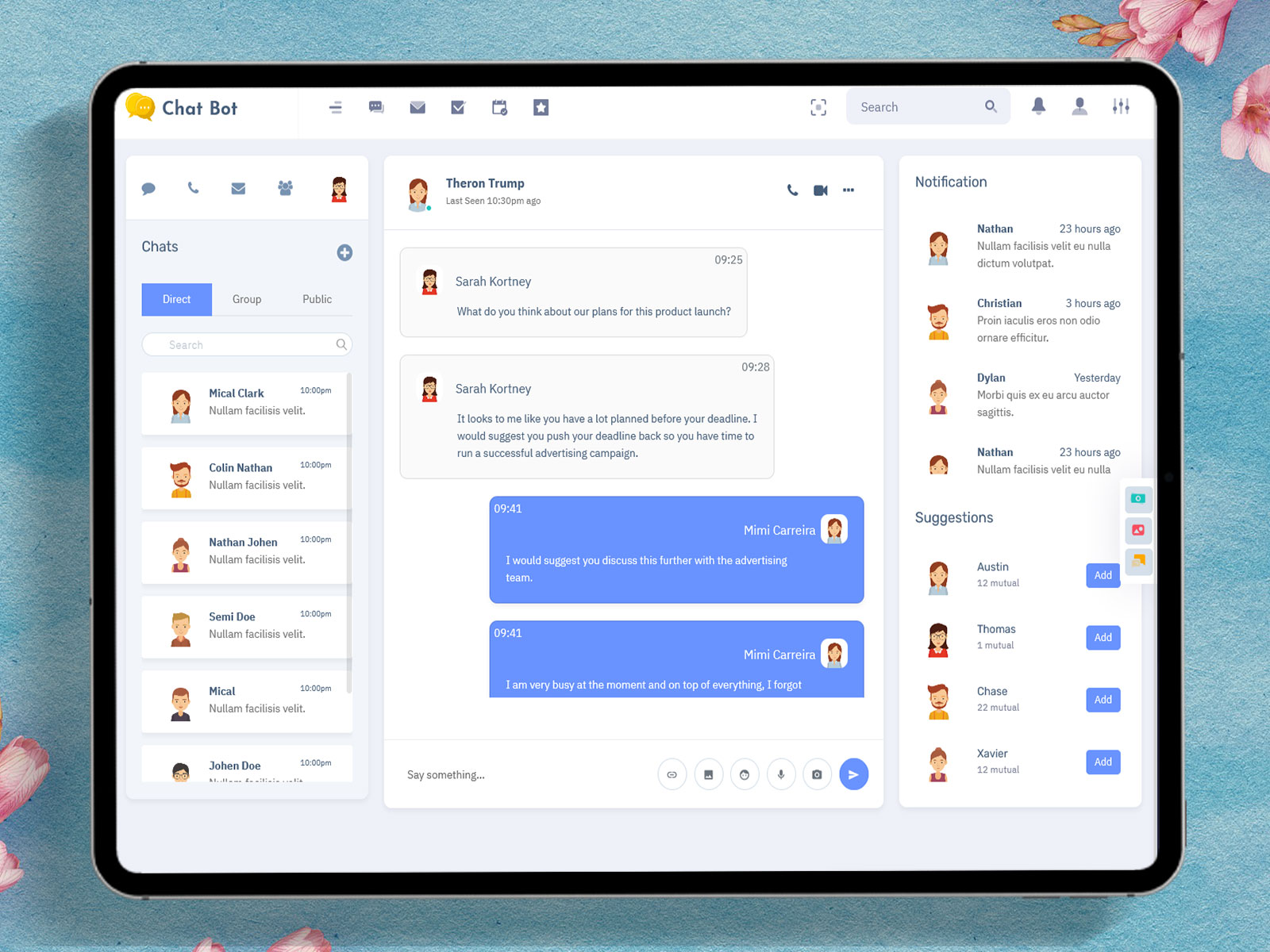
Chatbot Dashboard 2026: Smart, Scalable & Modern Chat Application Dashboard Solution
Reading Time: 6 minutes
In today’s digital world, communication is the backbone of every successful business. Whether it’s customer support, sales inquiries, or internal team collaboration, chat systems are playing a major role. This is where a Chatbot Dashboard becomes essential. It allows businesses to manage conversations, monitor performance, and deliver better user experiences.
A modern Chat Application Dashboard is not just about messaging. It includes analytics, automation, and smart tools that help businesses handle communication more efficiently. With the help of a Chatbot Web UI, companies can create a smooth and interactive chat environment for both users and administrators.
Using an Admin Template or a Dashboard Template makes the development process faster and easier. Especially with a Bootstrap 5 Admin Template or Bootstrap 5 Dashboard Template, developers can build responsive and modern chat dashboards without starting from scratch.
Watch Full Video
What is a Chatbot Dashboard?
A Chatbot Dashboard is a centralized platform where administrators can manage chatbot interactions, monitor conversations, and analyze user data. It acts as the control center of a chat system, giving full visibility into how users interact with the chatbot.
A well-designed Chat Application Dashboard includes features like chat monitoring, user management, analytics, and notifications. It helps businesses ensure that all communication flows smoothly and efficiently.
The Web Chatbot UI plays a key role in this system. It defines how users interact with the chatbot, ensuring a simple and user-friendly experience.
Importance of Chatbot Web UI in Modern Applications
The Chatbot Web UI is the front-end layer of any chat system. It is what users see and interact with. A clean and responsive Web Chatbot UI improves user satisfaction and engagement.
A good Chatbot Web UI ensures that conversations feel natural and easy. It should load quickly, work on all devices, and provide a smooth chat experience. When combined with a powerful Chatbot Dashboard, it creates a complete communication solution.
Businesses today focus heavily on user experience, and a well-designed Web Chatbot UI helps achieve that goal effectively.
Explore Dashboard Design
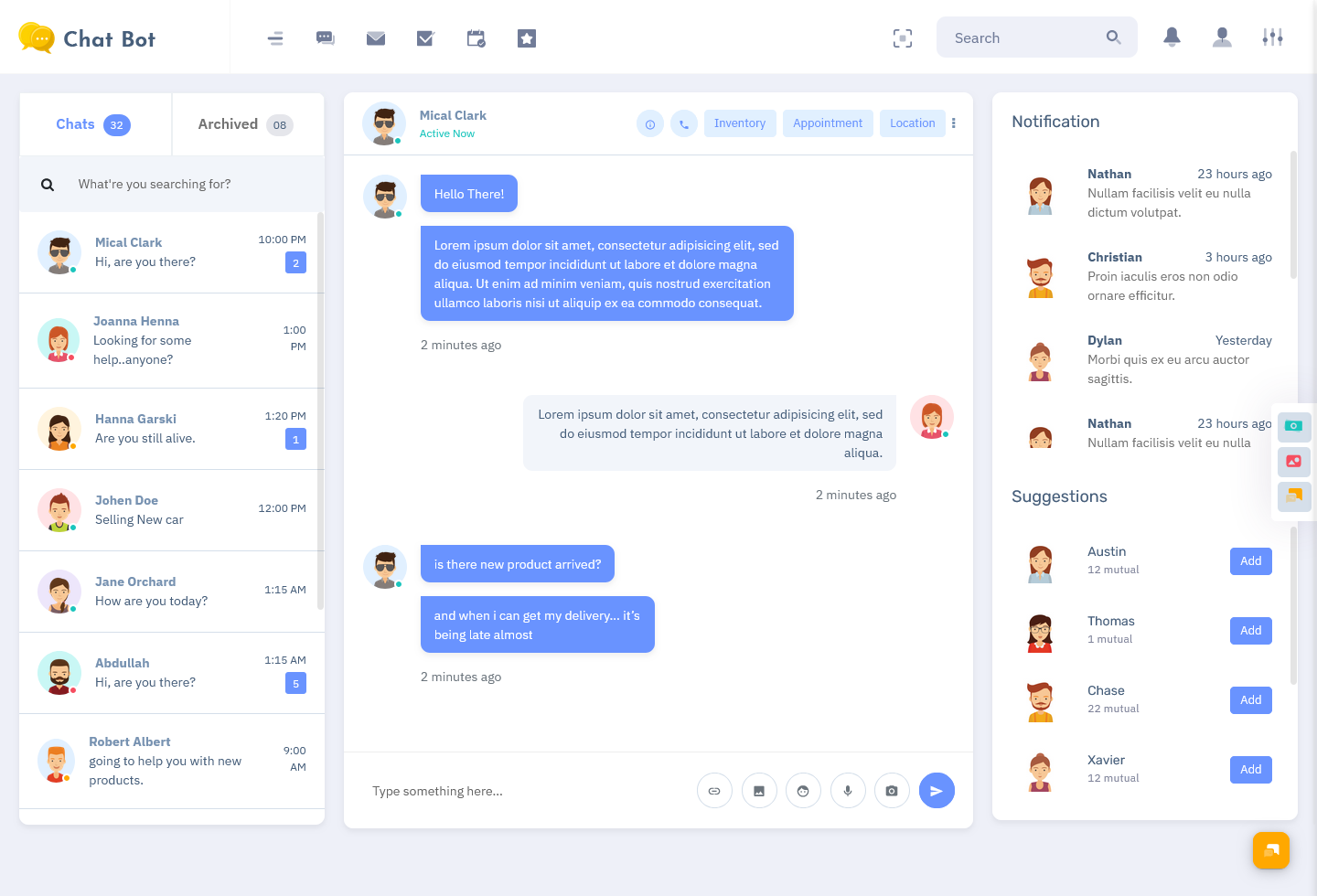
BUY NOW DEMO
Explore Other Dashboard
Dashboard: 1
BUY NOW DEMO
Dashboard: 2
BUY NOW DEMO
Dashboard: 3
BUY NOW DEMO
Dashboard: 4
BUY NOW DEMO
Dashboard: 5
BUY NOW DEMO
Dashboard: 6
BUY NOW DEMO
Role of Admin Template in Chat Dashboards
An Admin Template is a pre-designed layout that helps developers build dashboards quickly. Instead of designing everything from scratch, developers can use ready-made components and customize them according to their needs.
A Dashboard Template provides structured UI elements like charts, tables, chat panels, and navigation menus. This makes it easier to create a professional-looking Chat Application Dashboard.
Using a Bootstrap 5 Admin Template ensures that the dashboard is responsive and mobile-friendly. It also provides modern design components that improve usability and performance.
Key Features of a Chat Application Dashboard
A powerful Chat Application Dashboard comes with several features that help businesses manage communication effectively.
Real-Time Chat System
Real-time messaging allows instant communication between users and support teams. This is one of the most important features of any Chatbot Dashboard.
User Management
Administrators can manage users, track activity, and assign chats to agents. This improves efficiency and organization.
Chat History and Logs
All conversations are stored and can be accessed anytime. This helps in analyzing past interactions and improving service quality.
Notifications and Alerts
Instant alerts ensure that no message is missed. This improves response time and customer satisfaction.
Analytics and Insights
Analytics tools provide valuable insights into user behavior, chat performance, and response time.
Multi-Platform Support
Modern Bootstrap 5 Admin dashboards support multiple platforms, including websites, mobile apps, and social media channels.
Benefits of Using Bootstrap 5 Dashboard Template
A Bootstrap 5 Dashboard Template offers many advantages when building a Chatbot Dashboard.
Responsive Design
Bootstrap 5 ensures that the dashboard works smoothly on all screen sizes, including mobile devices.
Faster Development
Pre-built components reduce development time and effort.
Customization Flexibility
Developers can easily modify layouts, colors, and features according to business needs.
Clean and Modern UI
Bootstrap 5 provides a professional and user-friendly design that enhances the overall experience.
Why Businesses Need a Chatbot Dashboard
Businesses today deal with a large number of customer interactions daily. Managing these conversations manually can be difficult and time-consuming.
A Chatbot Dashboard simplifies this process by organizing all conversations in one place. It helps businesses respond quickly, track performance, and improve customer satisfaction.
With a well-designed Chat Application Dashboard, companies can automate repetitive tasks, reduce workload, and focus on important interactions.
Use Cases of Chat Application Dashboard
Chat dashboards are widely used across different industries.
Customer Support
Businesses use chat dashboards to handle customer queries efficiently and provide quick solutions.
E-commerce Platforms
Online stores use chat systems to assist customers with product inquiries, order tracking, and support.
SaaS Products
Software companies use chat dashboards to provide onboarding support and technical assistance.
Internal Communication
Organizations use chat dashboards for team collaboration and communication.
Essential UI Components in Web Chatbot UI
A well-designed Web Chatbot UI includes several important components that improve usability.
The chat window is the main area where conversations take place. The user panel displays active users and their status. Search and filter options help in finding specific chats quickly. Notifications keep users updated about new messages.
The analytics section provides performance data, while the settings panel allows customization of the dashboard. A good Chatbot Web UI combines all these elements in a clean and organized way.
How to Choose the Right Dashboard Template
Selecting the right Dashboard Template is important for building an effective chat system.
First, ensure that the template is easy to use and understand. It should offer flexible customization options so that you can modify it according to your needs.
Performance is another important factor. The dashboard should be fast and capable of handling multiple users at the same time.
Integration support is also essential. The template should work well with APIs and third-party tools.
Finally, security should not be ignored. Choose a template that supports secure data handling and protects user information.
Latest Trends in Chatbot Dashboard Design
The design and functionality of chat dashboards are evolving rapidly.
AI-powered chatbots are becoming more common, helping businesses automate responses and reduce workload. Voice and video chat features are also being added to improve communication.
Personalization is another growing trend. Dashboards now provide customized experiences based on user behavior.
Automation tools are making it easier to manage chats, assign tasks, and improve workflow efficiency. Advanced analytics are also helping businesses gain deeper insights into user interactions.
Challenges in Chat Application Dashboard
While chat dashboards offer many benefits, there are some challenges as well.
Managing a high volume of chats can be difficult without proper organization. Ensuring data security and privacy is also a major concern.
Integrating multiple communication channels into one Chatbot Dashboard can be complex. However, using a reliable Bootstrap 5 Admin Template can help overcome many of these challenges.
Future of Chatbot Web UI and Dashboards
The future of Chatbot Web UI and dashboards looks very promising. With advancements in technology, chat systems will become more intelligent and efficient.
Artificial intelligence and machine learning will play a bigger role in automating conversations. Chat dashboards will become more interactive, faster, and easier to use.
Businesses will continue to invest in better Chat Application Dashboard solutions to improve communication and user experience.
Conclusion
A Chatbot Dashboard is an essential tool for managing modern communication systems. It helps businesses organize conversations, improve customer support, and increase efficiency.
Using an Admin Template or Dashboard Template makes it easier to build a professional dashboard quickly. A Bootstrap 5 Admin Template or Bootstrap 5 Dashboard Template provides the flexibility and performance needed for modern applications.
With a strong Chatbot Web UI and Web Chatbot UI, businesses can deliver seamless and engaging user experiences. As digital communication continues to grow, investing in a powerful Chat Application Dashboard will become even more important for long-term success.

Related Posts



This Post Has 0 Comments