

The digital hospital dashboard is one of the newest advancements that we can see in…
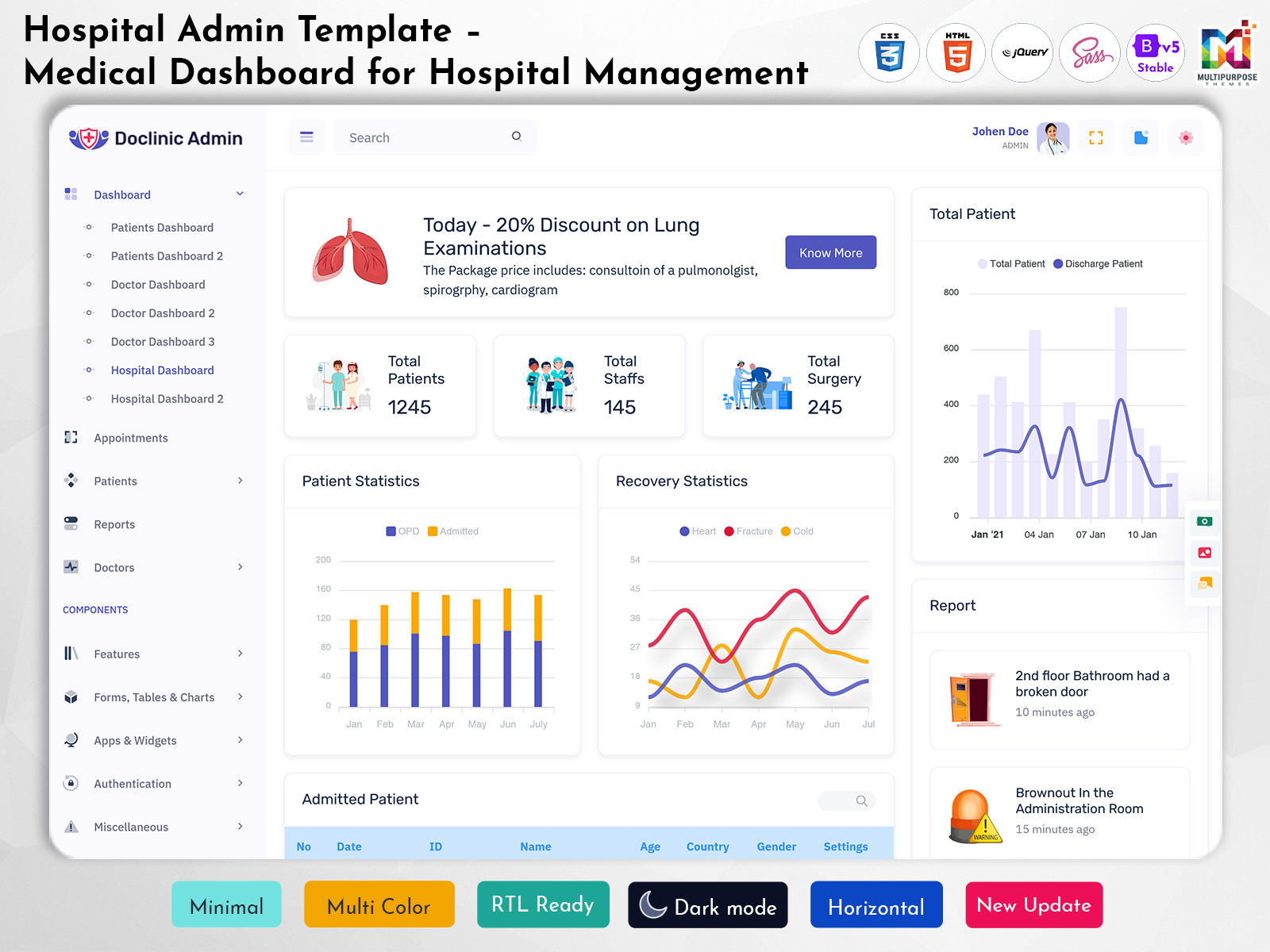
Hospital Admin Template – Medical Dashboard
Reading Time: 5 minutes
A Hospital Admin Template can help organise data in your organisation. It also offers performance monitoring. Lets managers keep track of activity and use main tools through a medical dashboard.
Watch Full Video
What is a Hospital Admin Template?
A Hospital Admin Template is a ready‑made dashboard that helps run a hospital and healthcare services. It makes tasks simpler. Lets users find what they need quickly.
It can include tracking records, appointment times, staff details, invoicing and reports. The exact features depend on the template and the hospital’s needs.
Key Features
Patient Information
A dashboard can give users information about details, records and visits. With layouts and search tools staff can find what they need fast.
Appointments
The appointment tool is used by managers to schedule meetings and time management. This can be easily done using the calendar and appointment lists.
Staff & Departments
Many tasks in a hospital involve managing doctors, nurses and teams. A dashboard can help track staff details. It can also help track department information. It can help track schedules. All of this is, in one place which makes it easier to see what is happening across the organization.
Invoicing
Invoice management software can be utilized by managers to monitor their invoices, payments, and amounts outstanding. Invoice management software can be utilized by managers to monitor their invoices, payments, and amounts outstanding.
Invoicing tools gather all the information, in one place making it easier to handle tasks.
Invoicing tools also help managers see what needs to be focused on.
Reports
Reports can give information like the number of appointments the number of patients and department summaries. They help managers see trends.

VIEW DEMO BUY NOW
Product Dashboard
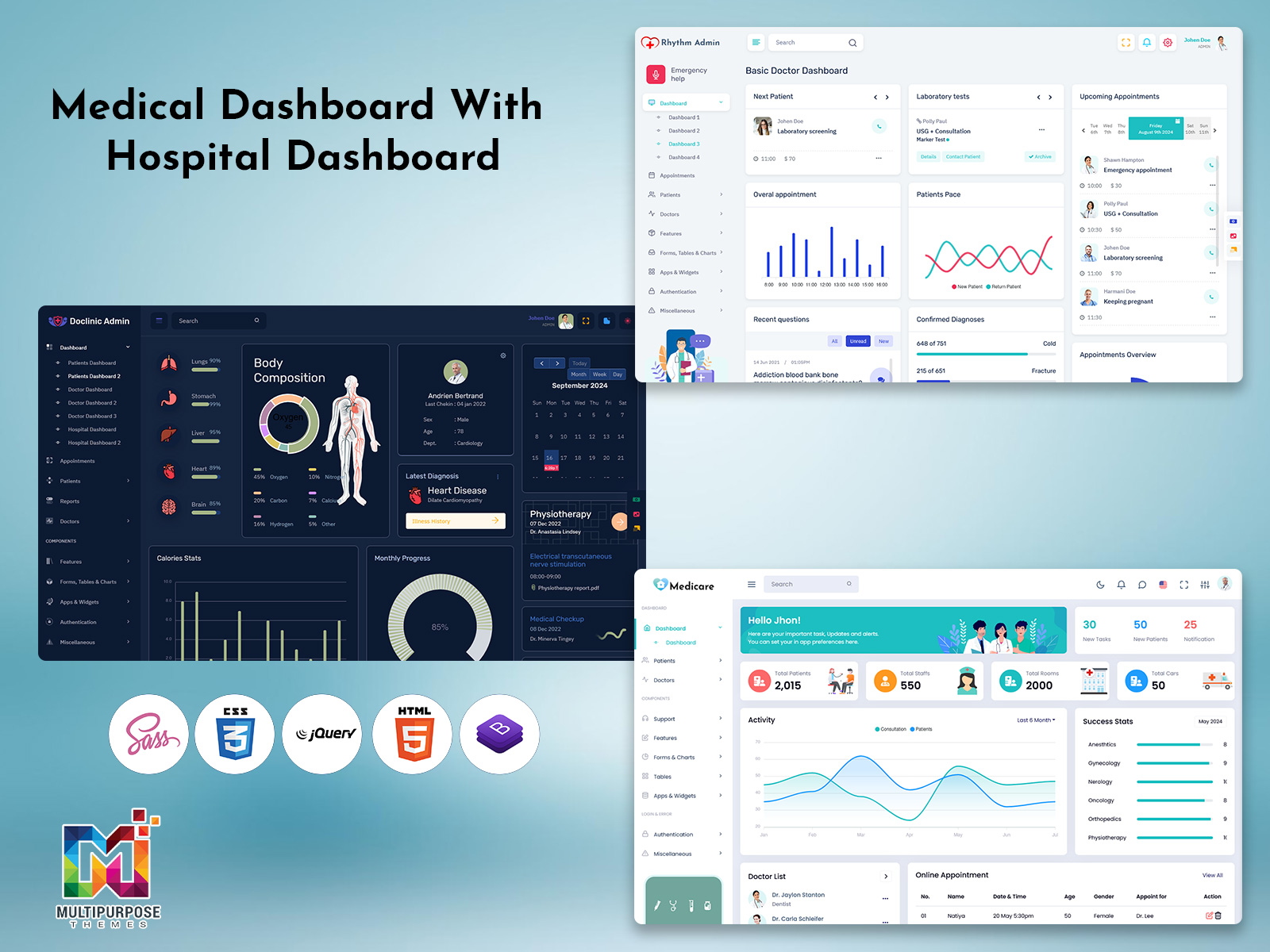
A Product Dashboard can show information such as tables, charts and cards. In a hospital it helps users see information quickly.
A product dashboard can help hospital teams by:
- Keeping all data in one place
- Easing the search and review of records
- Giving a way to view schedules and status
- Using charts and reports for regular checks
- Helping managers spot what needs attention
It should be designed to match how tasks are actually done.
How a Hospital Admin Dashboard Supports Daily Operations
A hospital admin dashboard brings important administrative information into a central interface. It can help managers review daily activity, coordinate departments and access information needed for routine tasks.
Depending on the implementation, the dashboard may support:
- Reviewing patient registration and visit information
- Checking appointment schedules and changes
- Coordinating staff and department activities
- Monitoring invoice and payment statuses
- Reviewing operational reports and summaries
The dashboard should reflect the actual workflows of the hospital and provide access to information relevant to each user.
Choosing the Right Product Dashboard Template
When picking a Product Dashboard Template for a hospital or medical project think about what your organisation and users need.
Easy to Navigate
Make sure it is easy for the users to find the required tasks.
It can be done by means of menus and headings.
Responsive
Through responsive design, one can be able to get information from computer screens, tablets, and even mobile devices.
Easy to Read
Charts and tables must be easy to read. Avoid many items on the screen extra visuals and complex comparison charts.
Access Based on Role
Some hospital systems hold information. Make sure users can only view and edit what they are allowed to.
Flexible
A flexible template helps you start designing departments, processes and reports. Before using it make sure it can change to fit your needs.
The Role of Reporting in Hospital Administration
Reports help hospital administrators review activity over a selected period and understand operational patterns.
A hospital dashboard may provide reports on:
- Appointment activity
- Patient visits and registrations
- Department summaries
- Staff schedules
- Invoice and payment statuses
Reports should use clearly defined metrics and present information in a format that supports review and planning. The usefulness of a report depends on the quality and relevance of its underlying data.

VIEW DEMO BUY NOW
Hospital Admin Template
A Hospital Admin Template can start dashboard projects in a healthcare setting. It can include:
- Hospitals – Managing patients, appointments, staff and reports.
- Clinics – Scheduling appointments, keeping records and invoicing.
- centres – Scheduling appointments, managing patient data and reports.
- Healthcare networks – Summaries of departments and managing large systems.
The design must fit how each organisation works, what rules it. What technology it uses.
Medical Dashboard Best Practice
A medical dashboard gives the amount of information and is easy to read.
When building or changing a hospital admin interface keep these points in mind:
- Make sure the dashboard meets the needs of users.
- Use headings, colours and designs.
- Use tables that are easy to read and offer good filtering.
- Highlight important information.
- Make sure the dashboard works on all devices.
- Keep information secure with security and access.
- Test with users before launch.
Improving Patient and Appointment Information Management
Patient and appointment information is central to many hospital workflows. A dashboard can organize relevant records and make them easier for authorized staff to locate.
Useful interface features may include searchable patient lists, appointment calendars, visit details and clear status labels. Consistent layouts can also help users move between related information.
The dashboard should present only the information needed for each role and follow the organization’s privacy and access requirements.
Common Dashboard Components for Hospital Management
A Hospital Admin Template may include different interface components to organize hospital information.
Summary Cards
Summary cards display selected information, such as appointment counts, patient totals or outstanding invoices. They help users review key figures without opening detailed reports.
Data Tables
Tables can present patient records, staff details, appointments and billing information in a structured format. Search, sorting and filtering options can make records easier to navigate.
Charts and Graphs
Charts can display trends in appointments, patient activity and department summaries. Clear labels and appropriate chart types help users understand the information.
Calendar Views
Calendar components can display appointments and staff schedules. They help users review dates and identify scheduling conflicts.
Notifications and Status Indicators
Status indicators can show whether an appointment is scheduled, completed or cancelled, or whether an invoice is paid or outstanding. Notifications can draw attention to updates that require review.
Conclusion
Using a Hospital Admin Template can help start organising tasks in a hospital. By giving a place for information, appointments, staff details, invoicing and reports healthcare teams can handle their daily tasks.
When picking a template make sure it is easy to use, responsive easy to read, flexible and secure. With the Product Template teams can build a dashboard that fits their needs and gives a good experience, for hospital managers.
VIEW DEMO BUY NOW
FAQs
What is a Hospital Admin Template?
A Multipurpose Themes Hospital Admin Template is a pre‑designed dashboard to manage tasks within a hospital. It includes information, appointments, staff, invoicing and reports.
What features should I look for in a hospital admin dashboard?
Features commonly included are record views, appointment management, staff and departments invoicing summaries and reports. This will depend on how your hospital operates.
Can I customise a Hospital Admin Template?
Yes! A Multipurpose Themes template can help kickstart the process of changing the design of the dashboard components and processes. How much you can customise will depend on the template. How it’s built.
What is the difference between a hospital dashboard and medical dashboard?
A hospital dashboard typically covers tasks within the hospital. A medical dashboard may have health related information depending on who’s using it and why.
Would a Product Dashboard Template work for a healthcare project?
A Product Dashboard Template can be used as a base for a health project. If the design, tools and security are suitable.
Why should hospital dashboards be responsive?
A responsive Multipurpose Themes dashboard will ensure the interface works on screen sizes. Meaning users can view data on computers, tablets and phones.
What should I consider before implementing a hospital dashboard?
Consider what roles your users have, how processes operate, privacy, access to information ease of use, responsive design and integration, with tools.

Related Posts



This Post Has 0 Comments