

The logistics and supply chain industry in 2026 is rapidly evolving, driven by automation, artificial…

Warehouse Dashboard for 2026: Smart Inventory & Workflow Management
Reading Time: 6 minutes
In today’s fast-moving business world, managing warehouse operations efficiently is very important. A Warehouse Dashboard helps businesses track, manage, and improve their daily warehouse activities in a simple and visual way. It brings all important data like inventory, orders, and performance into one place, making it easier for teams to understand and take quick action.
Before understanding the warehouse dashboard in detail, it is important to know what a dashboard actually is and why it is useful in business operations.
Watch Full Video of Warehouse Dashboard Design
What is a Dashboard?
A dashboard is a visual tool that shows important data in an easy-to-understand format. It collects information from different systems and displays it using charts, graphs, and numbers. The main goal of a dashboard is to provide quick insights so users can make better decisions without going through complex data.
Dashboards are commonly used in different departments such as sales, marketing, finance, and warehouse management. A well-designed dashboard allows users to monitor performance, track key data, and stay updated with real-time information.
Importance of Dashboards in Business
Dashboards play a very important role in modern businesses. They help organizations understand their performance clearly and make faster decisions. With a dashboard, users can easily track progress, identify trends, and measure efficiency.
A dashboard improves visibility by showing all important information in one place. It helps managers and teams stay aligned with business goals and ensures that operations are running smoothly. It also supports better planning by providing insights into past and current data.
Dashboards are especially useful for decision-making. When data is presented visually, it becomes easier to understand patterns and take action quickly. This is why dashboards are widely used across industries.
Explore Dashboards of Warehouse
Dashboard – 1
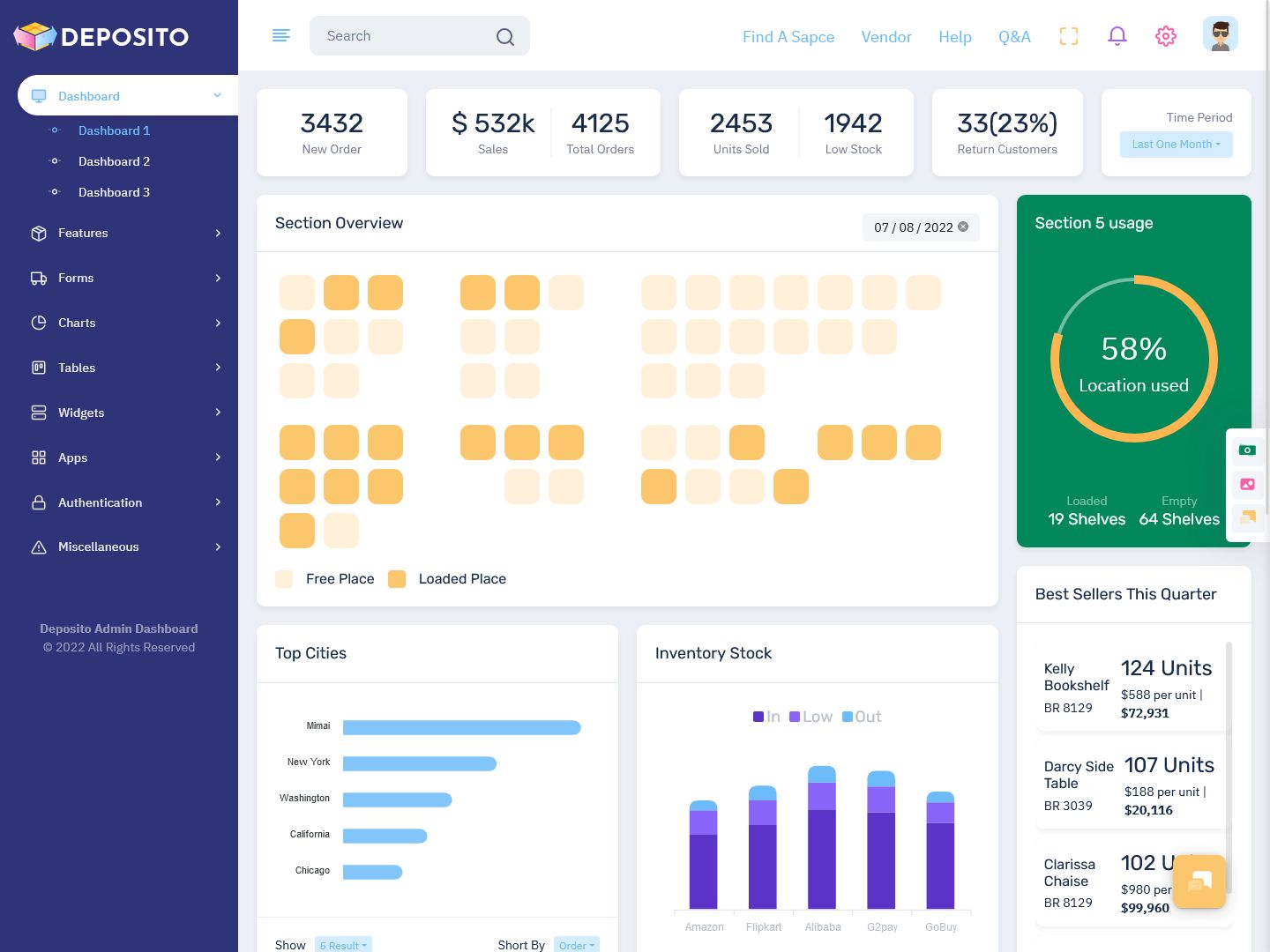
BUY NOW DEMO
Dashboard – 2
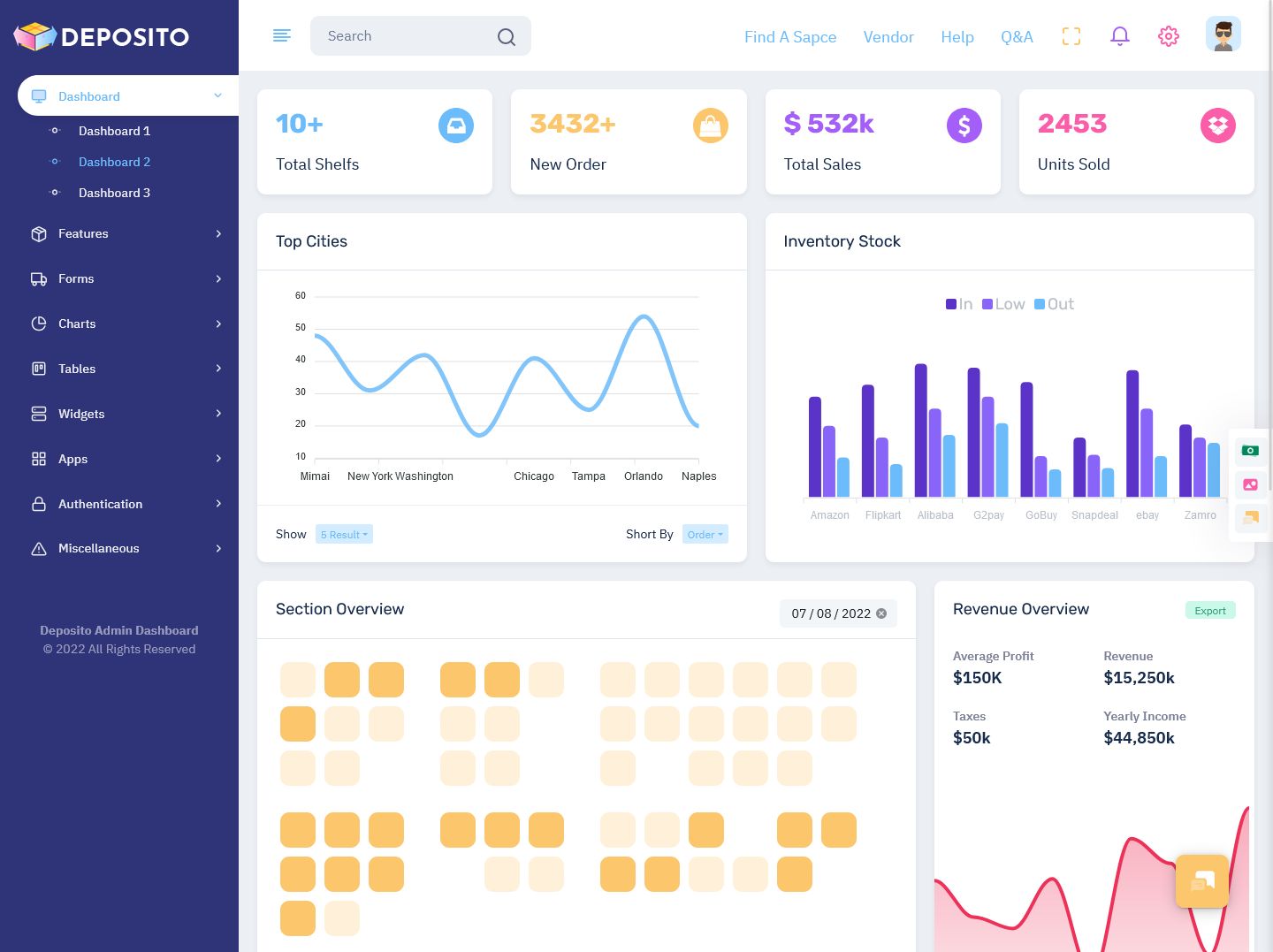
BUY NOW DEMO
Dashboard – 3
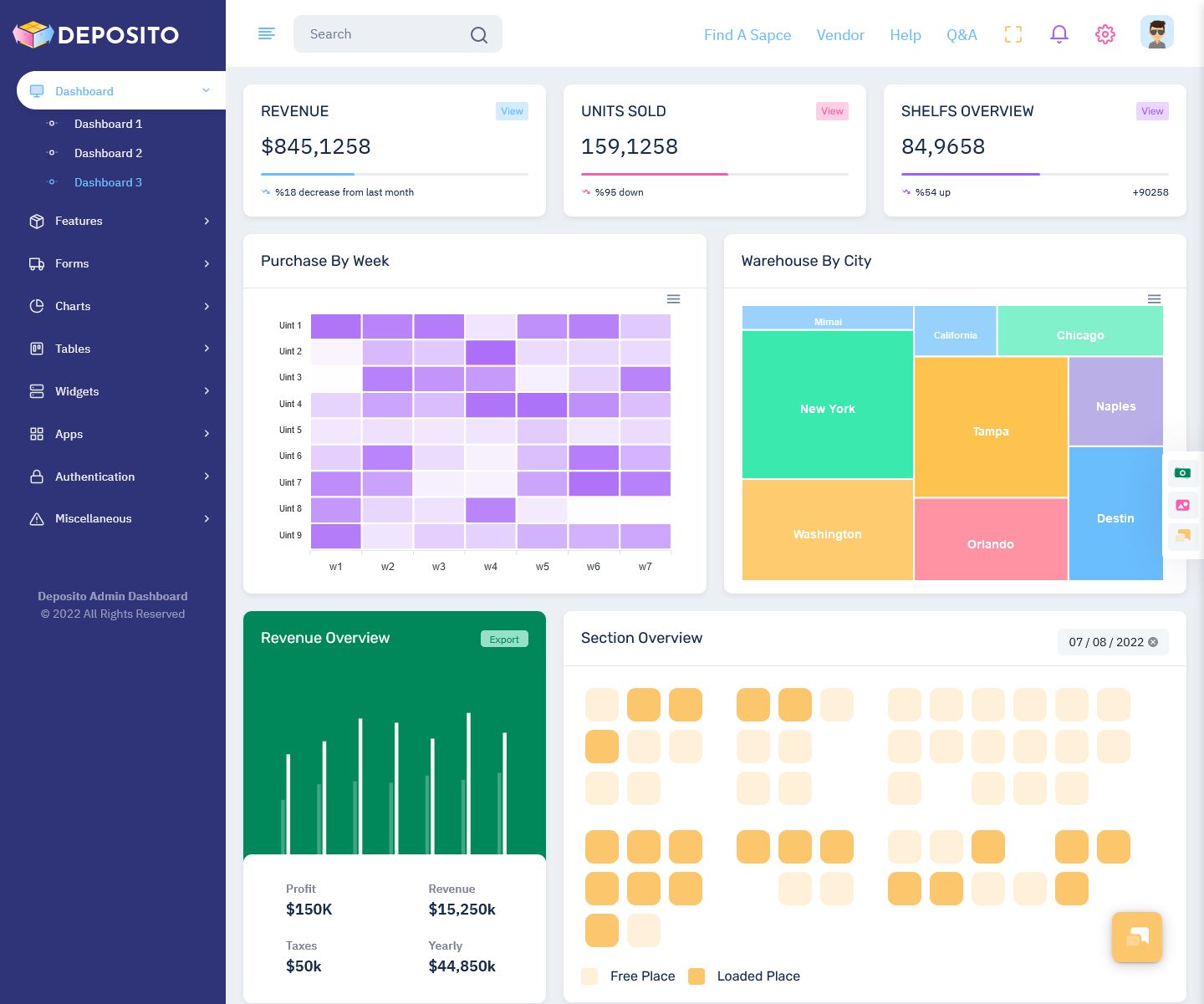
BUY NOW DEMO
Types of Dashboards
There are different types of dashboards based on their purpose and usage. Each type helps in analyzing data in a specific way.
Operational dashboards focus on real-time data. They show what is happening in the business at the current moment. These dashboards are used daily to manage ongoing tasks and operations.
Strategic dashboards are used by top-level management. They focus on long-term goals and track key performance indicators. These dashboards are usually reviewed periodically to monitor overall business performance.
Analytical dashboards are used to study data in detail. They help identify trends, patterns, and insights by analyzing large volumes of data. These dashboards are useful for planning and improving strategies.
A successful business often uses a combination of all these dashboards to get a complete view of operations.
What is a Warehouse Dashboard?
A Admin Dashboard is a tool that provides real-time information about warehouse operations. It helps teams monitor inventory levels, track orders, manage shipments, and improve overall efficiency. With this dashboard, warehouse managers can easily understand what is happening in the warehouse at any given time.
A Warehouse Metrics Dashboard focuses on important performance indicators such as order accuracy, inventory levels, and delivery times. It helps in measuring how well the warehouse is performing and where improvements are needed.
A KPI Dashboard is also an important part of warehouse management. It tracks key performance indicators that show whether the warehouse is meeting its goals. These KPIs help managers evaluate performance and make better decisions.
Role of Warehouse Dashboard in Operations
Warehouse operations involve many activities such as inventory tracking, order processing, staff management, and logistics planning. A Storage Management Dashboard helps in organizing and managing storage space efficiently. It ensures that goods are stored properly and can be accessed easily when needed.
A Work Flow Dashboard helps in managing daily tasks and processes inside the warehouse. It shows how work is moving from one stage to another and helps identify delays or issues in operations.
An Inventory Management Dashboard is used to track stock levels, monitor product movement, and avoid shortages or overstocking. It ensures that the right products are available at the right time.
These dashboards work together to improve overall warehouse efficiency and productivity.
Key Features of Warehouse Dashboard
A warehouse dashboard is designed to provide useful and actionable information. It collects data from different sources and presents it in a clear and simple format. This helps users understand complex data easily and take quick decisions.
The dashboard shows real-time updates, which means users can see the latest information at any time. It also allows customization, so users can choose what data they want to see based on their needs.
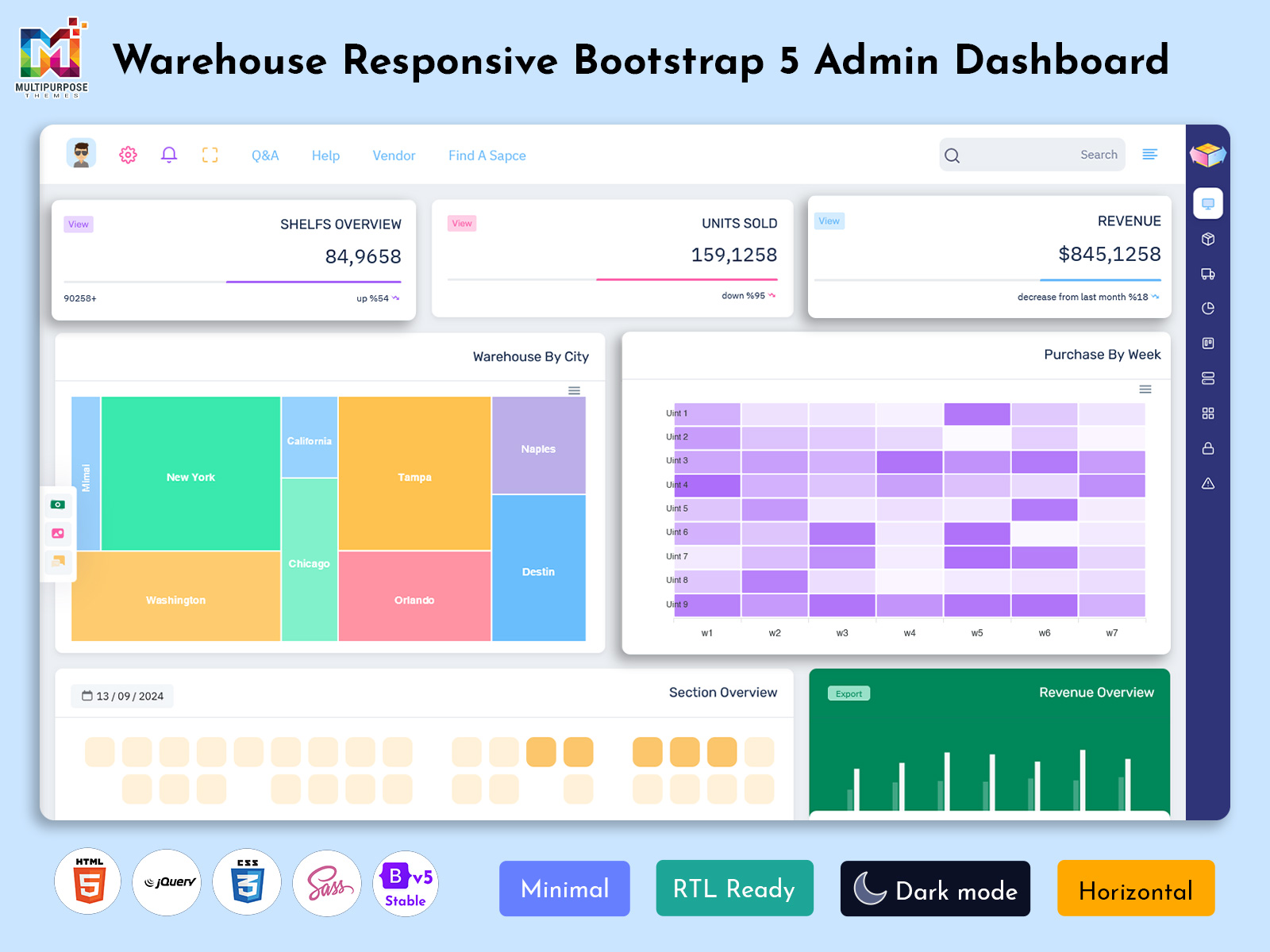
The use of a Bootstrap 5 Admin Dashboard makes the interface modern, responsive, and user-friendly. It ensures that the dashboard works smoothly on different devices such as desktops, tablets, and mobiles.
Warehouse KPI Dashboard and Business Intelligence
A warehouse dashboard is not just about displaying data. It is also a powerful business intelligence tool. A Warehouse Metrics Dashboard helps managers understand how efficiently the warehouse is operating.
It provides insights into important areas such as order processing time, inventory turnover, and shipment performance. This information helps businesses improve operations and achieve better results.
A well-designed KPI Dashboard ensures that only relevant and important data is displayed. This avoids confusion and helps users focus on what matters most.
Data Integration in Warehouse Dashboard
A Admin dashboard collects data from different systems such as inventory software, order management systems, and logistics platforms. This data is combined and presented in one place.
This integration helps businesses get a complete view of their operations. It also reduces the need to check multiple systems, saving time and effort.
The dashboard updates data automatically, ensuring that users always have access to the latest information. This is very important for making quick and accurate decisions.
Best Practices for Warehouse Dashboard
Creating an effective warehouse dashboard requires proper planning and design. The dashboard should be simple and easy to understand. It should focus on important data and avoid unnecessary details.
It is important to design the dashboard based on user needs. Different users may require different information, so the dashboard should be flexible and customizable.
Clarity is also very important. Data should be presented in a clear format so that users can understand it easily. Visual elements like charts and graphs should be used effectively.
The dashboard should also be actionable. This means it should help users take decisions and improve operations.
Benefits of Warehouse Dashboard
A warehouse dashboard provides many benefits to businesses. It improves efficiency by providing real-time data and insights. It helps in better decision-making by showing clear and accurate information.
The dashboard also improves collaboration by providing a common platform for all team members. It ensures that everyone is working with the same data and information.
It helps in identifying issues quickly and taking corrective action. This reduces errors and improves overall performance.
With better visibility and control, businesses can achieve their goals more effectively.
Conclusion
A Warehouse Dashboard is an essential tool for modern warehouse management. It helps businesses track operations, manage inventory, and improve efficiency. By using tools like Warehouse Metrics Dashboard, KPI Dashboard, Storage Management Dashboard, Work Flow Dashboard, and Inventory Management Dashboard, companies can gain better control over their operations.
With the support of a modern Bootstrap 5 Admin Dashboard, businesses can create user-friendly and responsive dashboards that provide real-time insights. This helps in improving decision-making and achieving better results.
In simple words, a warehouse dashboard makes complex data easy to understand and helps businesses operate more efficiently. It is a powerful tool that supports growth, improves performance, and ensures smooth warehouse operations.
FAQs – Warehouse Dashboard
1. What is a Warehouse Dashboard?
A Warehouse Dashboard is a visual tool that shows real-time data related to inventory, orders, and warehouse operations, helping teams monitor performance and make quick decisions easily.
2. Why is a Admin Dashboard important?
It improves visibility, tracks performance, and helps in faster decision-making by showing important data like stock levels, order status, and workflow efficiency in one place.
3. What is a Warehouse Metrics Dashboard?
A Warehouse Metrics Dashboard focuses on key data such as order accuracy, inventory turnover, and delivery performance to measure overall warehouse efficiency and productivity.
4. How does an Inventory Management Dashboard help?
An Inventory Management Dashboard tracks stock levels, product movement, and availability, helping businesses avoid overstocking or shortages and maintain smooth operations.
5. What is a KPI Dashboard in warehouse management?
A KPI Dashboard displays key performance indicators that help managers evaluate warehouse performance and ensure business goals are being achieved effectively.
6. What is a Work Flow Dashboard?
A Work Flow Dashboard shows the movement of tasks and processes inside the warehouse, helping identify delays, improve coordination, and increase operational efficiency.
7. Can a Bootstrap 5 Admin Dashboard be used for warehouse systems?
Yes, a Bootstrap 5 Admin Dashboard provides a modern, responsive, and user-friendly interface, making it ideal for building efficient and easy-to-use dashboards.

Related Posts



This Post Has 0 Comments