

At the top of this blog, you can watch a complete Restaurant Dashboard demo video.…
Discover the Power of Our Upgraded Restaurant Dashboard Today
Reading Time: 6 minutes
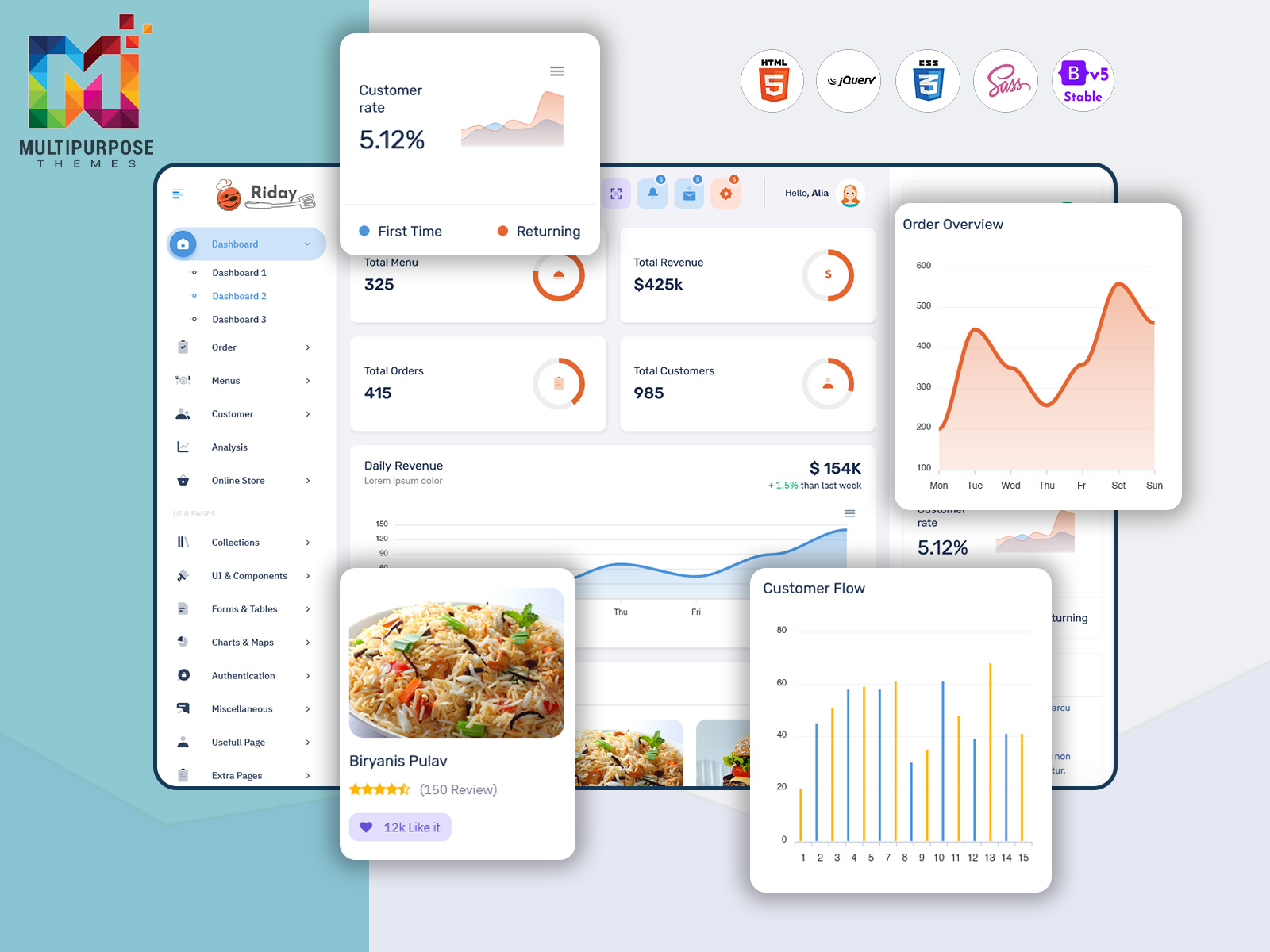
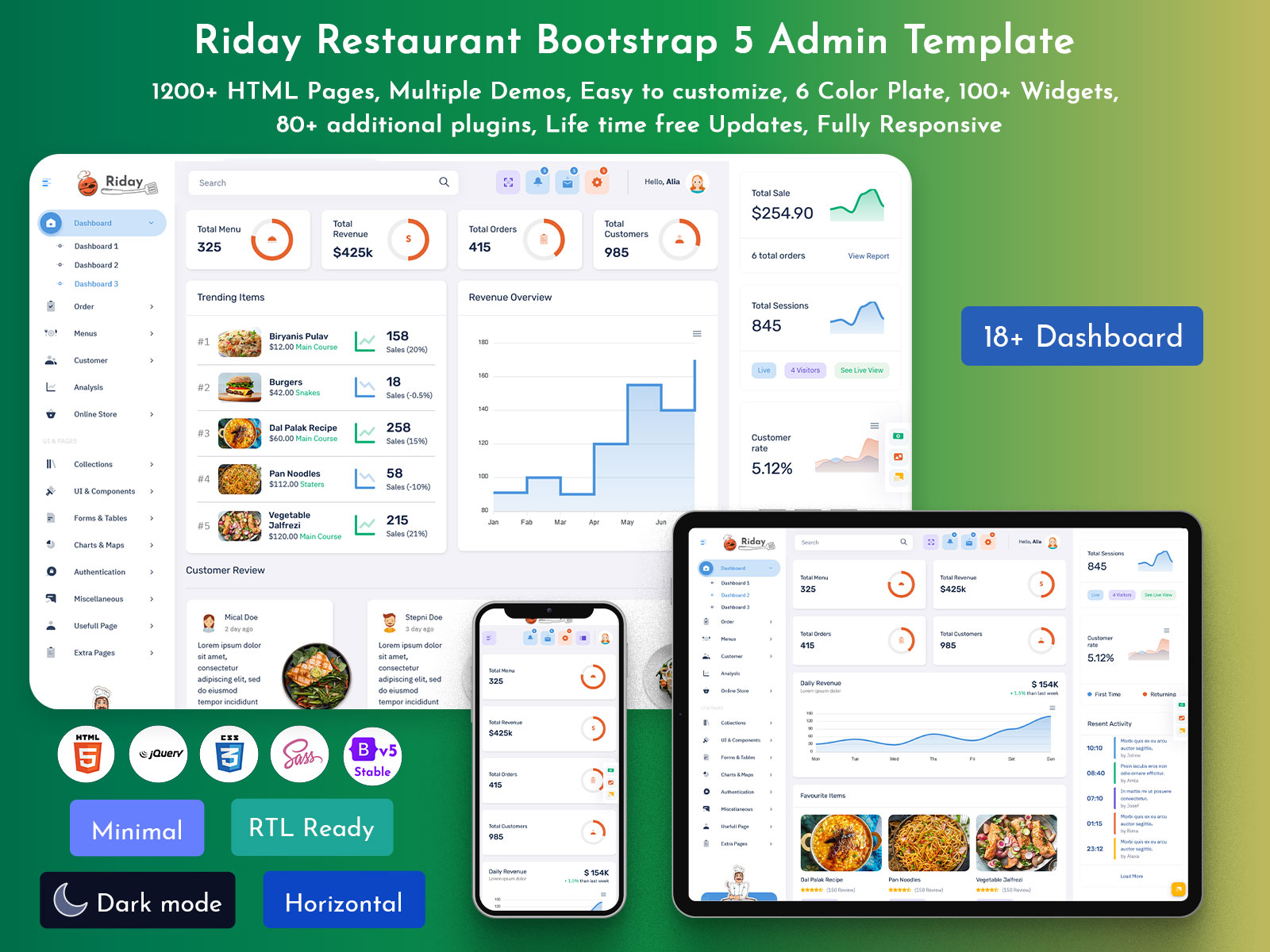
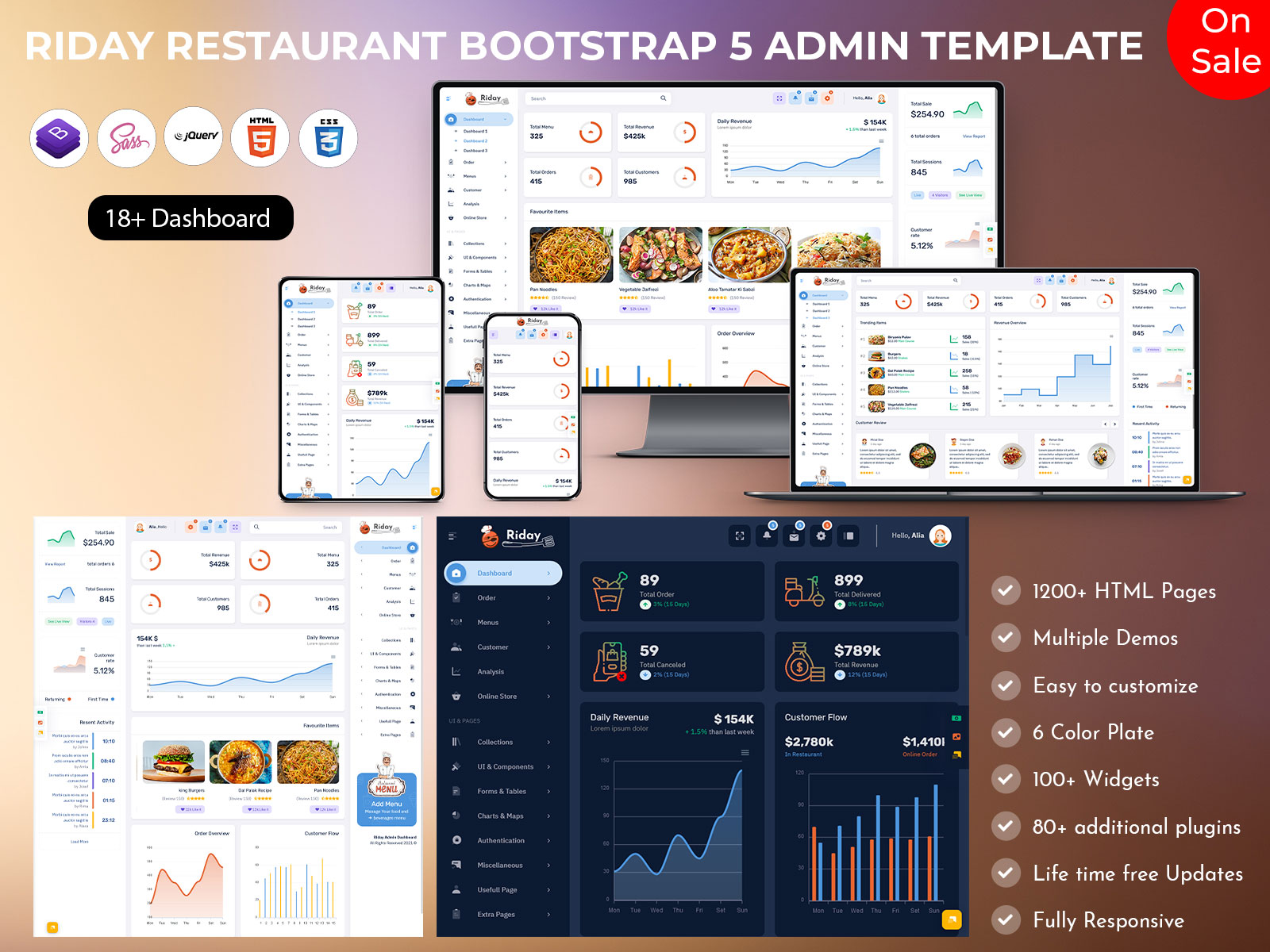
In today’s fast-paced restaurant industry, efficiency, accuracy, and customer satisfaction are more important than ever. Restaurants are no longer just about food—they are about managing orders, analyzing sales, tracking performance, and responding to customer preferences in real-time. To meet these modern challenges, we have upgraded our Restaurant Dashboard, built on the latest Bootstrap 5 Admin Template, delivering a visually appealing and highly functional Admin Panel that streamlines operations and enhances decision-making.
This upgraded Dashboard Template is designed for administrators who want to monitor every aspect of their restaurant from a single platform. It combines a user-friendly interface with interactive analytics and detailed insights, making it easier than ever to manage orders, track earnings, monitor customer feedback, and optimize menu offerings. From fast food outlets to fine dining restaurants, catering services, and food delivery startups, this Admin Dashboard provides a comprehensive solution for all types of food service businesses.
With this Restaurant Dashboard, administrators can save time, reduce errors, and gain actionable insights into every aspect of restaurant operations. The system is designed to make complex data accessible and understandable, offering interactive charts, clean visualizations, and real-time metrics.
Explore Upgraded Restaurant Dashboard
BUY NOW DEMO
Features of the New Restaurant Dashboard
Our upgraded Restaurant Dashboard is packed with powerful features, each designed to provide administrators with deep insights into their restaurant operations. Here’s a detailed look at what makes this Admin Panel so valuable:
Order Management
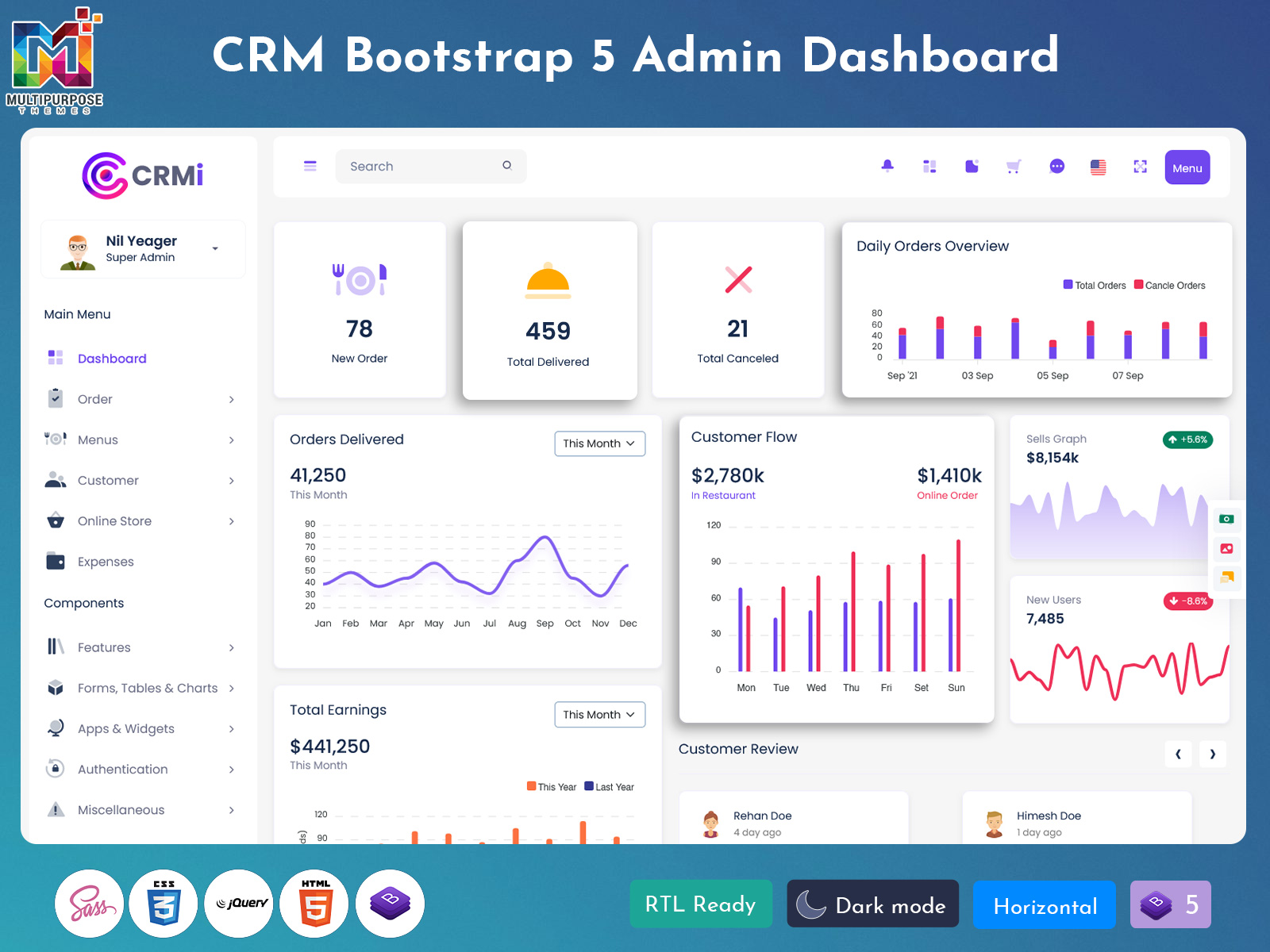
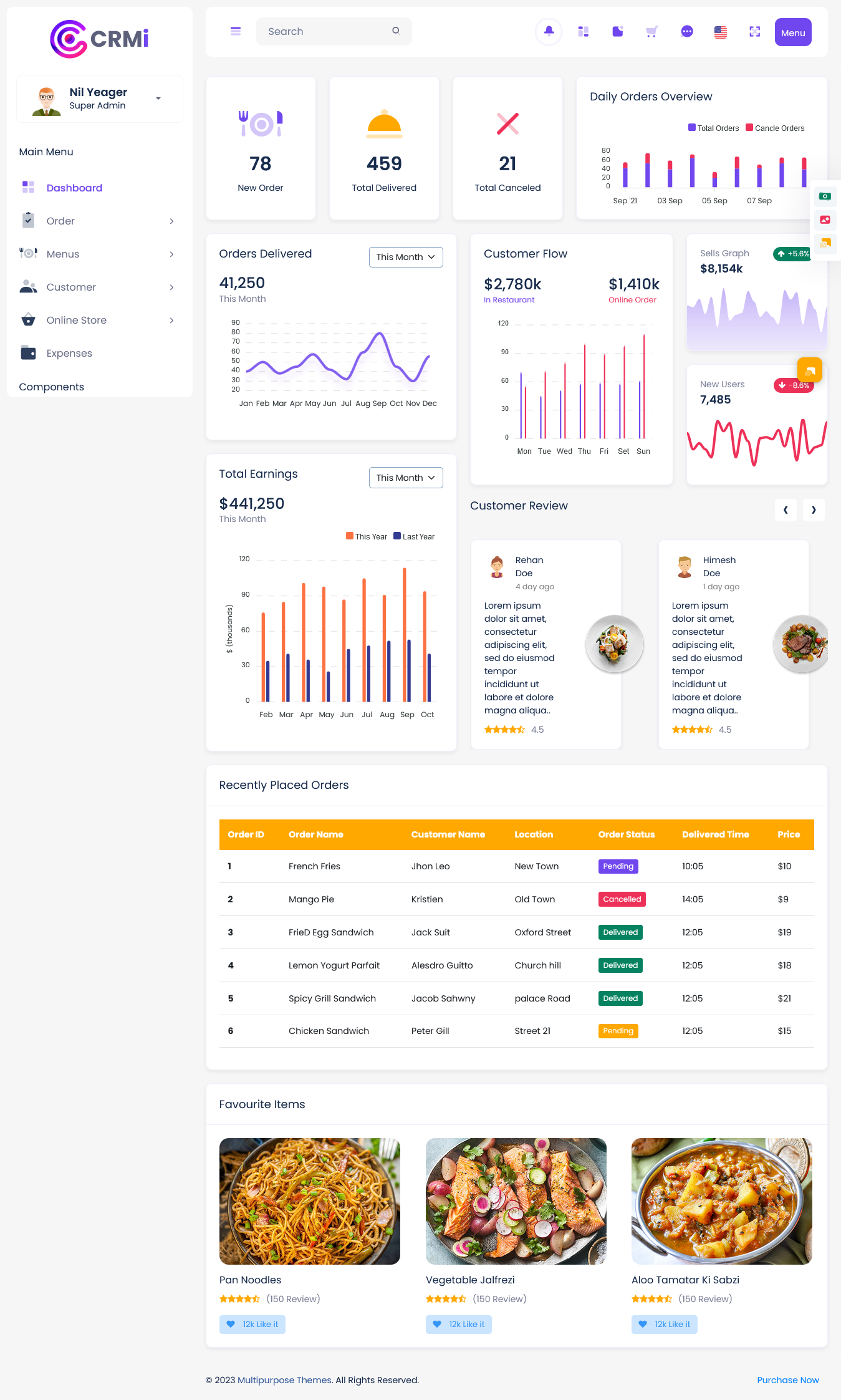
The Order Management section of our Admin Dashboard is one of the most critical features. It allows administrators to monitor new orders, track delivered orders, and see the total number of canceled orders. The system provides real-time notifications for each new order, ensuring that no order goes unnoticed. Delivered orders are tracked through detailed logs, which include the time of delivery, customer details, and payment information. Canceled orders are also recorded, helping administrators understand potential issues in the ordering process. By consolidating all order-related information in one place, this feature improves efficiency, reduces human error, and ensures smoother operations, making it indispensable for any restaurant.
Sales and Earnings
The Sales and Earnings module provides a comprehensive overview of a restaurant’s financial performance. It includes visual graphs showing trends in orders delivered over the year, allowing managers to identify peak periods and adjust staffing or inventory accordingly. The Customer Flow chart displays daily earnings from in-store and online orders, helping administrators understand which days generate the most revenue. Additionally, Total Earnings metrics compare current month revenue with the same month from the previous year, giving insights into growth or decline. This feature makes it easier to identify opportunities, implement changes, and make data-driven decisions that directly impact profitability.
Customer Reviews
Customer satisfaction is key to restaurant success, and our Customer Reviews feature ensures administrators have all feedback in one place. Reviews include star ratings and written comments, offering insights into service quality, food preferences, and operational gaps. Administrators can track trends over time, identify areas for improvement, and respond to customer concerns promptly. By analyzing feedback, restaurants can enhance customer experience, improve menu items, and build stronger relationships with diners. This feature is especially valuable for businesses looking to maintain a competitive edge through exceptional service and personalized experiences.
Recently Placed Orders
The Recently Placed Orders section provides detailed insights into each transaction. It displays Order ID, Customer Name, Location, Order Status, delivery time, and price. This feature helps administrators quickly access the most recent orders, monitor pending or delayed deliveries, and ensure that all customer requests are fulfilled efficiently. Detailed tracking of orders allows for quick troubleshooting in case of cancellations or errors, while historical data helps in identifying trends and peak order times. This module is essential for restaurants aiming to maintain smooth operations and offer consistent service quality.
Product Analytics
Understanding which menu items perform well is critical for profitability. The Product Analytics feature highlights favorite products, tracks the number of reviews, and allows administrators to monitor likes or customer preferences. By analyzing popular items, managers can optimize inventory, plan promotions, and enhance menu offerings. Insights from product analytics help reduce waste, increase customer satisfaction, and maximize revenue. The feature also allows administrators to quickly spot underperforming items, ensuring that menu adjustments are made promptly based on real customer behavior.
Daily Orders Overview
The Daily Orders Overview module presents order trends through an easy-to-read bar graph. It displays the number of daily orders and canceled orders, helping administrators spot trends, anticipate busy periods, and allocate staff accordingly. This visual representation of daily data makes it easier to plan for high-demand times, manage kitchen workload, and ensure timely deliveries. By offering clear insights into day-to-day operations, this feature allows for proactive management and improved efficiency.
Sales Performance
The Sales Performance feature tracks overall restaurant revenue, including both in-store and online orders. Graphical representations make it easy to understand sales trends over time. Additionally, the system tracks new users, giving insight into customer growth and engagement with the restaurant. By monitoring these metrics, administrators can identify successful marketing strategies, detect slow periods, and plan for future growth. This feature is vital for decision-making that drives profitability and long-term success.
Visual Design
Our Restaurant Dashboard places emphasis on clarity and usability. Interactive charts and graphs allow administrators to access key metrics at a glance, while the layout ensures that all information is organized and easy to navigate. Metrics, orders, reviews, and product analytics are all displayed in well-organized sections, minimizing confusion and maximizing efficiency. The Bootstrap 5 Admin Template ensures that the dashboard is fully responsive, visually appealing, and easy to use on desktops, tablets, and mobile devices.
Who Can Use This Dashboard
The upgraded Restaurant Dashboard is suitable for a wide range of businesses in the food and hospitality industry. Here’s a detailed look at five types of businesses that can benefit:
1. Fine Dining Restaurants
Fine dining establishments require precise attention to detail and high-quality service. The Restaurant Dashboard allows administrators to monitor every order, track deliveries, and respond to customer feedback efficiently. Sales trends and popular menu items can be analyzed to optimize inventory and ensure that high-demand dishes are always available. By using this Admin Panel, fine dining managers can enhance operational efficiency, maintain a high standard of service, and make data-driven decisions that improve customer satisfaction.
2. Fast Food Chains
Fast food chains operate in high-volume environments where speed and accuracy are crucial. Our Dashboard Template provides real-time monitoring of new orders, completed orders, and canceled orders, helping staff allocate resources efficiently. Popular items and sales trends can be easily tracked, allowing for effective inventory planning and promotions. The Admin Dashboard helps fast food chains maintain consistent service quality across multiple outlets while keeping operations smooth and profitable.
3. Cafes and Coffee Shops
Cafes and coffee shops thrive on quick service and customer loyalty. With the Restaurant Dashboard, administrators can track daily orders, earnings, and product performance. The customer review feature allows cafes to understand preferences, improve beverages, and create a personalized experience. This Bootstrap 5 Admin Template simplifies reporting, making it easier to monitor sales trends and customer engagement while ensuring that every order is fulfilled efficiently.
4. Catering Services
Catering businesses deal with complex logistics and large-scale orders. The Restaurant Dashboard helps administrators manage order details, delivery schedules, and customer feedback in one centralized location. Sales trends, popular menu items, and canceled orders can be monitored in real-time, allowing for better planning and resource allocation. This Admin Panel enables catering services to provide timely service, reduce errors, and maintain high-quality standards for every event.
5. Food Delivery Startups
Food delivery startups rely heavily on data to optimize operations and improve customer satisfaction. The Dashboard Template offers real-time insights into online orders, delivery times, and customer reviews. Product analytics and daily order trends allow startups to manage inventory, allocate delivery resources, and respond to customer needs efficiently. The Restaurant Dashboard ensures smooth operations, faster deliveries, and better customer experiences, which are critical for growth in a competitive market.
Conclusion
The upgraded Restaurant Dashboard is more than just a tool—it is a complete solution for modern restaurant management. With comprehensive features for order management, sales tracking, customer feedback, and product analytics, it empowers administrators to make informed decisions, streamline operations, and improve overall efficiency. Built on a Bootstrap 5 Admin Template, this Dashboard Template combines elegant design with functionality, making it easy for any restaurant, cafe, catering service, or food delivery business to operate at peak efficiency.
Interactive charts, detailed analytics, and a user-friendly Admin Panel ensure that all essential information is available at a glance. The system is responsive, scalable, and designed for a variety of users, offering actionable insights that drive profitability, enhance service quality, and improve customer satisfaction. Upgrading to this Restaurant Dashboard is a smart choice for any business looking to thrive in today’s competitive food industry.
FAQs
Q1: What is the main purpose of the Restaurant Dashboard?
The Restaurant Dashboard helps administrators track orders, monitor sales, gather customer feedback, and make data-driven decisions to improve operational efficiency and customer satisfaction.
Q2: Can multiple restaurant outlets be managed from this Admin Panel?
Yes, the Bootstrap 5 Admin Template is scalable and can handle multiple outlets, providing consolidated insights for orders, sales, and customer engagement.
Q3: Does the Dashboard provide analytics for popular menu items?
Absolutely. The Product Analytics feature highlights best-selling items, reviews, and customer preferences, allowing administrators to make informed decisions about the menu.
Q4: Is the Dashboard mobile-friendly?
Yes, the Admin Dashboard is fully responsive and works on desktops, tablets, and smartphones, making it accessible anytime, anywhere.
Q5: Who can use this Dashboard?
Fine dining restaurants, fast food chains, cafes, catering services, and food delivery startups can all benefit from this Restaurant Dashboard, which is designed to improve operational efficiency and customer satisfaction.
Explore Other Different Dashboard
Project Management 2 – New
BUY NOW DEMO
CRM
BUY NOW DEMO
CRM 2
BUY NOW DEMO
HRM
BUY NOW DEMO
Sales
BUY NOW DEMO
Hospital
BUY NOW DEMO
Project Management
BUY NOW DEMO
University/School
BUY NOW DEMO
eCommerce
BUY NOW DEMO

Related Posts


This Post Has 0 Comments