

In today’s fast-moving digital world, communication is everything. Businesses, startups, and even individual creators are…
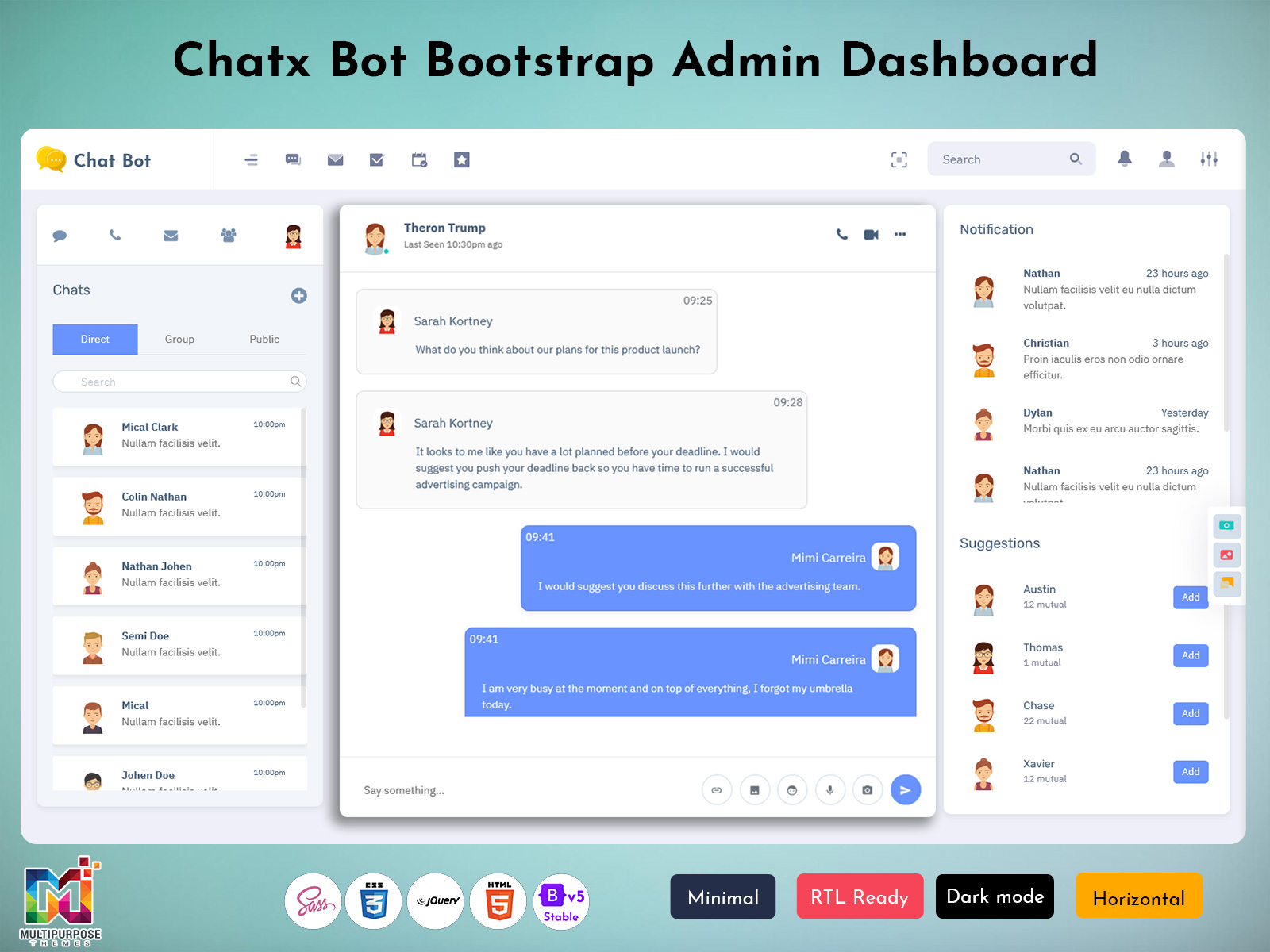
Chatbot Dashboard Design for Fastest Modern Chatbot Web UI Applications
Reading Time: 5 minutes
A Chatbot Dashboard is a modern web interface designed to manage, monitor, and control real-time conversations inside web applications. This dashboard acts as a central place where chat messages, user interactions, conversation history, and system performance can be viewed clearly. Built using powerful Bootstrap 5 components, the Chatbot Dashboard offers speed, flexibility, and responsive layouts that work smoothly across desktops, tablets, and mobile devices.
In today’s digital environment, users expect quick communication, clean interfaces, and smooth chat experiences. A well-designed Chat Application Dashboard helps businesses and developers manage chat systems without complexity. Whether it is a customer support tool, internal communication system, or service-based chat platform, a Chatbot Dashboard provides complete visibility and control through a structured web layout.
Live Dashboard – Just Click Button
BUY NOW DEMO
Chat Application Dashboard for Modern Web Platforms
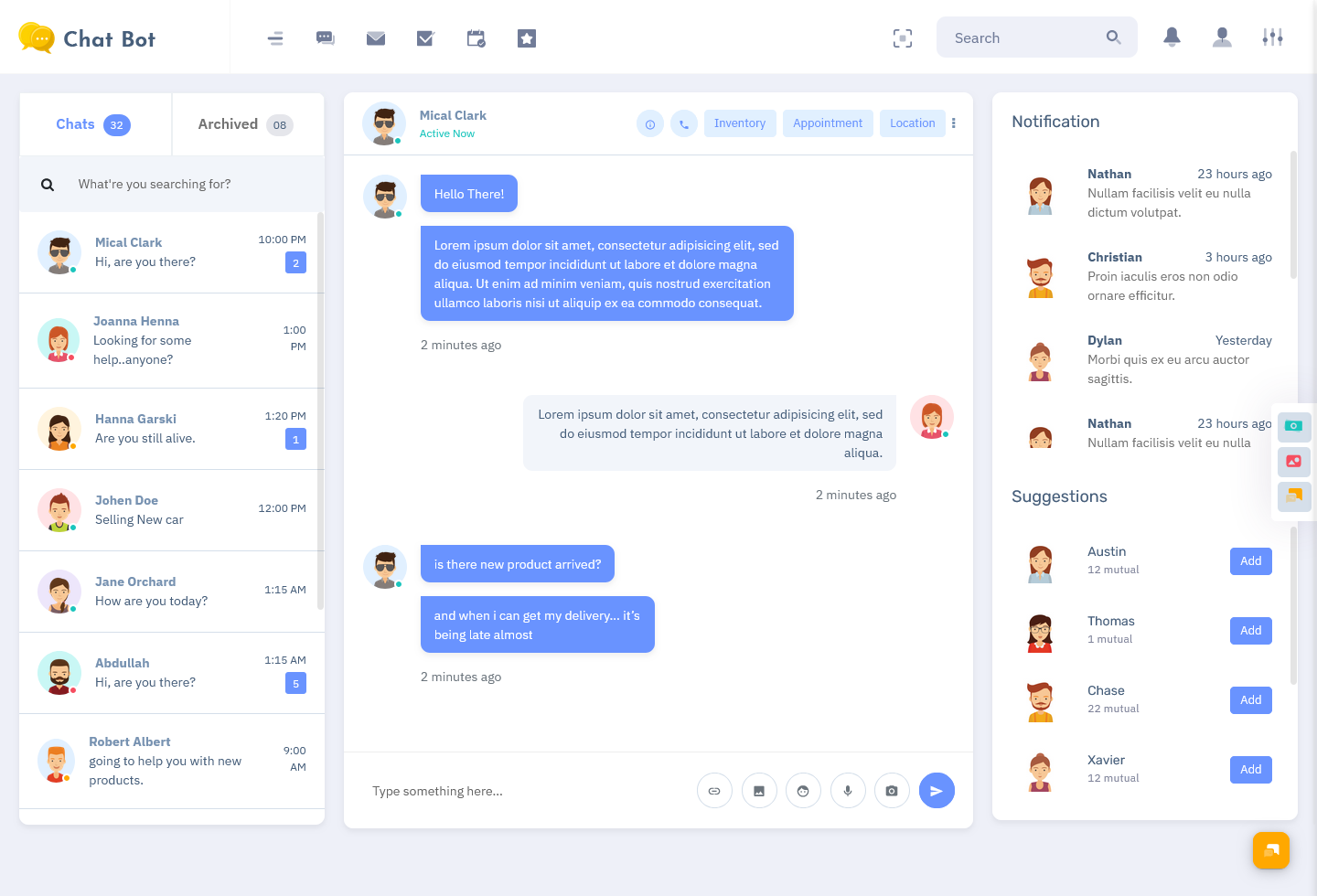
A Chat Application Dashboard focuses on delivering a user-friendly environment where conversations are easy to track and manage. It organizes chats, users, and messages into clear sections, making navigation simple for operators and administrators. With Bootstrap 5 as the foundation, the layout remains lightweight while maintaining professional design standards.
This type of dashboard supports fast message loading, clean typography, and intuitive navigation panels. Developers prefer a Chat Application Dashboard because it reduces development time and ensures consistency across pages. Businesses benefit by having a reliable interface that allows teams to respond faster and manage conversations efficiently.
Explore Other Dashboard
Dashboard: 1
BUY NOW DEMO
Dashboard: 2
BUY NOW DEMO
Dashboard: 3
BUY NOW DEMO
Dashboard: 4
BUY NOW DEMO
Dashboard: 5
BUY NOW DEMO
Dashboard: 6
BUY NOW DEMO
Chat Software Template Designed for Performance and Flexibility
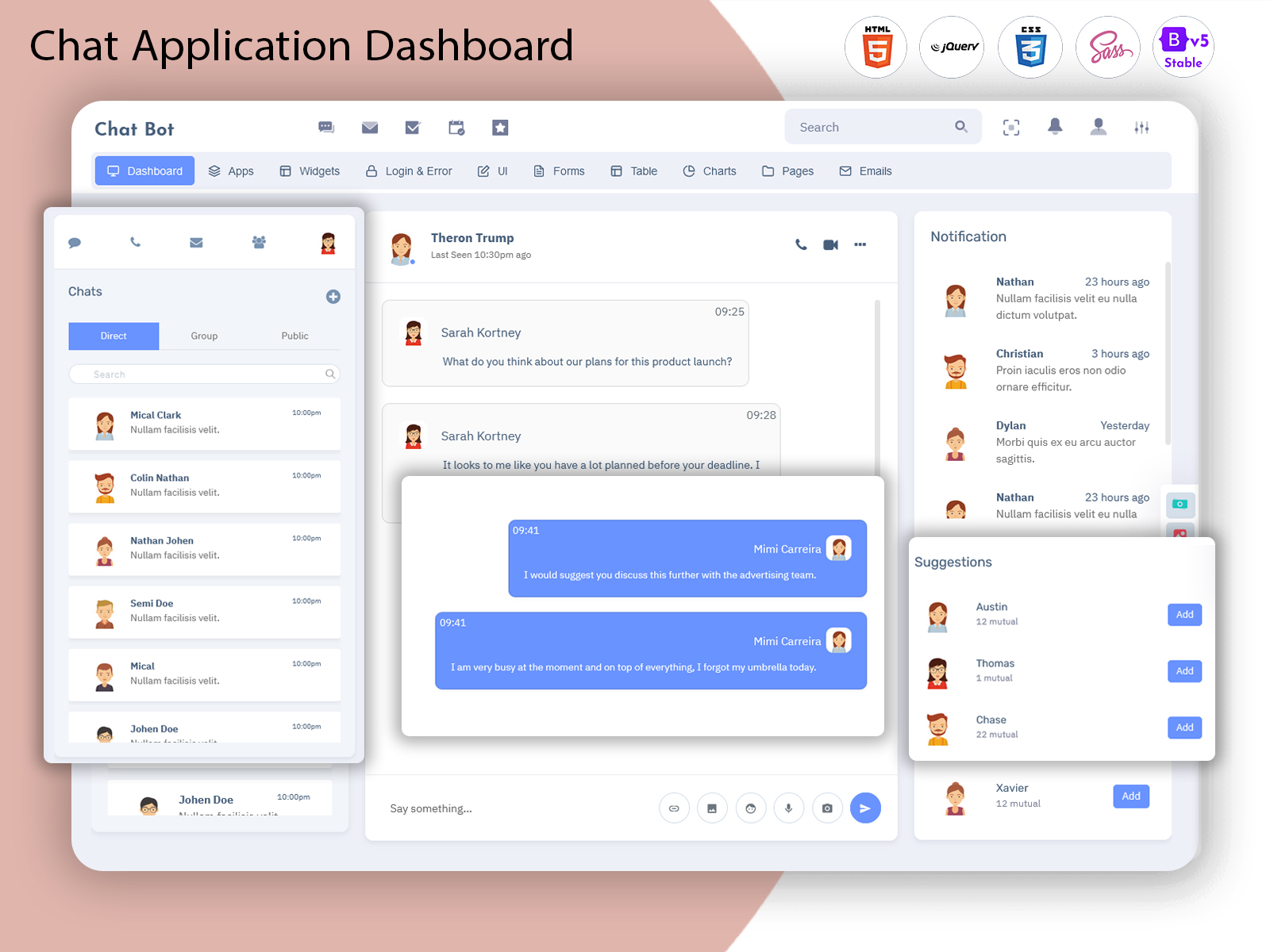
A Chat Software Template is a ready-to-use solution that simplifies the development of chat-based web systems. Instead of building layouts from scratch, developers can rely on a pre-designed structure that includes chat windows, user lists, notification panels, and message sections.
This template is built using Bootstrap 5, ensuring compatibility with modern browsers and devices. The clean structure allows easy customization, making it suitable for both small projects and large-scale platforms. A well-crafted Chat Software Template saves time, improves consistency, and enhances user experience across web applications.
Desktop Chatbot UI Design for Seamless Communication
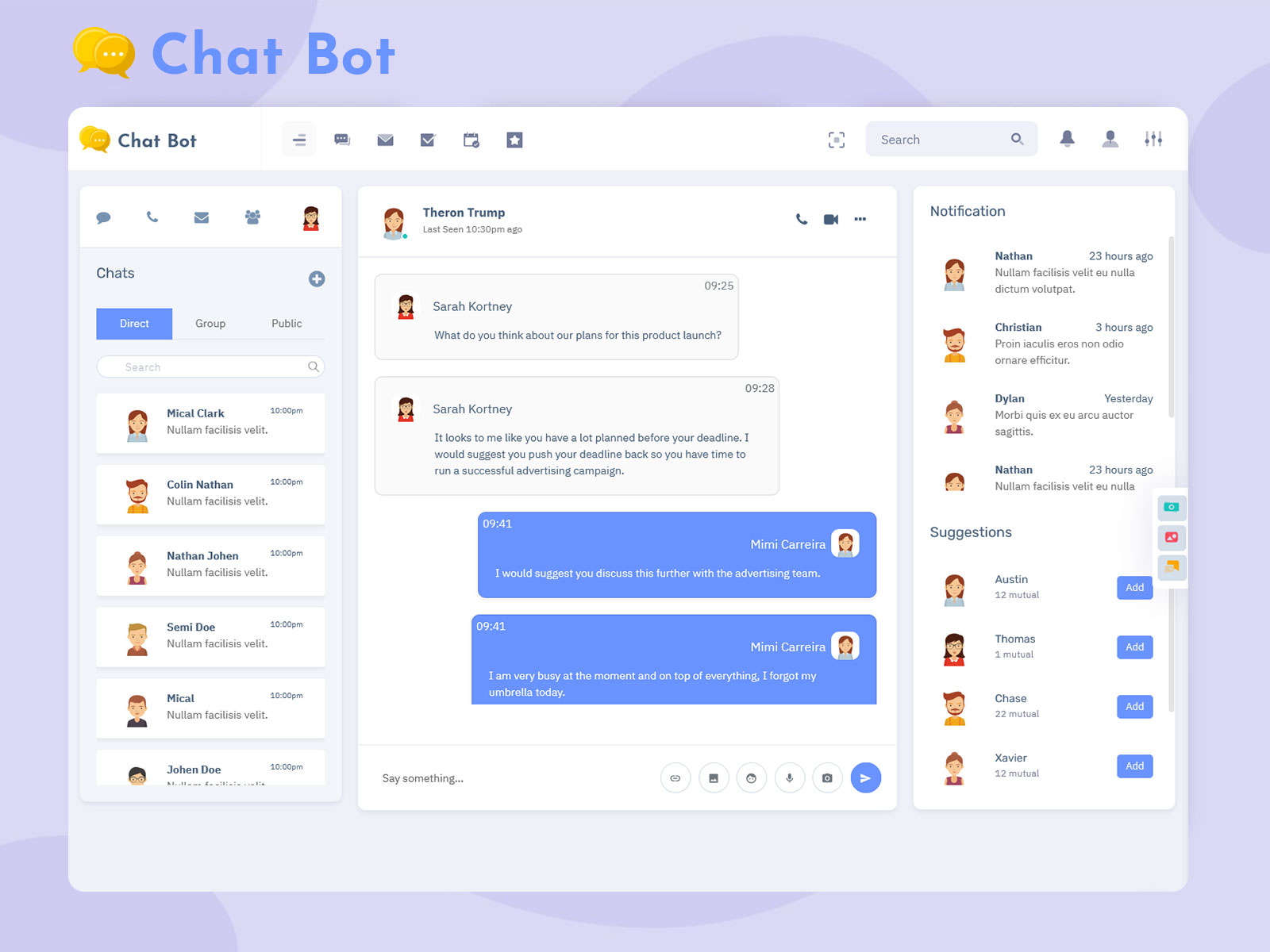
Desktop Chatbot UI Design focuses on providing a spacious and organized layout optimized for larger screens. Desktop users often handle multiple conversations at once, so clarity and layout balance become essential. This dashboard design uses side panels, conversation windows, and header controls to present information clearly without clutter.
With responsive Bootstrap 5 grids, the Desktop Chatbot UI Design adjusts smoothly to different screen sizes while maintaining readability. The interface prioritizes usability, making it ideal for teams working on support desks, service centers, or internal communication platforms.
Exploring Chatbot UI Kit Examples for Web Interfaces
Chatbot UI Kit Examples help developers understand how chat layouts can be structured efficiently. These examples showcase different message styles, chat layouts, user status indicators, and conversation flows. A Chatbot Dashboard inspired by UI kit examples ensures visual consistency and usability across all sections.
Using these examples, designers can create a Chatbot Web UI that feels natural and easy to navigate. UI kits also make it easier to maintain design standards while scaling the dashboard for future features.
Chatbot Web UI and Web Chatbot UI for Real-Time Interaction
A Chatbot Web UI is specifically designed for web-based environments where users interact directly through browsers. This interface supports real-time communication, smooth scrolling, and clear message separation. With Bootstrap 5, the Web Chatbot UI remains lightweight and fast, even when handling multiple conversations.
The Web Chatbot UI ensures that messages, user profiles, and timestamps are displayed clearly. It also allows customization of colors, fonts, and layouts to match branding requirements. A strong Web Based Chatbot UI Design improves user engagement and reduces confusion during conversations.
Web Based Chatbot UI Design for Scalable Applications
Web Based Chatbot UI Design focuses on scalability and structure. As chat systems grow, dashboards must handle more users, conversations, and data without performance issues. A well-planned design ensures smooth navigation even when chat volume increases.
Bootstrap 5 plays a crucial role in maintaining responsiveness and layout stability. Developers can easily extend the dashboard with new sections while keeping the user experience consistent. This makes the dashboard suitable for startups as well as enterprise-level applications.
Industries That Use Chatbot Dashboards in Web Applications
E-commerce and Online Retail
E-commerce platforms use Chatbot Dashboards to manage customer inquiries, order-related messages, and post-purchase communication. A Chat Application Dashboard allows support teams to handle multiple customer chats efficiently, ensuring quick responses and improved customer satisfaction.
Healthcare and Medical Services
Healthcare platforms rely on chat systems for appointment queries, patient communication, and service support. A Chatbot Dashboard helps medical staff manage conversations securely and clearly through a structured Web Chatbot UI, reducing response time and improving service coordination.
Education and E-learning Platforms
Educational institutions and online learning platforms use chat dashboards to support student communication, course queries, and administrative discussions. A Chat Software Template provides a stable interface where educators and learners can interact smoothly.
Banking and Financial Services
Banks and financial service providers use chat dashboards for customer assistance, account-related inquiries, and service updates. A secure and clean Chatbot Web UI helps teams manage conversations while maintaining professionalism and clarity.
Logistics and Transportation Companies
Logistics firms use Chatbot Dashboards to communicate shipment updates, delivery confirmations, and support queries. A Web Based Chatbot UI Design allows real-time updates and smooth coordination between service teams and customers.
SaaS and Technology Companies
Software companies integrate chat dashboards into their platforms for customer support and onboarding communication. A Desktop Chatbot UI Design ensures internal teams can manage conversations effectively across different departments.
Why Our Firm Builds Multipurpose Chatbot Dashboards
We are a professional admin templates and themes provider specializing in multipurpose dashboard solutions. Our focus is on creating clean, flexible, and scalable Chatbot Dashboards built using Bootstrap 5. Every dashboard is designed to be developer-friendly and business-ready.
Our Chat Application Dashboard solutions are crafted with attention to layout structure, responsiveness, and ease of customization. As a themes provider, we understand the importance of reusable components and consistent design systems. Our Chat Software Template solutions are suitable for startups, agencies, and enterprise projects.
We aim to deliver dashboards that save development time while offering professional design quality. Our products support various use cases, making them ideal for web applications across different industries.
Benefits of Using a Bootstrap 5 Chatbot Dashboard
A Chatbot Dashboard built with Bootstrap 5 ensures faster development, responsive layouts, and cross-browser compatibility. The grid system, utility classes, and reusable components allow developers to build scalable chat interfaces with minimal effort.
Businesses benefit from a clean Chatbot Web UI that improves team productivity and communication flow. A structured dashboard reduces confusion, speeds up responses, and enhances overall user experience.
Conclusion
A Chatbot Dashboard is an essential component for modern web applications that rely on real-time communication. With a strong Chat Application Dashboard, businesses can manage conversations efficiently and deliver better user experiences. Built using powerful Bootstrap 5 components, this dashboard offers flexibility, responsiveness, and scalability.
From e-commerce and healthcare to education and financial services, many industries rely on Chatbot Dashboards to support communication needs. With clean layouts, customizable structures, and reliable performance, a well-designed Chatbot Web UI becomes a valuable asset for any web platform.
Frequently Asked Questions (FAQs)
What is a Chatbot Dashboard used for?
A Chatbot Dashboard is used to manage chat conversations, user interactions, and message history within web applications through a centralized interface.
Is this Chatbot Dashboard suitable for large web platforms?
Yes, the Web Based Chatbot UI Design is scalable and suitable for both small projects and large web platforms.
Can developers customize the Chat Software Template?
Yes, the Chat Software Template is fully customizable and built using Bootstrap 5, making it easy to modify layouts and components.
Does the dashboard support desktop users?
Yes, the Desktop Chatbot UI Design is optimized for large screens and supports efficient multitasking.
Which industries can use this Chatbot Dashboard?
Industries such as e-commerce, healthcare, education, banking, logistics, and SaaS platforms commonly use Chatbot Dashboards.

Related Posts



This Post Has 0 Comments