

What is a Ticket Dashboard? A Ticket Dashboard is a centralized system which helps businesses…
The Ultimate Ticket Dashboard for Support Team Success in 2026
Reading Time: 8 minutes
Managing customer requests efficiently has become a key priority for modern businesses. As the volume of inquiries grows, teams need a structured system that helps organize tasks, track progress, and maintain service quality. A Ticket Management Dashboard provides a centralized workspace where support-related activities can be monitored and controlled without unnecessary complexity.
Watch Full Video
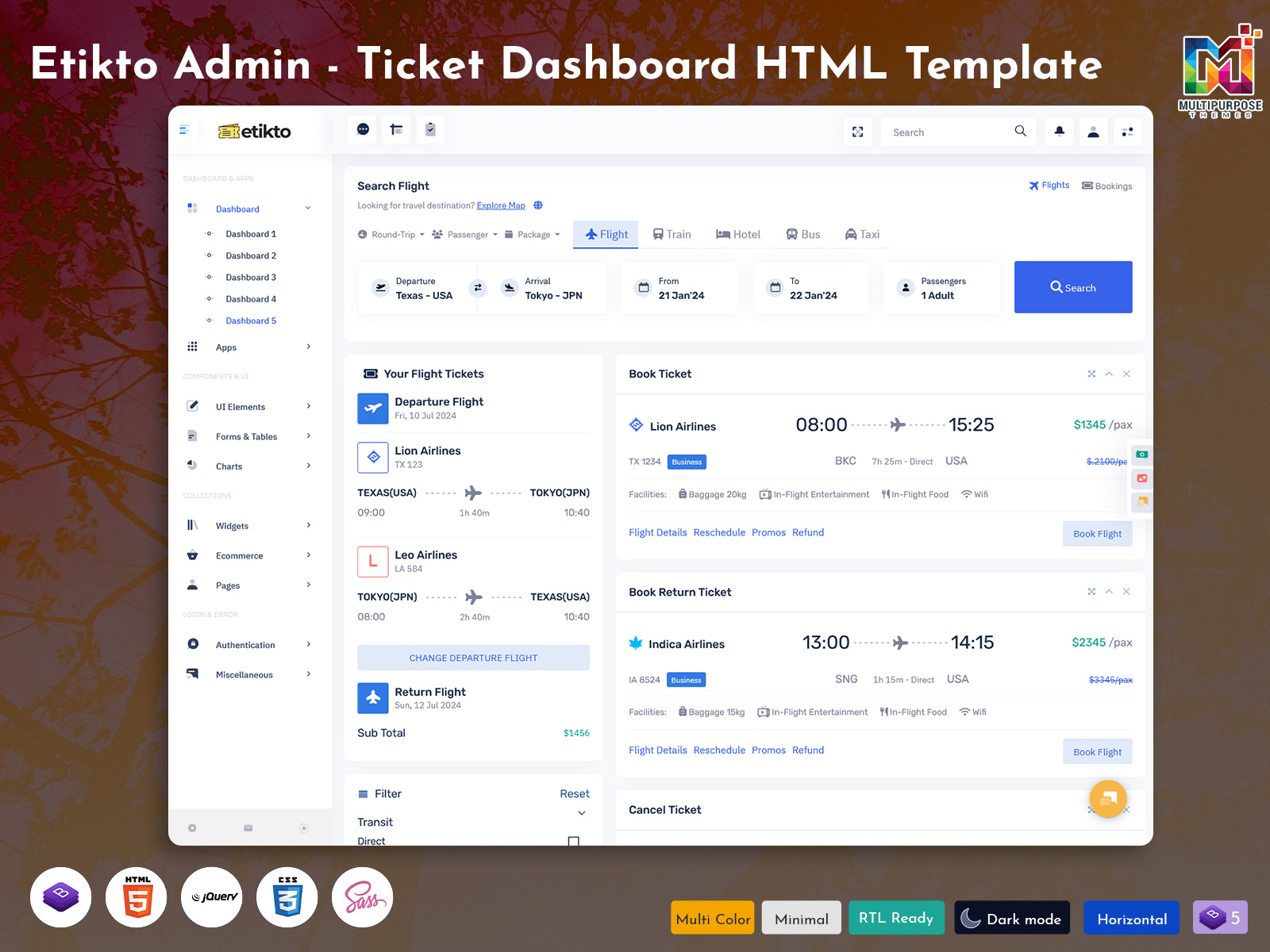
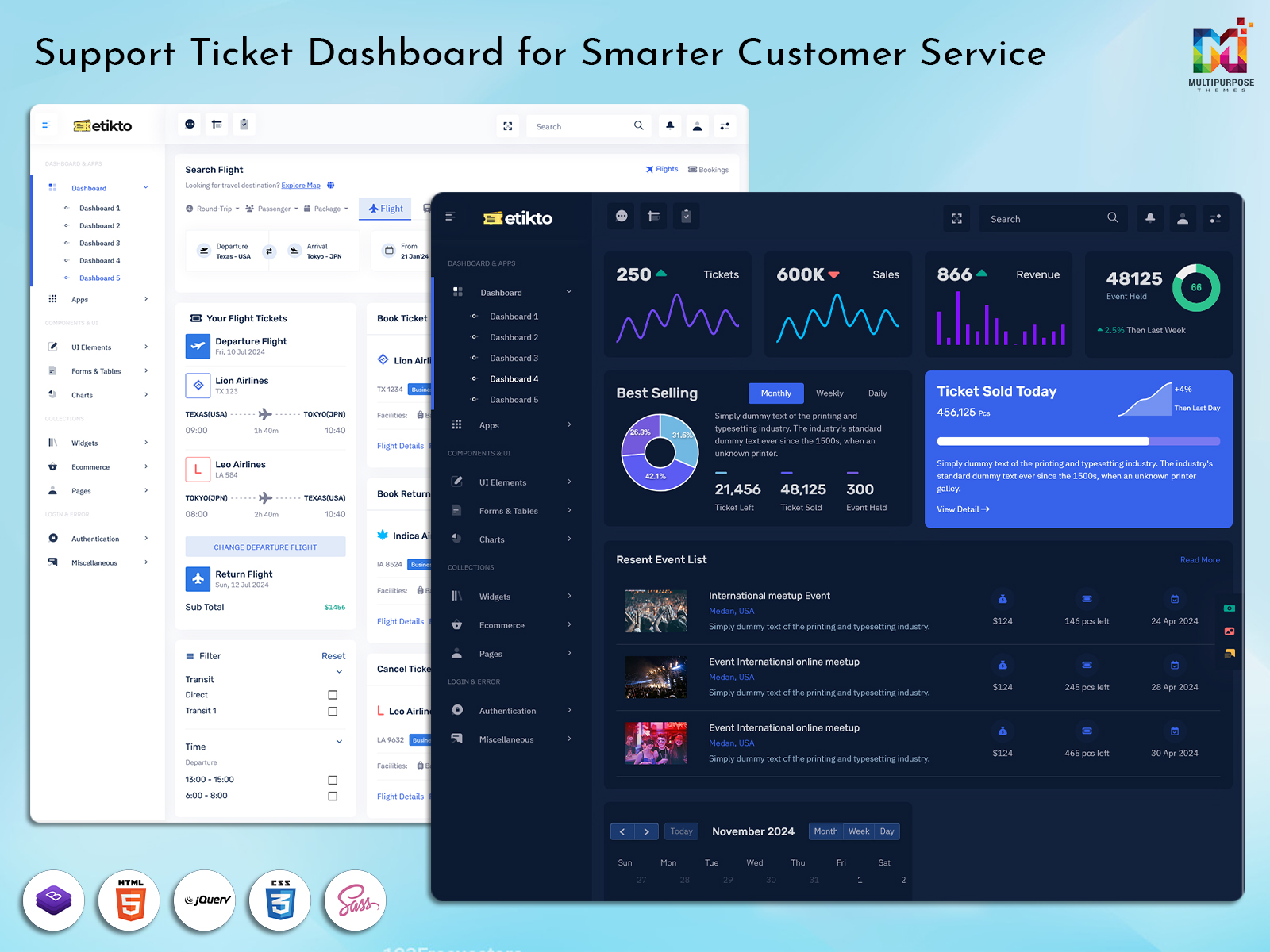
A Ticket Dashboard helps businesses gain better visibility into ongoing operations while ensuring that every support Ticket receives proper attention. From handling daily requests to reviewing performance data, these platforms simplify workflow management and improve coordination among team members. Organizations often use a Ticket Management Dashboard Template to implement a ready-made solution that supports faster deployment and easier customization.
What is a Ticket Management Dashboard and Why It Matters
A Ticket Management Dashboard is a centralized system designed to help businesses organize, monitor, and manage customer service requests efficiently. Instead of tracking conversations through multiple channels, support teams can view every support Ticket from a single interface. This improves visibility and helps staff stay updated on ongoing activities without missing important details. A well-structured Ticket Dashboard enables teams to manage workloads, monitor ticket progress, and maintain a clear record of customer interactions throughout the support process.
The importance of a Ticket Management Dashboard extends beyond organization. It helps a Ticket admin allocate resources effectively, monitor service quality, and improve operational control. Many companies adopt a Ticket Management Dashboard Template to simplify implementation and standardize support processes. With assistance from a Support Ticket Dashboard, businesses can create a more responsive environment where support Tickets are handled accurately and customer satisfaction remains a priority.
Features
1. Smart Ticket Prioritization System
Automatically organizes support tickets according to urgency, priority, and business impact. This feature helps support teams address critical issues first, reduce response delays, and improve overall customer service efficiency.
2. Custom Ticket Filtering and Search
Enables users to find support tickets quickly using filters such as status, priority, assigned agent, category, or date range. This simplifies ticket management and improves operational productivity.
3. Automated Ticket Assignment
Assigns incoming support tickets to the most appropriate team members based on workload, department, or expertise. This helps balance responsibilities and ensures faster ticket resolution times.
4. Interactive Performance Reporting
Provides visual reports and analytics on ticket trends, response performance, workload distribution, and support efficiency. These insights support better decision-making and continuous improvement of service operations.
5. Centralized Support Activity Timeline
Displays all ticket activities, updates, comments, and status changes in a single timeline. This feature improves transparency, enhances collaboration, and maintains a complete history of support interactions.
VIEW DEMO BUY NOW
Tracking Support Ticket Performance with Real-Time Analytics
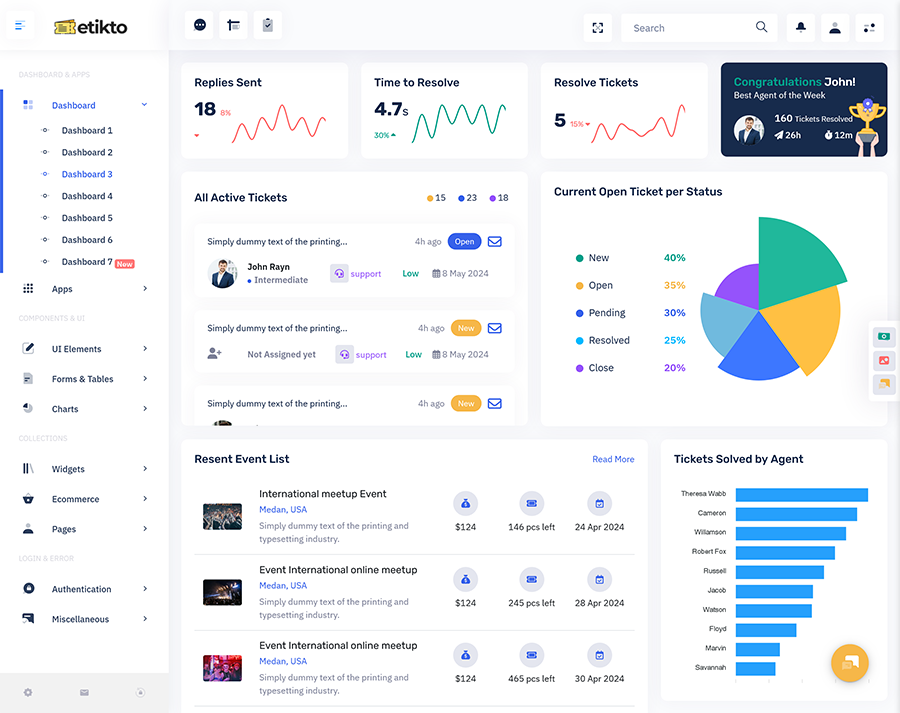
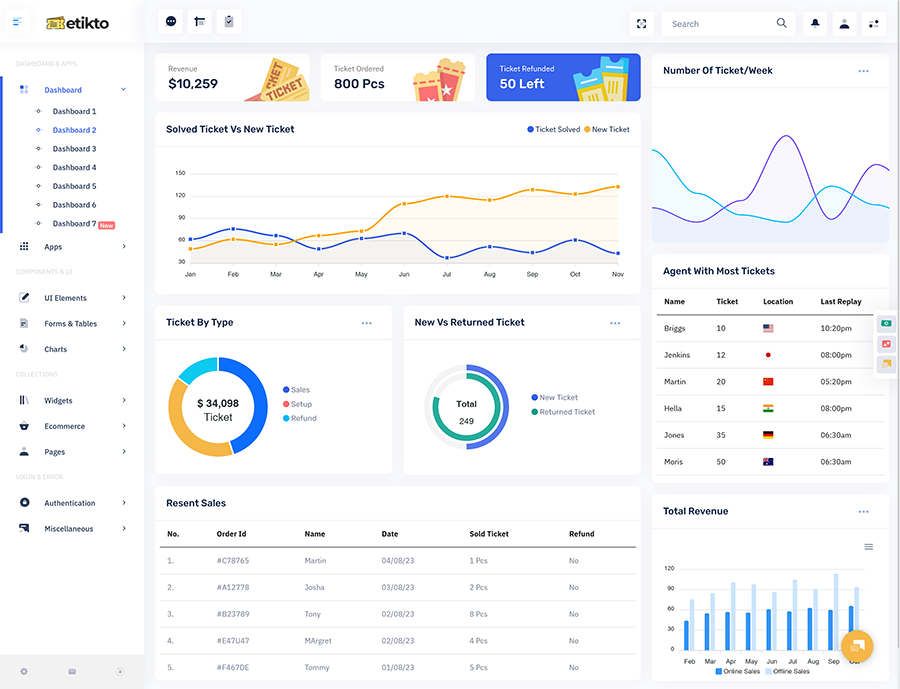
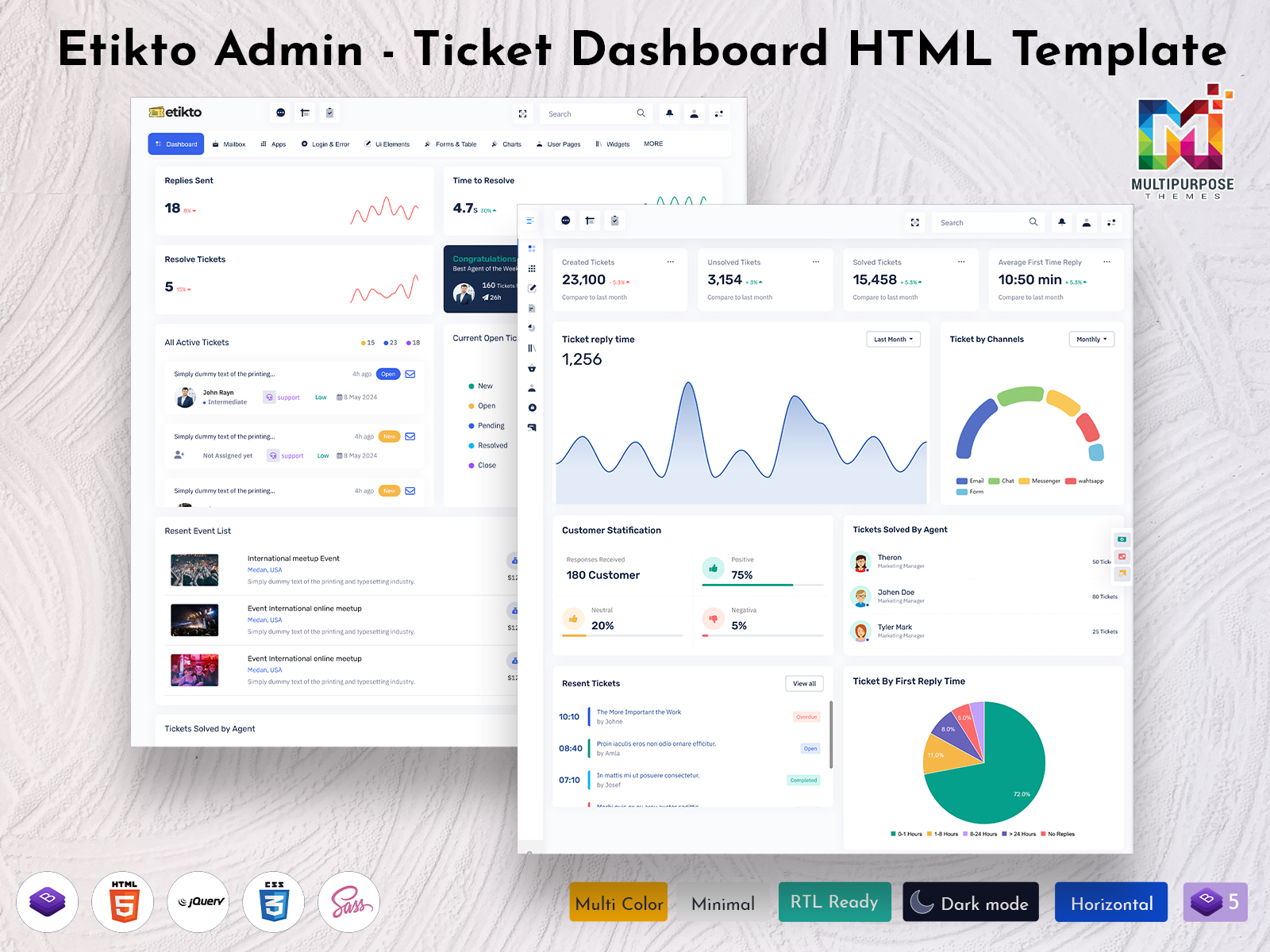
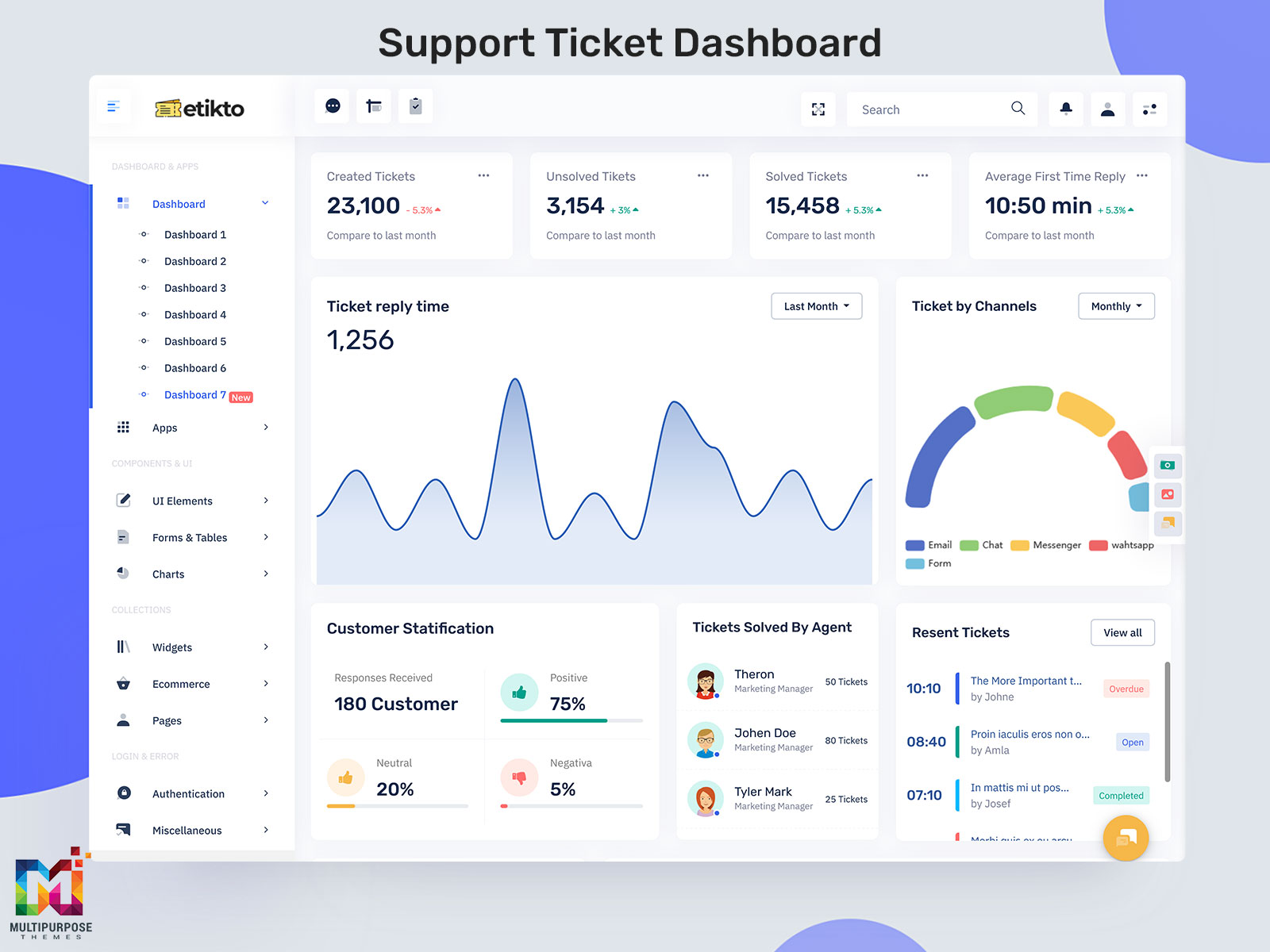
Real-time analytics helps support teams understand how service operations are performing at any given moment. A Ticket Dashboard provides instant access to live data, allowing managers to monitor incoming requests, workload distribution, and service trends without waiting for end-of-day reports. This visibility enables faster decision-making and helps teams respond quickly to changing support demands. By viewing key performance indicators in one place, organizations can maintain greater control over daily service activities.
A Support Ticket Dashboard also helps identify patterns that may affect customer experience. Ticket admin professionals can review ticket volume fluctuations, detect recurring issues, and evaluate workflow efficiency through real-time metrics. Unlike traditional reporting methods, live analytics provides immediate insights that support continuous improvement. When integrated into a Ticket Management Dashboard, these capabilities help businesses make informed operational decisions while maintaining a consistent and organized approach to handling support requests.
Managing Current Open Tickets by Status Effectively
Categorizing requests according to their current stage helps support departments maintain a structured workflow. Within a Ticket Management Dashboard, open cases can be grouped into statuses such as new, pending, assigned, in progress, or awaiting customer feedback. This organized view allows teams to understand where each request stands and determine which items require immediate attention. Clear status management reduces confusion and prevents important tasks from being overlooked during busy periods.
A Ticket Management Dashboard Template often includes visual indicators that make tracking progress easier. Through a Support Ticket Admin interface, supervisors can quickly identify backlogs, review unresolved concerns, and ensure work is moving through the correct process. Status-based organization also helps support staff prioritize responsibilities more effectively. By maintaining accurate classifications inside a Ticket Dashboard, businesses can improve workflow transparency, strengthen accountability, and create a smoother support experience for customers.
Monitoring Replies Sent and Customer Response Activity
Communication plays a vital role in delivering quality customer service. Monitoring replies sent allows organizations to understand how effectively support representatives are interacting with users throughout the resolution process. A Support Ticket Dashboard can display communication records, helping managers review engagement levels and ensure inquiries receive timely responses. Consistent follow-ups help build trust and demonstrate that customer concerns are being actively addressed.
Customer response activity also provides valuable insight into service effectiveness. Through a Ticket admin panel, teams can track conversation frequency, identify inactive discussions, and recognize situations requiring additional attention. Monitoring these interactions helps prevent communication gaps and encourages smoother collaboration between customers and support personnel. When integrated within a Ticket Management Dashboard, reply tracking contributes to better service management, improved responsiveness, and stronger customer relationships across all support channels.
Key Advantages of Using a Ticket Management Dashboard
1. Improved Support Organization
A Ticket Management Dashboard centralizes customer requests, making it easier to organize, monitor, and manage support activities. Teams can access important information quickly and maintain a structured workflow.
2. Faster Issue Resolution
By providing clear visibility into ticket status, priorities, and workloads, the system helps support staff respond more efficiently and reduce the time required to address customer concerns.
3. Better Team Productivity
A Support Ticket Dashboard allows managers to track performance, distribute tasks effectively, and monitor progress. This helps teams work more efficiently and handle requests with greater accuracy.
4. Enhanced Customer Experience
Timely responses, improved communication tracking, and organized ticket handling contribute to higher customer satisfaction. Customers receive updates more consistently throughout the support process.
5. Data-Driven Decision Making
Real-time reporting and performance metrics provide valuable operational insights. Businesses can identify trends, optimize workflows, and make informed decisions to improve overall support operations.
VIEW DEMO BUY NOW
Measuring Time to Resolve and Resolved Ticket Metrics
Resolution metrics help organizations evaluate how efficiently customer concerns are handled from submission to completion. Measuring time to resolve allows teams to determine how long requests remain active before reaching a final outcome. A Ticket Management Dashboard provides detailed performance data that helps managers identify delays, assess operational efficiency, and improve service delivery processes. Shorter resolution periods often contribute to a better customer experience and increased confidence in support services.
Resolved ticket metrics offer another valuable perspective by highlighting completed workloads and overall service effectiveness. A Support Ticket Admin can review completion trends, compare performance across different periods, and identify opportunities for process improvements. These measurements help organizations understand whether resources are being utilized effectively and whether service objectives are being achieved. By analyzing resolution-focused data, businesses can make informed decisions that support continuous operational improvement.
Evaluating Tickets Solved by Agent for Better Team Performance
Reviewing the number of tickets completed by individual team members helps organizations understand workforce productivity and contribution levels. A Ticket Dashboard can present agent-specific results, allowing managers to evaluate output across different support functions. This visibility helps identify employees who consistently handle customer concerns efficiently while also revealing areas where additional training or guidance may be beneficial.
Performance evaluation is not only about measuring volume but also understanding work quality and effectiveness. Through a Support Ticket Dashboard, supervisors can compare completion records, assess workload distribution, and recognize high-performing staff members. These insights support fair performance reviews and help create balanced responsibilities across the team. When businesses analyze tickets solved by agent, they gain a clearer understanding of operational strengths, enabling them to improve collaboration, increase efficiency, and support long-term service excellence.
Recent Event Tracking and Active Ticket Management in a Support Ticket Dashboard
Recent event tracking provides a clear overview of the latest activities occurring within a support environment. A Support Ticket Dashboard records important actions such as status updates, assignments, customer interactions, escalations, and completed tasks. Having access to a chronological activity feed allows teams to stay informed about ongoing developments without manually reviewing individual records. This improves visibility and helps staff remain aligned with current operational priorities.
Active ticket management focuses on maintaining control over ongoing requests and ensuring work progresses smoothly. A Ticket Management Dashboard enables support teams to monitor live workloads, review pending actions, and respond quickly to changing circumstances. Through a Ticket Management Dashboard Template, organizations can centralize activity monitoring while keeping processes organized and efficient. By combining event tracking with active management capabilities, businesses can improve coordination, maintain service continuity, and create a more responsive customer support operation.
Conclusion
A Ticket Management Dashboard serves as a valuable tool for businesses that want to improve the way customer requests are handled. By bringing monitoring, communication, reporting, and workflow management into one platform, organizations can maintain greater control over daily support operations. Features such as status tracking, response monitoring, resolution measurement, and agent performance evaluation provide useful insights that support informed decision-making.
A well-designed Ticket Dashboard helps teams remain organized while ensuring customer inquiries are managed efficiently. Whether implemented through a Ticket Management Dashboard Template or a customized solution, the system supports operational growth and service consistency. As customer expectations continue to evolve, businesses that invest in a Support Ticket Dashboard can strengthen support processes, improve team effectiveness, and deliver a more reliable customer service experience.
FAQs
1. What is a Ticket Management Dashboard and how does it work?
A Ticket Management Dashboard helps businesses organize customer requests, monitor service activities, and manage workflows from one location. MultiPurpose Themes provides modern dashboard designs that help businesses visualize ticket data and improve support operations efficiently.
2. What are the most important features of a Support Ticket Dashboard?
Popular features include ticket status tracking, agent performance monitoring, reply management, resolution analytics, activity logs, and reporting tools. MultiPurpose Themes designs dashboard templates that include these essential components for effective support management.
3. How can a Ticket Dashboard improve customer support performance?
A Ticket Dashboard gives teams instant visibility into ongoing requests, helping them prioritize tasks and reduce delays. MultiPurpose Themes offers dashboard solutions that support faster decision-making and streamlined support workflows.
4. Which businesses should use a Ticket Management Dashboard?
IT companies, SaaS providers, eCommerce stores, customer service centers, and enterprise support teams can benefit from a Ticket Management Dashboard. MultiPurpose Themes creates versatile dashboard templates suitable for various industries and support environments.
5. What is the best Ticket Management Dashboard Template for support teams?
The best template should include intuitive navigation, analytics, ticket tracking, and responsive design. MultiPurpose Themes provides professionally crafted dashboard templates designed to meet modern support team requirements.
6. How do support teams track open and closed tickets effectively?
Support teams typically use a Support Ticket Dashboard that categorizes requests by status, priority, or department. MultiPurpose Themes develops dashboard interfaces that make ticket monitoring and workflow tracking more organized and accessible.
7. Why is agent performance tracking important in a Support Ticket Dashboard?
Tracking agent performance helps managers understand productivity, workload distribution, and service quality. MultiPurpose Themes includes performance-focused dashboard layouts that help businesses evaluate support efficiency more effectively.
8. Can a Ticket admin monitor support activities in real time?
Yes, a Ticket admin can use real-time monitoring tools to review ticket updates, assignments, and customer interactions. MultiPurpose Themes offers dashboard designs that provide clear visibility into live support operations.
9. Where can I find modern Support Ticket Admin dashboard templates?
Businesses looking for professional dashboard UI solutions can explore MultiPurpose Themes for modern Support Ticket Admin templates that combine usability, responsiveness, and advanced support management features.
10. Why do businesses choose MultiPurpose Themes for Ticket Dashboard designs?
Businesses choose MultiPurpose Themes because it offers modern, user-friendly, and customizable dashboard templates. MultiPurpose Themes focuses on creating high-quality Ticket Dashboard designs that help organizations manage support operations more efficiently.

Related Posts


This Post Has 0 Comments