

In today’s competitive hiring landscape, managing recruitment efficiently has become more challenging than ever. Businesses…

Clean UI & Bootstrap 5 Launch New Job Board Dashboard for Hiring
Reading Time: 7 minutes
In today’s rapidly evolving hiring environment, companies and recruiters need more than just basic job posting tools. They need intelligent, fast, and visually organized solutions that transform complicated recruitment data into real insights. Understanding this growing requirement, we are excited to introduce our New Edition Job Board Dashboard, built on a modern Bootstrap 5 Admin Dashboard framework and powered with Boosted UI/UX improvements designed for efficient hiring management.
Whether it’s tracking applications, monitoring candidate activity, evaluating job performance, or managing communication—our newly updated Job Board Dashboard simplifies every stage of the recruitment cycle. This enhancement brings a clean interface, improved navigation, advanced analytics, and real-time tracking features to offer a smarter and more seamless experience for recruiters, HR teams, job agencies, and employment portals.
Recruitment is no longer just about hiring; it is about managing talent pipelines, understanding hiring trends, and making informed decisions quickly. Our Job Employment Dashboard is engineered to support both small HR teams and large enterprise recruitment structures. It delivers actionable insights through visually intuitive charts and organized components that make data easy to understand and process. From job postings and resume screening to interview progress and final hiring reports—everything is available in one centralized platform.
Discover New Edition Dashboard Design of Jobs Management

BUY NOW DEMO
Let’s explore how this new upgrade transforms hiring and job board management.
Features of the New Edition Job Board Dashboard
1. Clean and Well-Structured Job Management / Admin Interface
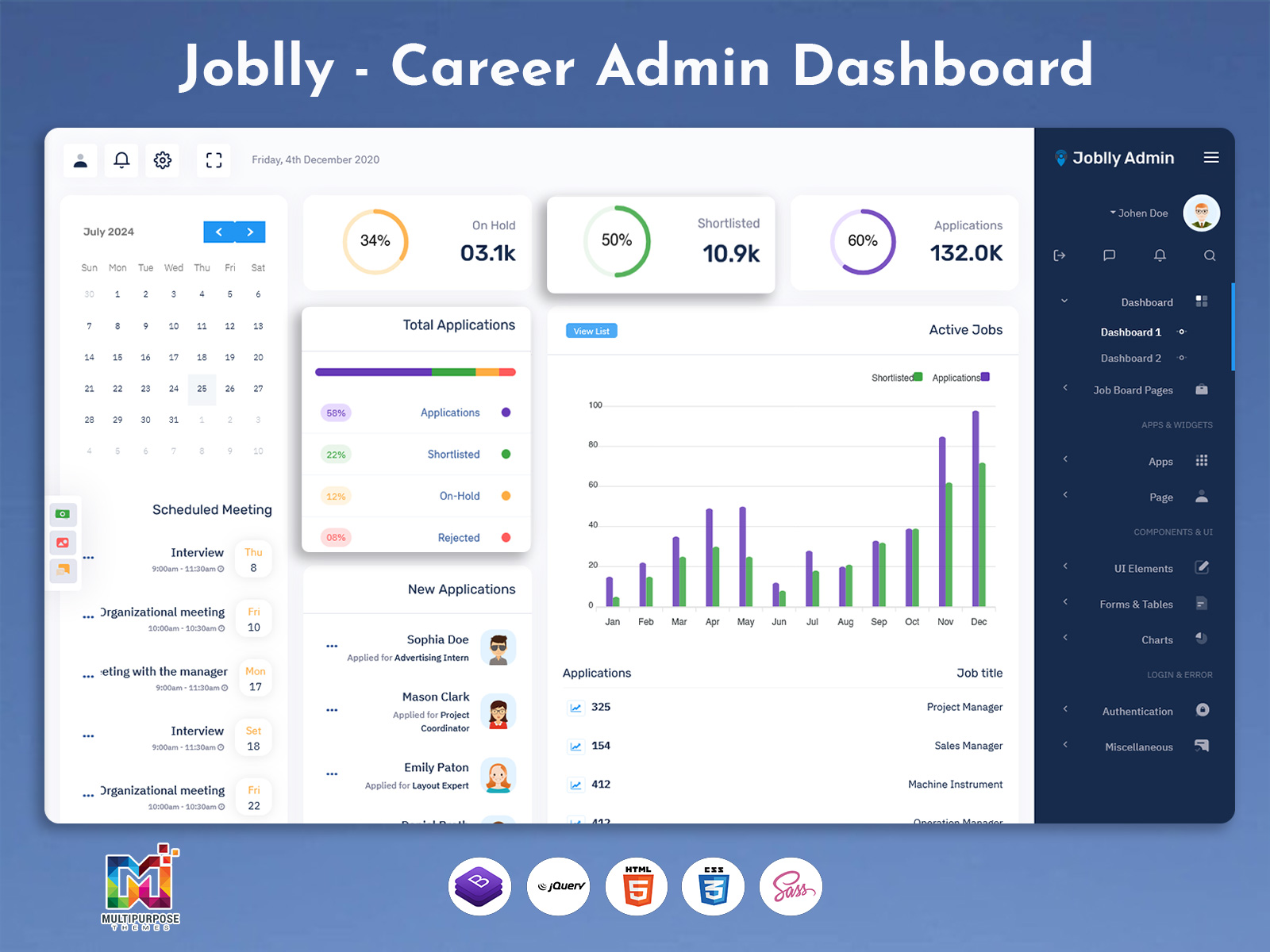
The redesigned interface provides a clean, professional, and highly organized environment that simplifies recruitment operations. Built with Bootstrap 5 Admin Dashboard technology, it ensures faster performance, improved accessibility, and easy navigation across different modules. Recruiters can manage postings, applications, interview schedules, and candidate details without struggling through clutter or complicated menus. The minimal layout reduces time spent searching for essential information and enhances workflow efficiency. With clearly defined sections and smooth transitions, users enjoy a seamless and intuitive working experience ideal for managing large hiring cycles.
2. Display of Key Metrics: Profile Views, Unread Messages, Applications Sent, Interviews & Hires
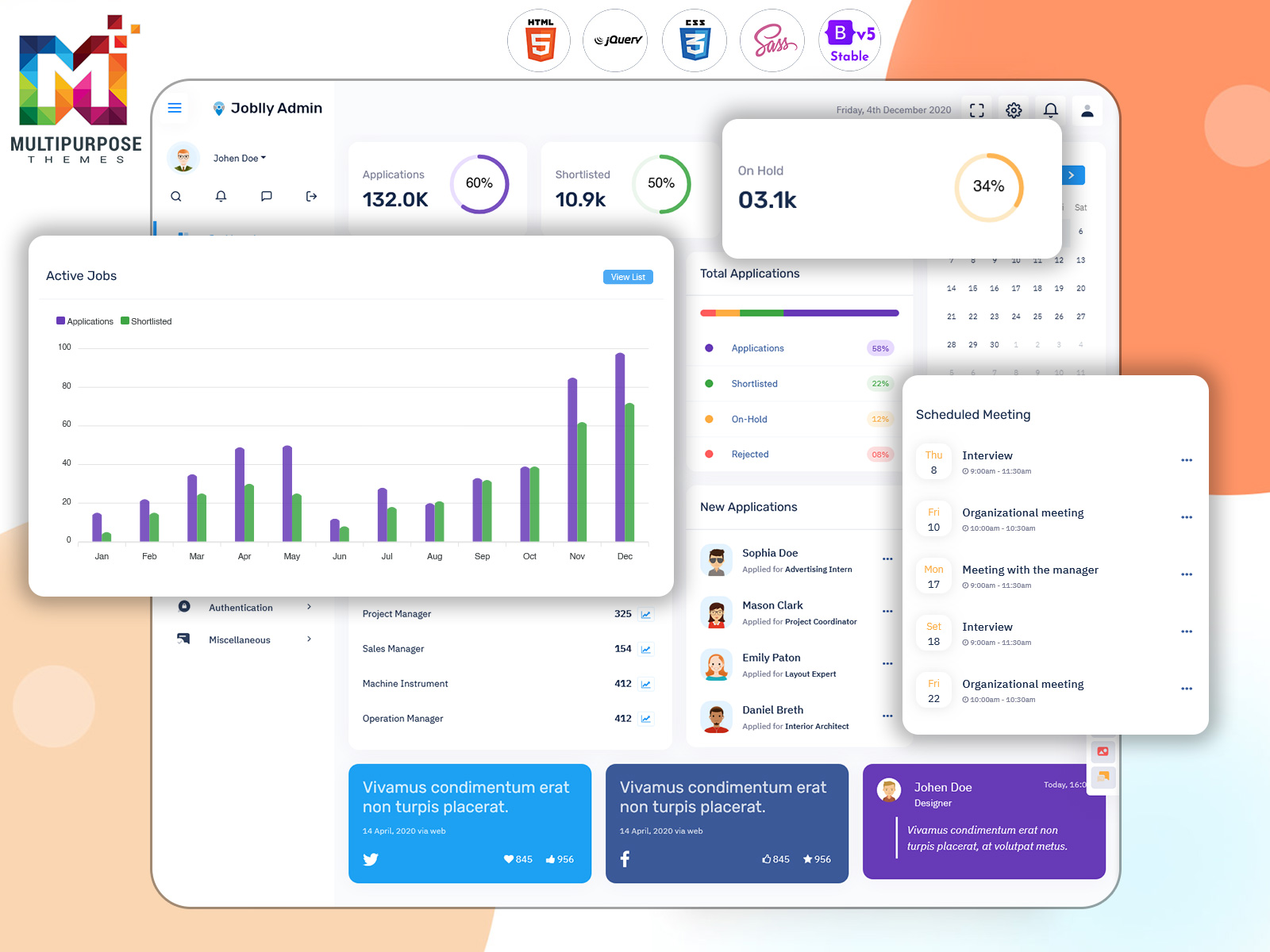
The home dashboard includes a comprehensive metrics summary where users can instantly check total profile views, unread messages, number of applications sent, interviews scheduled, and finalized hires. These real-time insights help recruiters evaluate response performance, communication flow, and hiring progress. Managers can quickly spot progress gaps and take timely action. With everything available on quick-view cards, it significantly improves decision-making and helps track productivity. These indicators allow users to measure team performance, recruitment growth, and overall engagement effectively and without manual tracking.
3. Vacancy Statistics Chart Showing Monthly Trends & Shortlisted Candidate Analytics
The new vacancy statistics chart provides a visual representation of monthly hiring activities, helping recruiters understand performance trends and season-wise changes in job demand. The chart also includes shortlisted candidate analytics, showing how many applicants progressed through screening stages. With visual representation, users can detect applicant flow patterns, identify recruitment bottlenecks, and evaluate job response more accurately. This helps HR teams improve hiring strategies, plan recruitment campaigns, and allocate budgets more precisely. The chart turns raw hiring numbers into meaningful insights with immediate clarity.
4. Listing of Posted Jobs with Featured Job Cards Including Salary & Location Details
The Admin Dashboard displays all posted jobs in a structured listing along with featured job cards that highlight job title, salary range, location, experience requirements, and job category. This makes job management easier and visually appealing for both recruiters and candidates. With quick card-based details, decision-makers can analyze job posting performance, visibility, and applicant responses without opening each listing individually. This optimizes workflow and improves candidate navigation through the portal. The visually attractive card design boosts engagement and creates a premium hiring experience.
5. Applications Table with Job Status and Applied Dates for Easy Tracking
The applications table provides complete visibility into individual job applications along with status updates such as Submitted, Shortlisted, Interview Scheduled, Offered, or Rejected. It also includes application dates, candidate names, job titles, and action options for review or communication. This enables HR teams to track recruitment progress accurately and accelerate decision-making. By viewing all applicant details in one organized space, teams can avoid manual sorting and efficiently manage large numbers of incoming applicants. The feature supports transparency and ensures no candidate is overlooked.
6. Profile Strength Pie Chart Summarizing Candidate or Recruiter Performance
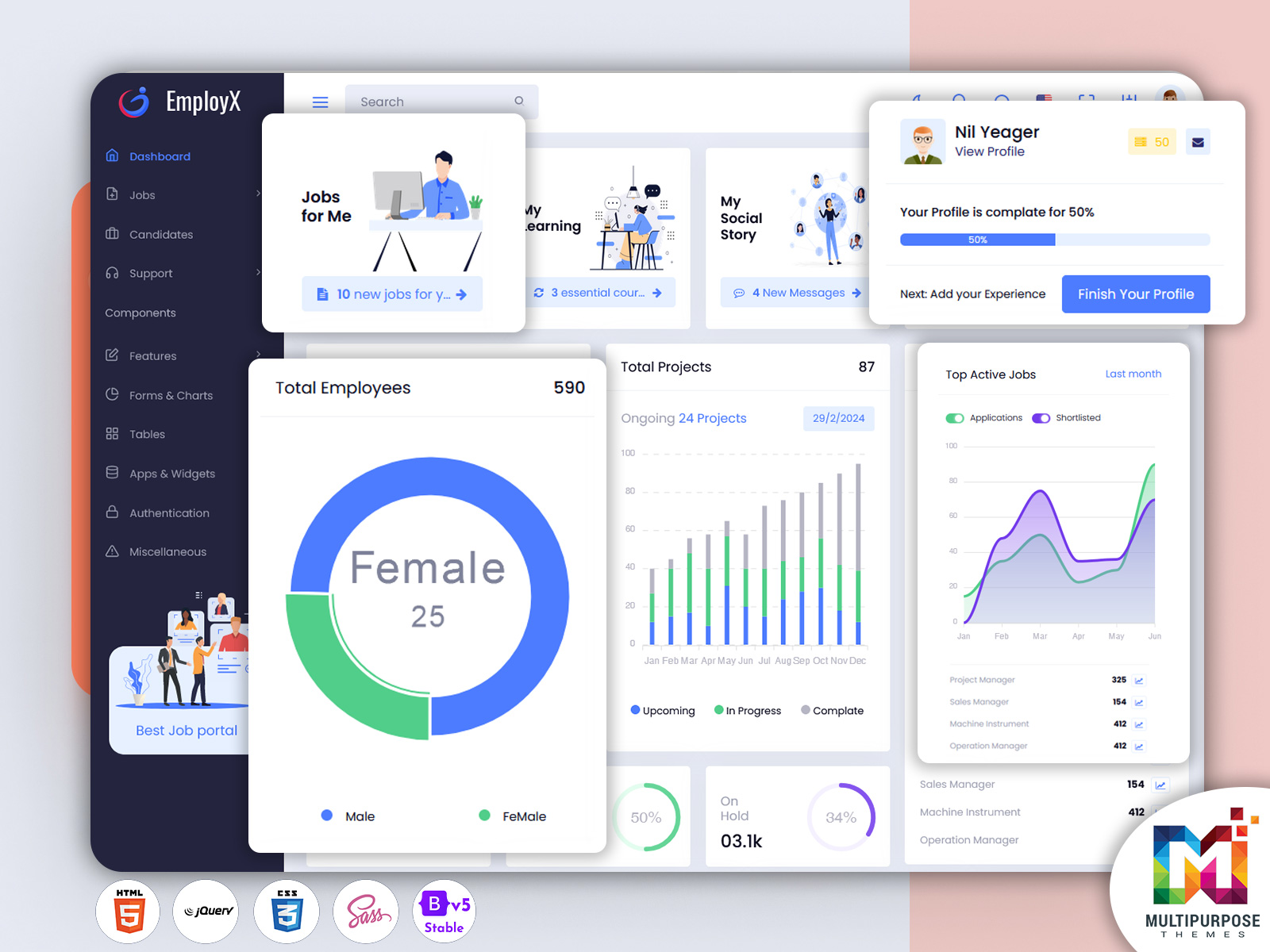
The profile strength pie chart visually summarizes profile completeness and performance quality, helping users improve engagement and credibility. It supports both recruiters and candidates by displaying completion percentages for profile elements such as resumes, skills, experience, verifications, and uploaded documents. This encourages better profile completeness and improves match accuracy between jobs and applicants. Recruiters can also use the insight to evaluate candidate readiness before scheduling interviews. The visual presentation allows instant understanding of performance indicators with no complex data interpretation required.
7. Organized and User-Friendly Layout to Track Recruitment Activities Smoothly
The new layout is designed to keep everything structured and easy to follow, reducing the time required for job posting, application review, and hiring decisions. Organized navigation provides a clear hierarchy of features, ensuring fast access to key modules such as messages, job history, candidate profiles, and analytics. The user-friendly experience helps productivity, especially when the hiring volume is high or when teams need to collaborate. This streamlined structure results in better task management and smooth workflow operations.
8. Helps Manage Job Postings, Application Progress & Interview Outcomes Efficiently
The upgraded Job Board Software Dashboard is built to manage complete recruitment lifecycle operations in a single platform. From job posting and candidate screening to interview tracking and final hiring, users gain full visibility into progress at every stage. Recruiters can evaluate performance data and automate follow-ups, improving response time and reducing manual work. With structured progress tracking, users can maintain transparent hiring records and generate accurate reporting insights. This results in faster hiring, improved candidate experience, and better recruitment outcomes.
Who Can Use This New Job App Dashboard?
1. Recruitment Agencies & Staffing Firms
Recruitment agencies handle multiple job postings and candidate submissions simultaneously, making centralized management essential. This Job Employment Dashboard helps them track client vacancies, process candidate applications faster, and monitor interview progress in real time. Agencies can compare job posting performance, evaluate candidate conversions, and maintain hiring history for transparent collaboration with clients. With clean analytics and structured job lists, staffing firms can reduce turnaround time, increase placements, improve service efficiency, and handle large-scale recruitment with confidence.
2. Corporate HR Departments
Large organizations managing internal hiring processes can rely on this dashboard to track openings, evaluate applicants, schedule interviews, and coordinate with internal teams smoothly. HR managers gain insights into application flow, department-wise hiring requirements, and recruitment timelines using detailed analytics. With full visibility of candidate status and hiring outcomes, HR teams can enhance workforce planning and avoid delays. This tool reduces paperwork, improves process transparency, and strengthens collaboration across departments to achieve timely and successful talent acquisitions.
3. Job Portals & Employment Websites
Online job portals can use this Smarter Job Board Dashboard to organize listed vacancies, featured job cards, candidate responses, and recruiter activity in a structured interface. The dashboard provides analytics on user engagement, profiles viewed, messages received, and success conversions. With real-time application tracking and performance charts, portal admins can improve job listing quality, boost platform credibility, and support better user experience. This enhances engagement for both recruiters and job seekers and increases overall portal efficiency and growth.
4. Freelance Marketplaces
Freelance platforms that connect service providers with project opportunities can utilize this dashboard to manage gig postings, shortlist freelancers, track proposal submissions, and manage client-freelancer communication. The vacancy chart helps analyze project trends and demand fluctuations, while performance charts help evaluate talent quality. The dashboard ensures smooth workflow, helping platforms maintain organized hiring processes and timely project execution. It also improves matchmaking accuracy between client requirements and freelancer skills.
5. Educational & Training Institutes
Colleges, universities, and skill development organizations running placement or internship cells can use this dashboard to manage campus hiring programs. The platform allows academic institutes to track student profiles, placement opportunities, recruiter engagement, and interviews scheduled. With analytics and application tracking, institutes can analyze placement success rates and improve student preparation. Real-time hiring updates help institutions provide transparent placement support and enhance industry collaboration.
6. Government Employment Departments
Government job boards managing public employment programs and vacancy listings can streamline recruitment tasks and improve accessibility using this Advanced dashboard. Integrated analytics help monitor application volume, region-wise hiring demand, fair selection practices, and progress at each stage. The clear and structured interface supports transparency for both employees and administrators. This dashboard ensures better job allocation, citizen engagement, and efficient handling of high-volume applications.
Let’s Explore Other Job App Dashboards
Dashboard: 1
BUY NOW DEMO
Dashboard: 2
BUY NOW DEMO
Conclusion
The New Edition Job Board Software Dashboard brings a powerful, visually organized, and performance-focused solution for modern recruitment management. Designed with a responsive, secure, and optimized Bootstrap 5 Admin Dashboard structure, it enhances the entire hiring lifecycle—from job posting to candidate selection and final onboarding. With advanced analytics, real-time insights, organized layouts, and efficient progress tracking, this platform enables smarter hiring decisions and improved operational efficiency.
Whether you are a job portal, recruitment agency, HR team, or talent management platform, this new Job Employment Dashboard strengthens productivity, reduces manual workload, and improves user experience for both recruiters and candidates. With this upgrade, managing job data, analyzing recruitment performance, and driving successful hiring results becomes faster, easier, and more reliable than ever before.
FAQs
1. What is a Job Board Dashboard?
A Job Board Dashboard is a centralized interface that helps manage job postings, applications, candidate communication, and hiring analytics in one organized platform.
2. How does this new dashboard help recruiters?
It streamlines job posting, application tracking, interview scheduling, and hiring insights to improve accuracy, speed, and efficiency.
3. Can this Job Employment Dashboard display performance metrics?
Yes, it shows analytics such as profile views, interviews, hires, job statistics, and candidate performance to support data-backed decisions.
4. Is this dashboard built on Bootstrap 5 Admin Dashboard?
Yes, the updated version is structured on a modern Bootstrap 5 framework for faster performance and improved UI responsiveness.
5. Who can use this Job Board Software Dashboard?
Recruitment companies, HR teams, job portals, government job boards, education placement cells, and freelance platforms.
6. Does the dashboard include real-time tracking?
Yes, all application activities and hiring progress update in real time for transparent tracking.
7. Can recruiters manage multiple jobs at once?
Absolutely, job listings with card-style details allow easy multi-posting and performance comparison.
8. Does it support candidate performance evaluation?
Yes, the profile strength pie chart helps assess readiness and quality quickly.
9. Is the dashboard user-friendly for new users?
Yes, the interface is intuitive, visually clear, and designed for smooth navigation across modules.
10. Does this dashboard help improve hiring outcomes?
Yes, with analytics, organized workflow, and structured insights, hiring accuracy and speed improve significantly.

Related Posts


This Post Has 0 Comments